About Machine Control (MMC & P2) 257
DM2000 Version 2—Owner’s Manual
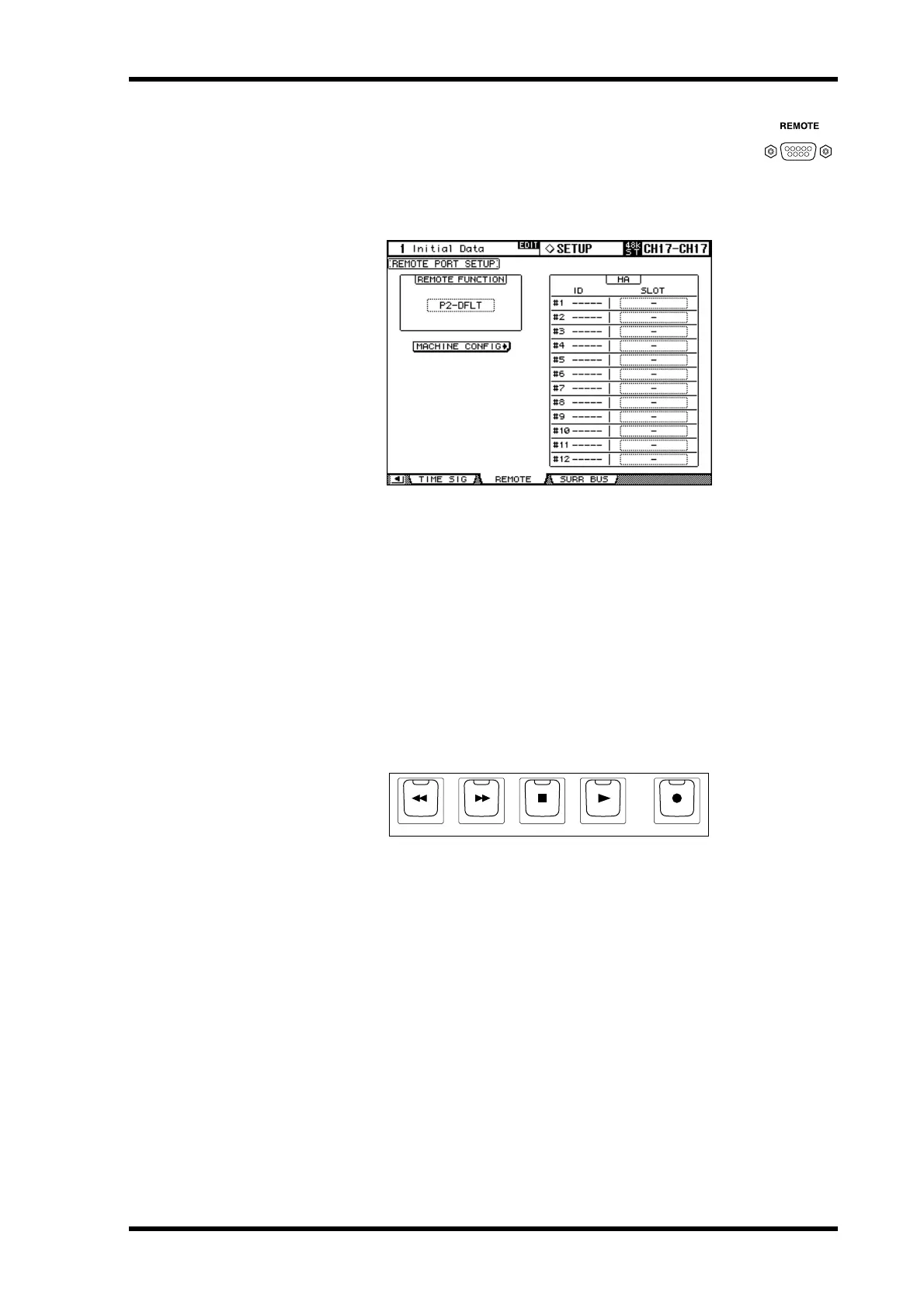
Configuring the REMOTE Port
If you are using the P2 protocol to control a machine, the REMOTE port
must be configured as follows.
1 Use the DISPLAY ACCESS [SETUP] button to select the Remote Port Setup
page.
2 Use the cursor buttons to select the REMOTE FUNCTION parameter, use the
INC/DEC buttons to select P2-DFLT, then press [ENTER].
P2-DFLT: A P2 protocol used by the Tascam DA-98HR and other professional video
machines.
HA: A protocol used to control Yamaha AD8HR/AD824 A/D converters.
P2-VTR1–3: An expanded version of the P2 protocol intended for future use. Currently,
this is the same as P2-DFLT.
Transport Buttons
The DM2000’s transport can be used to control external machines. Transport control can
be enabled and disabled for individual machines on the Machine Configuration page (see
page 256).
[REW] button
This button starts rewind on the external machines.
[FF] button
This button starts fast forward on the external machines.
[STOP] button
This button stops the external machines.
[PLAY] button
This button starts playback on the external machines. It’s also used to punch out of record-
ing.
[REC] button
This button is used in conjunction with the [PLAY] button to start recording on the external
machines.
REC
REW
FF STOP PLAY



 To Next Page