Controlling AD8HR/AD824 A/D Converters 267
DM2000 Version 2—Owner’s Manual
Controlling AD8HR/AD824 A/D Converters
You can control the parameters of up to 12 Yamaha AD8HR/AD824 A/D
Converters from the DM2000 by connecting them to the DM2000’s
REMOTE port using a 9-pin reversed cable. Pinouts are provided on
page 350.
Configuring the REMOTE Port & Assigning Slots to HA
(AD8HR/AD824) IDs
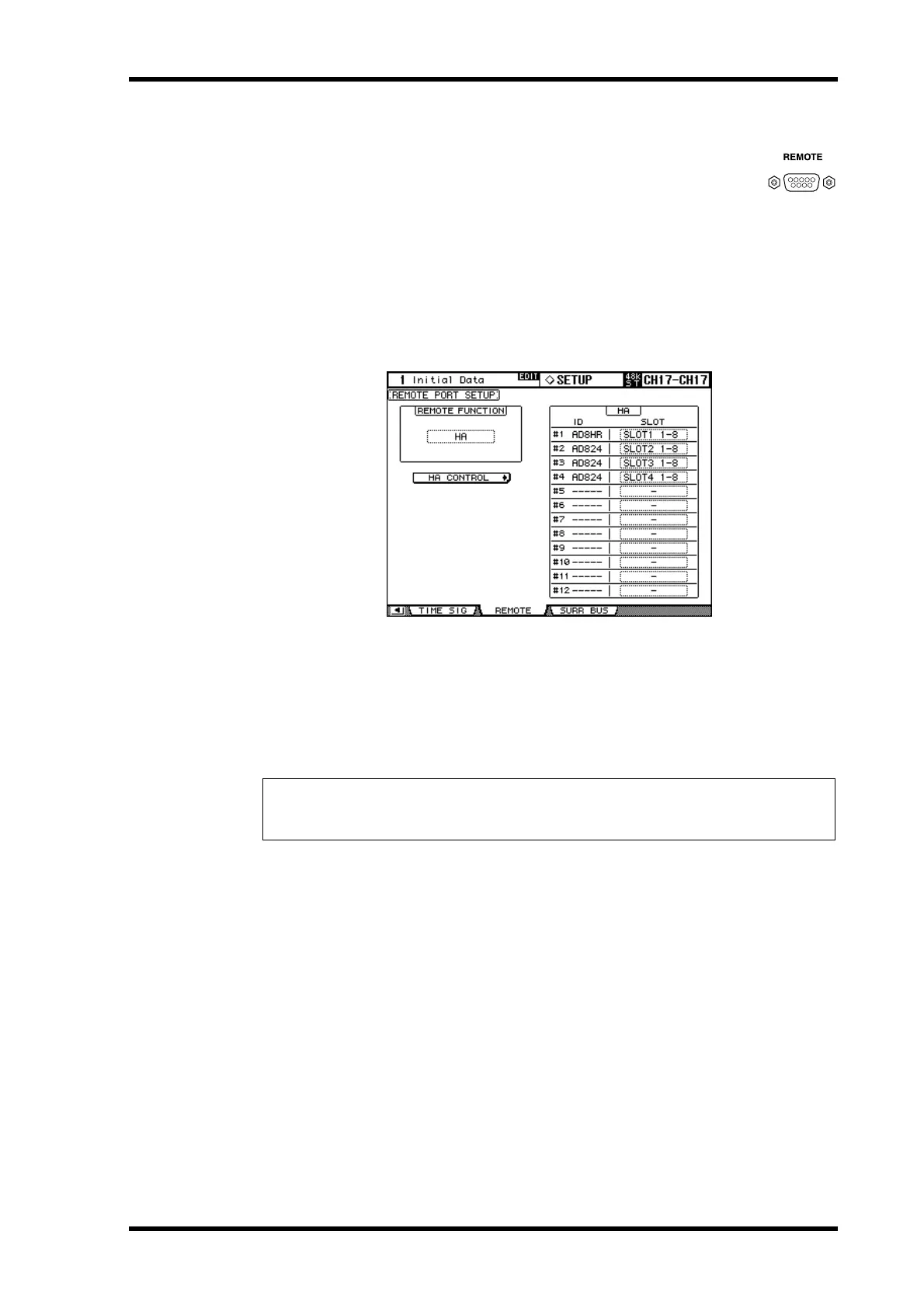
The REMOTE port can be configured, and Slots assigned to HA IDs as follows.
1 Use the DISPLAY ACCESS [SETUP] button to select the Remote Port Setup
page.
2 Use the cursor buttons to select the REMOTE FUNCTION button, use the
INC/DEC buttons to select HA, then press [ENTER].
3 Use the cursor buttons to select the HA SLOT parameters, and use the Param-
eter wheel or INC/DEC buttons to select the Slots.
The ID column lists names of connected devices (AD8HR or AD824). The number of avail-
able IDs depends on the number of AD8HR/AD824s connected to the DM2000.
Note: To control multiple AD8HR/AD824 Converters, connect them with the DM2000 in a
daisy chain. Note that you must connect AD8HRs closer to the DM2000 if both AD8HRs and
AD824s are connected in a system.



 To Next Page