280 Chapter 21—Other Functions
DM2000 Version 2—Owner’s Manual
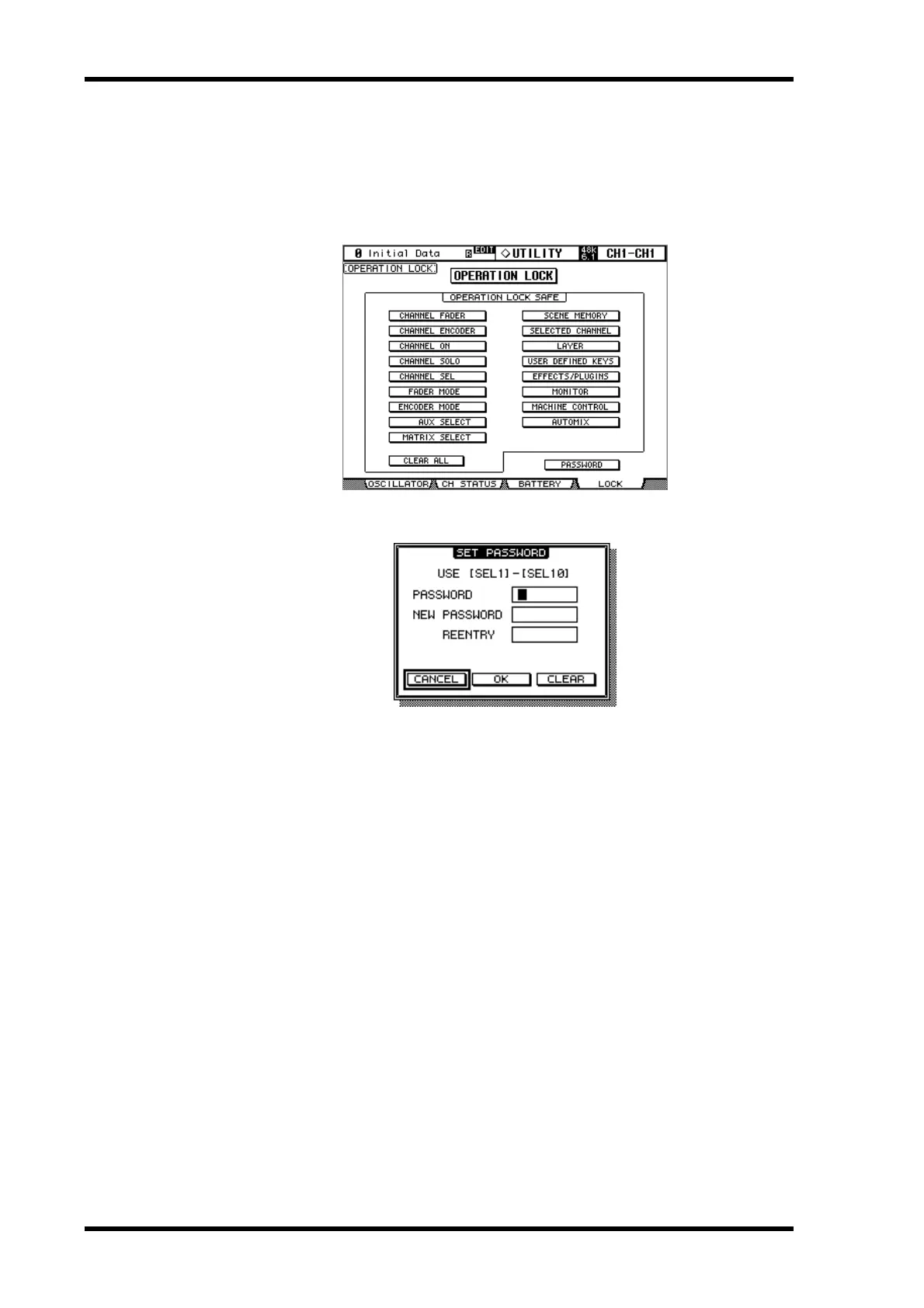
Operation Lock
The DM2000 features the Operation Lock function, which avoids unintentional edits and
uses a password to restrict access to panel operation.
1 Use the DISPLAY ACCESS [UTILITY] button to locate the Operation Lock
page.
2 Use the cursor buttons to select the PASSWORD button, then press [ENTER].
3 Use the [SEL] buttons to set the password.
Enter a four-letter password using the Channel 1–10 [SEL] buttons (Channel 10 [SEL] but-
ton enters “0”). (The factory default password is 1234.)
Enter the current password in the PASSWORD field, and a new password in the NEW
PASSWORD field. Enter the new password again in the REENTRY field.
4 Use the cursor buttons to select the OK button, then press [ENTER] to update
the password.
If you forget the password, you will be unable to cancel Operation Lock. Be sure to remem-
ber the password.



 To Next Page