Dithering Digital Outputs
73
DM2000 Version 2—Owner’s Manual
Dithering Digital Outputs
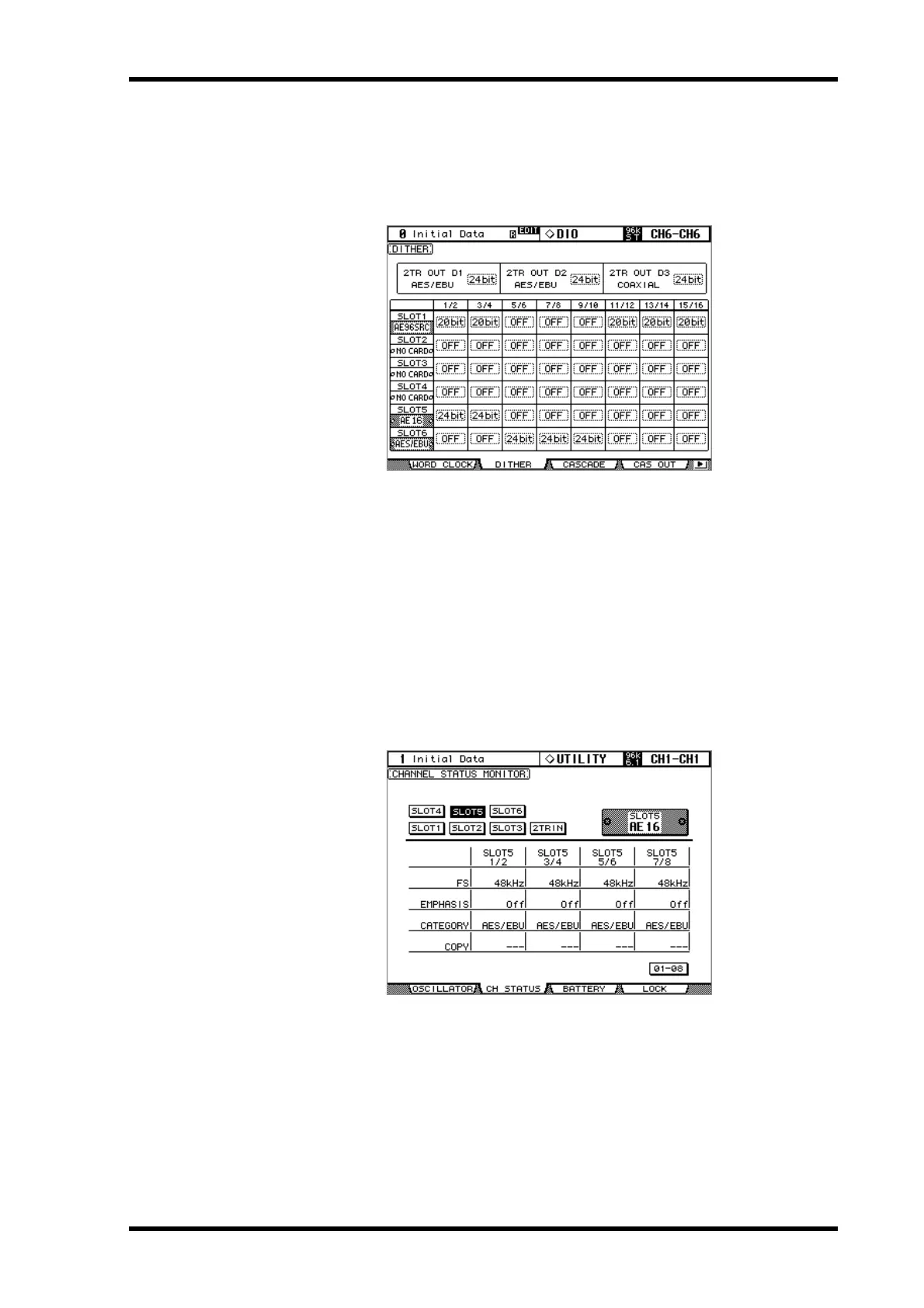
For digital audio transfer to lower-resolution systems, the 2TR Digital Outputs and Slot
Outputs can be dithered to 16-bit, 20-bit, or 24-bit.
1
Use the DISPLAY ACCESS [DIO] button to locate the Dither page.
2
Use the cursor buttons to select the Dither parameters, and use the Param-
eter wheel or INC/DEC buttons to set them.
The SLOT column displays the names of any installed I/O Cards.
You can copy the currently selected setting to all Dither parameters by double-clicking the
[ENTER] button.
Monitoring Digital Input Channel Status
You can monitor the Channel Status of digital audio signals connected to the 2TR Digital
Inputs and Slot Inputs as follows.
1
Use the DISPLAY ACCESS [UTILITY] button to locate the Channel Status Mon-
itor page.
2
Use the cursor buttons to select the SLOT 1–6 and 2TR IN buttons, then press
[ENTER].
Displayed Channel Status information includes sampling rate (FS), emphasis, category, and
copy protection.
However, if a mini-YGDAI I/O card other than AES/EBU format is installed, Channel Status
information will be grayed out.



 To Next Page