76 Chapter 5—Digital I/O & Cascading
DM2000 Version 2—Owner’s Manual
Attenuating Cascade Inputs
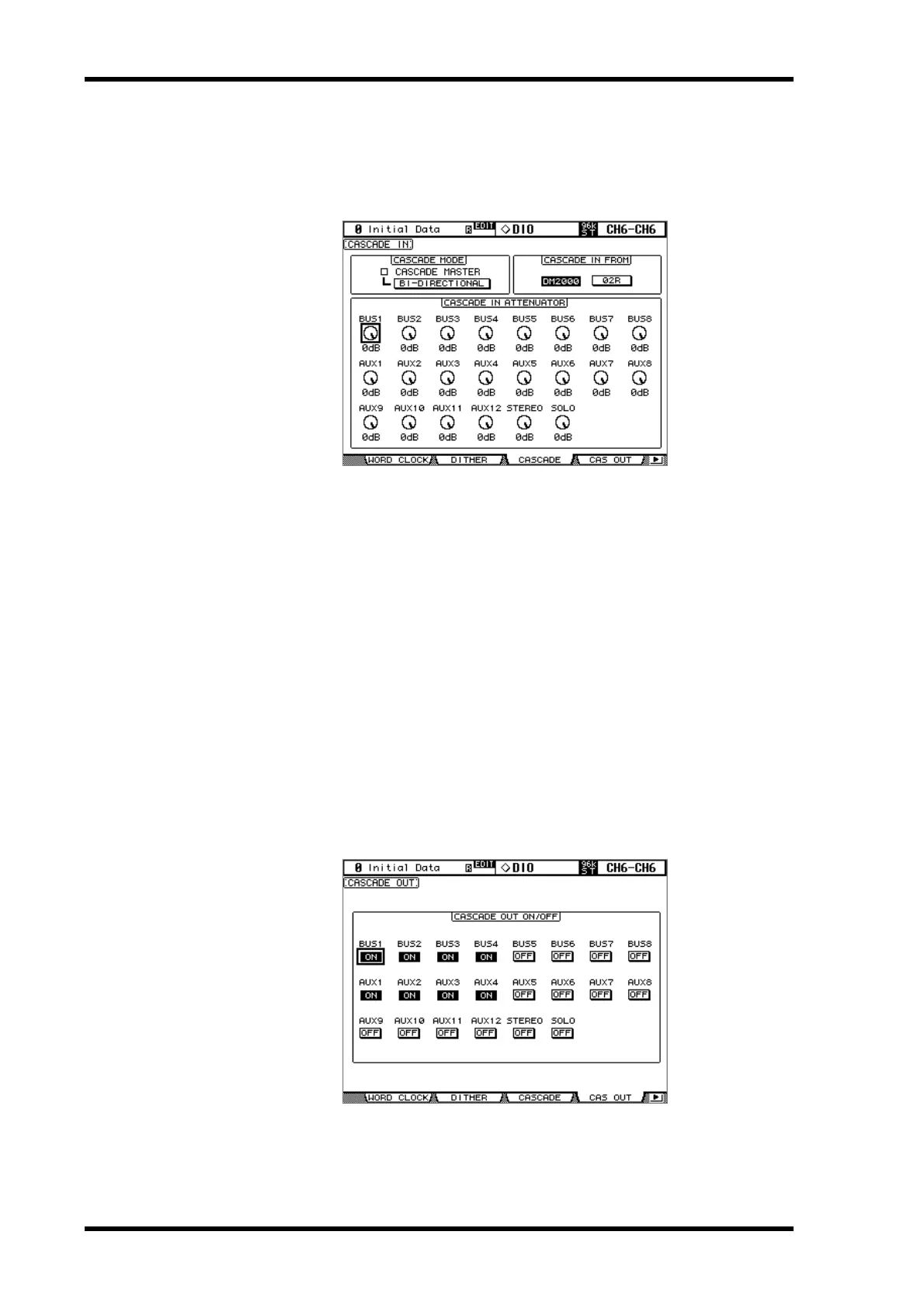
Cascade Inputs can be attenuated, and the Cascade mode and Cascade source can be spec-
ified on the Cascade In page.
1 Use the DISPLAY ACCESS [DIO] button to locate the Cascade In page.
2 Use the cursor buttons to select the parameters, and use the Parameter
wheel, INC/DEC buttons, or [ENTER] button to set them.
CASCADE MODE: When you want to output the same signals from two DM2000s, turn
on the BI-DIRECTIONAL button. In this case, the Cascade connections are looped. Turn
on the CASCADE MASTER option on one of the DM2000s to make it the master console.
When the BI-DIRECTIONAL button is off, the last DM2000 in the cascade is automatically
configured as the master console and it output the final signals.
CASCADE IN FROM: This is used to specify the type of device connected to the CAS-
CADE IN port, either DM2000 or 02R. When a DM2000 or 02R96 is connected to the CAS-
CADE IN port, DM2000 is specified automatically.
CASCADE IN ATTENUATOR: These controls are used to attenuate Cascade Input sig-
nals. You can copy the currently selected setting to all Attenuator parameters by dou-
ble-clicking the [ENTER] button.
Turning On & Off Cascade Outputs
Individual Cascade Outputs can be turned on or off as follows.
1 Use the DISPLAY ACCESS [DIO] button to locate the Cascade Out page.
2 Use the cursor buttons to select the ON/OFF buttons, and use the [ENTER]
button to set them.



 To Next Page