7
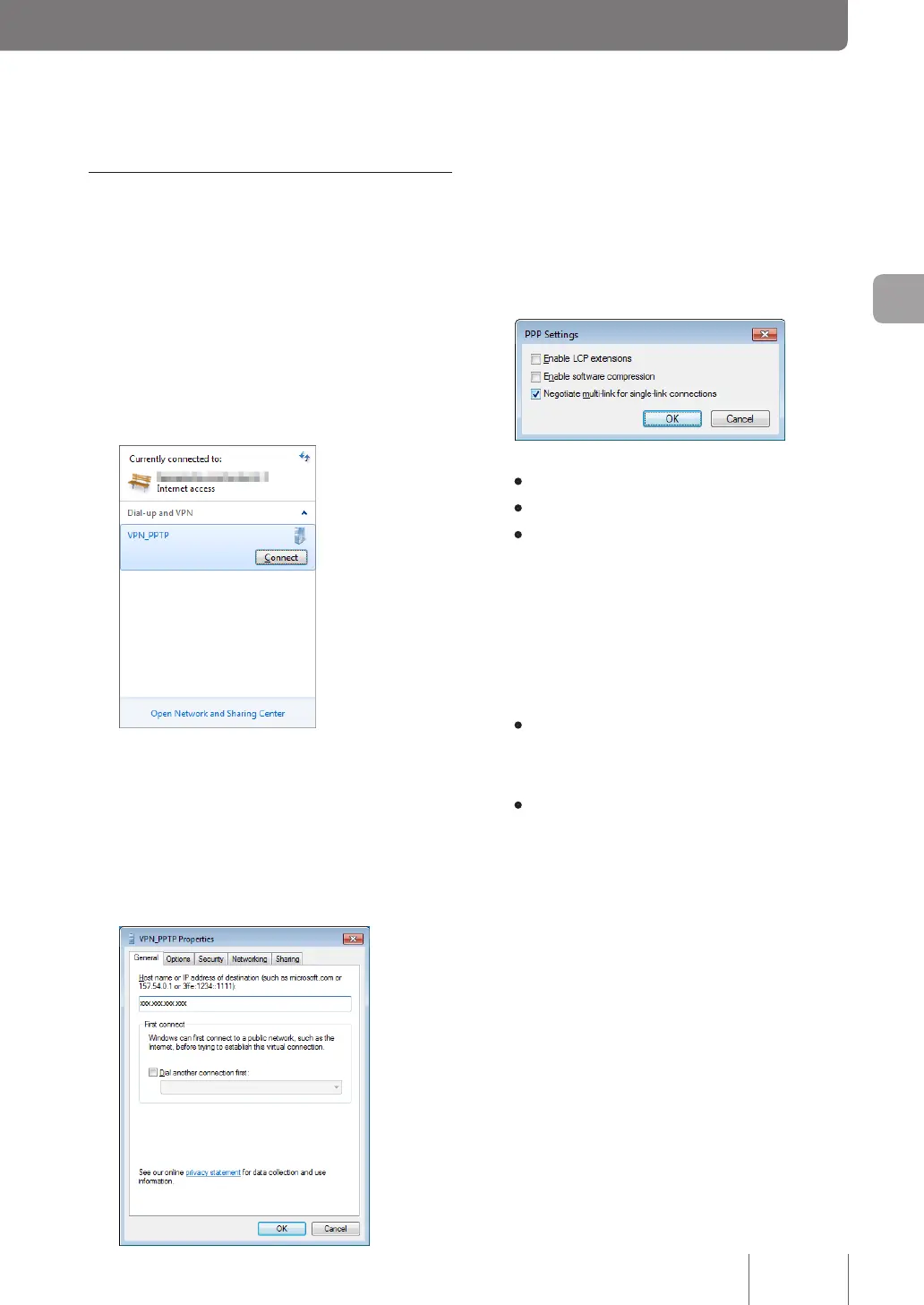
Click “Options” tab, and then click “PPP
Settings”.
8
Select the check box as shown below and
then click “OK”.
• Enable LCP extensions: Unchecked
• Enable software compression: Unchecked
• Negotiate multi-link for single-link connections:
Checked
9
Click “Security” tab and then select “Automatic”
for “Type of VPN”.
10
Select the encryption mode according to the
setting you made in Step 4 on page 73.
• If “Non-encrypted access denied” is selected
with the product: Select “Require encryption
(disconnect if server declines).
• If “Non-encrypted access allowed” is selected
with the product: Select your desired encryption
level.
Accessing the product
1
Configure broadband connections and
connect the product to the Internet.
2
Click “View network status and tasks” in
“Control Panel”.
3
Click “Connect to a network”.
4
Select “VPN_PPTP” icon and then click
“Connect”.
5
Click “Properties”.
6
Click “General” tab and check that the host
address obtained with the netvolante DNS
service or the WAN IP address of the product
has been entered in “Host name or IP address
of destination”.
75
Implementing site-to-site VPN connections
4



 To Next Page