MULTI-FUNCTION DISPLAY
1-25
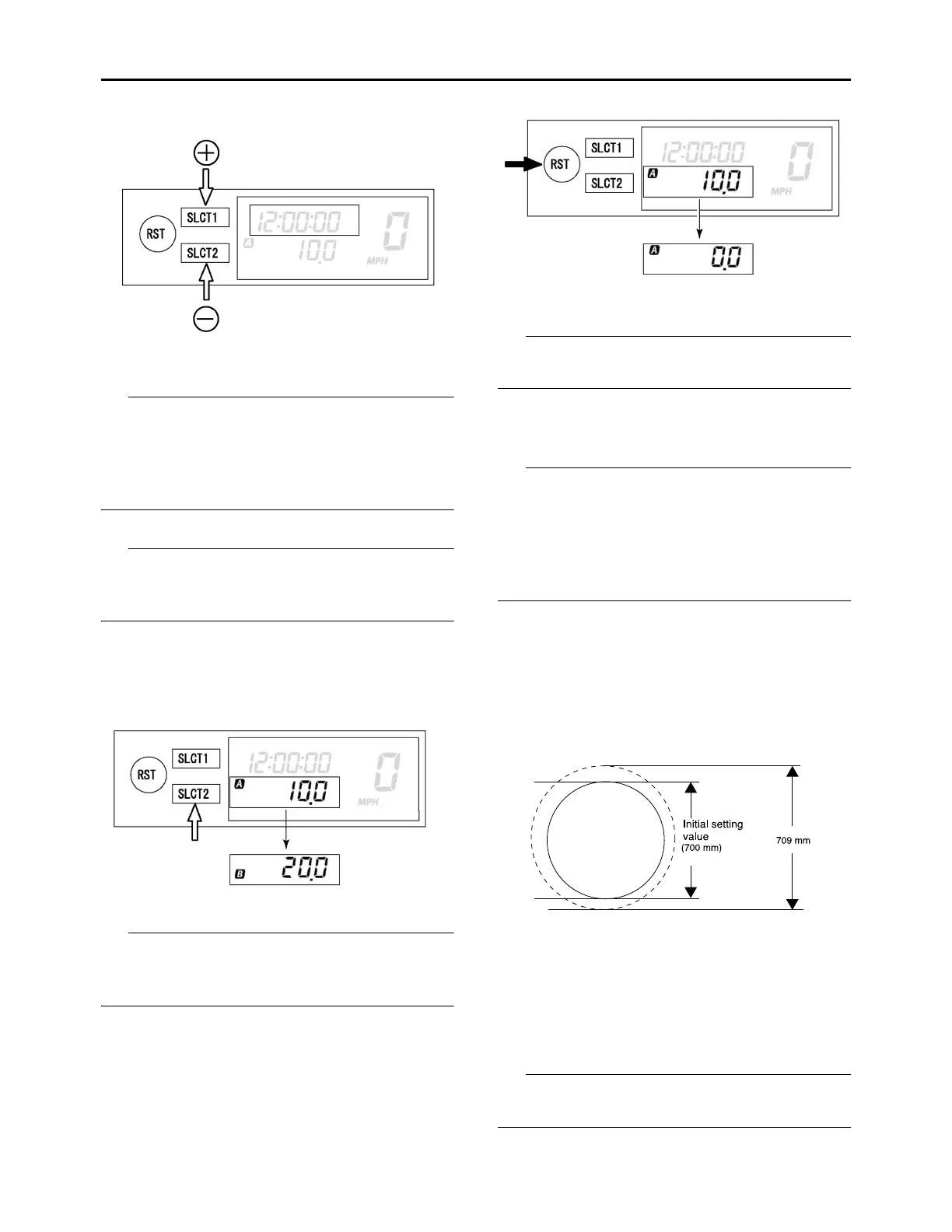
button (minus) and change the time. A long
push on the button will fast-forward the time.
4. To end the setting, push the “RST” button for
2 seconds or more.
• In a 30-second absence of button operation,
the setting will come to an end with the indicat-
ed time.
• To reset the seconds, push the “SLCT1” button
or “SLCT2” button.
Changing tripmeter A/B (TRIP A/B)
• The odometer will lock at 99999.
• The tripmeter will reset and continue counting
after 999.9 is reached.
1. Push the “SLCT2” button to change the trip-
meter display. The display will change in the
following order:
TRIP A TRIP B TRIP A.
To reset the digits, select the tripmeter involved
and push the “RST” button for 2 seconds or
more.
Setting the tire diameter
The outer diameter of a tire varies with tire wear,
tire pressure, and course condition.
If the outer diameter of a tire varies with tire wear
or tire pressure, it can be corrected in the follow-
ing manner.
The initial value is preset with approximately 700
mm as 100 %.
• If the outer diameter of a tire is larger than the
initial value Provide a larger set value.
• If the outer diameter of a tire is smaller than the
initial value Provide a smaller set value.
1. Compute the difference in outer diameter
from the initial value for the front tire.
Example) If the outer diameter of the tire is
709 mm, which is larger than initial value; 709
mm/700 mm 100 (%) = 101.3 (%) Range
capable of setting: 65.0–115.0 %
2. Push the “SLCT1” button and “RST” button
for 2 seconds or more at the same time to en-
ter tire diameter setting mode.
3. Push the “SLCT1” button (plus) or “SLCT2”
button (minus) and change the setting. A long
push on the button will fast-forward the digits.
Colon (:) for the displayed tire diameter repre-
sents the decimal marker.



 To Next Page