MULTI-FUNCTION DISPLAY
1-26
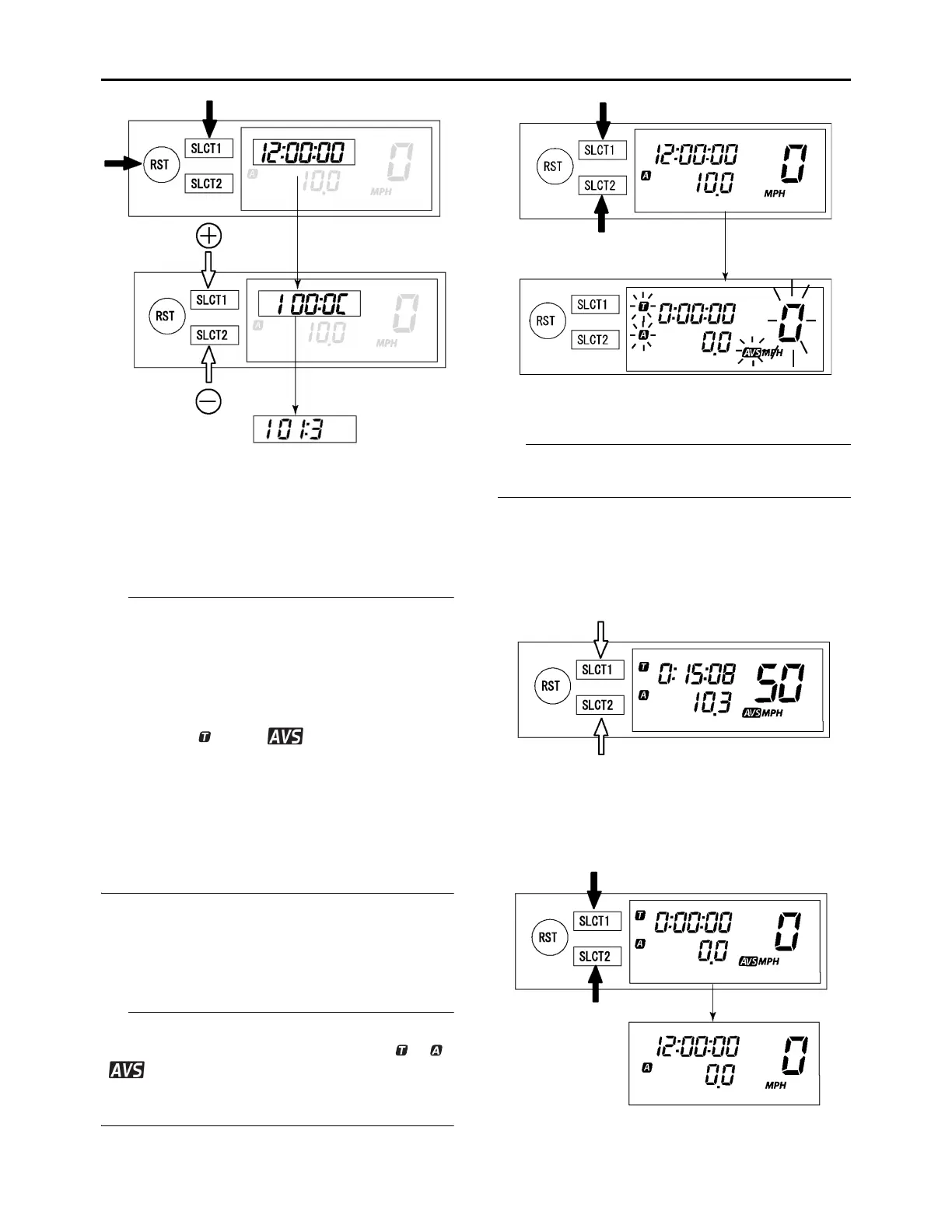
4. Push the “SLCT1” button and “RST” button
for 2 seconds or more at the same time will
finish the setting.
EAM30328
CHANGEOVER TO BASIC MODE/RACE
MODE
• RACE MODE displays the average speed, so
it does not display the current speed. Average
speed displayed in RACE MODE will be repre-
sented by a quotient of the distance accumu-
lated by tripmeter A (TRIP A) divided by the
period of time accumulated by the timer.
• Indicators “ ” and “ ” will light up as an
identifier that shows RACE MODE has been
selected.
• RACE MODE cannot display the functions as
in BASIC MODE.
• Changeover to RACE MODE forces the digits
for tripmeter A (TRIP A) in BASIC MODE to be
reset.
Changeover from BASIC MODE to RACE
MODE
1. Push the “SLCT1” button and “SLCT2” button
for 2 seconds or more at the same time to
change over to RACE MODE.
Changeover to RACE MODE will put manual
start measurement on standby causing “ ”, “ ”,
“ ”, and the average speed display to flash.
(For manual start, refer to “Putting measurement
on standby” in “RACE MODE”.)
Returning to BASIC MODE from RACE
MODE
It is possible to return to BASIC MODE with timer
measurement at a stop.
1. Check that the timer is not in operation. If the
timer is in operation, stop the timer by push-
ing the “SLCT1” button and “SLCT2” button
at the same time.
2. Push the “SLCT1” button and “SLCT2” button
for 2 seconds or more at the same time to
change over to BASIC MODE.






 To Next Page