5-8
User Constant Tables
A: Setup Settings
The following settings are made with the environment constants (A constants): Language displayed on the
Digital Operator, access level, control method, initialization of constants.
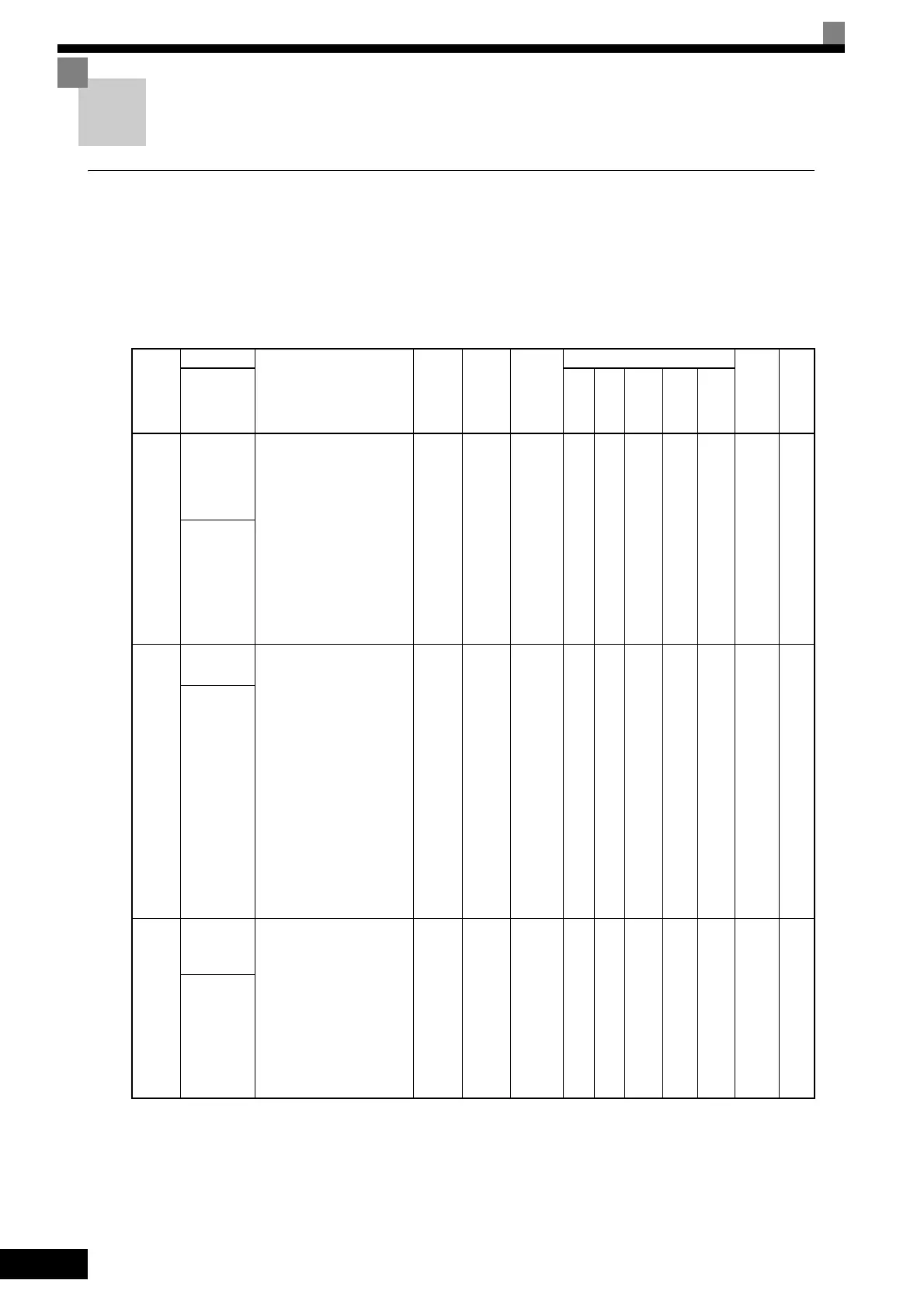
Initialize Mode: A1
User constants for the environment modes are shown in the following table.
Con-
stant
Number
Name
Description
Setting
Range
Factory
Setting
Change
during
Opera-
tion
Control Methods
MEMO-
BUS
Regis-
ter
Page
Display
V/f
V/f
with
PG
Open
Loop
Vec-
tor
1
Flux
Vec-
tor
Open
Loop
Vec-
tor
2
A1-00
Language
selection for
Digital
Operator
display
Used to select the language
displayed on the Digital
Operator (LCD).
0: English
1: Japanese
2: German
3: French
4: Italian
5: Spanish
6: Portuguese
7: Chinese
This constant is not initialized
by the initialize operation.
0 to 7 7 Yes A A A A A 100H -
语言选择
A1-01
Constant
access level
Used to set the constant
access level (set/read.)
0: Monitoring only
(Monitoring drive mode
and setting A1-01 and A1-
04.)
1: Used to select user
constant
(Only constants set in A2-
01 to A2-32 can be read
and set.)
2: Advanced
(Constants can be read
and set in both quick
programming mode and
advanced programming
(A) mode.)
0 to 2 2 Yes A A A A A 101H
4-17
6-156
参数的访问级
A1-02
Control
method
selection
Used to select the control
method for the Inverter
0: V/f control
1: V/f with PG feedback
2: Open-loop vector 1 con-
trol
3: Flux vector
4: Open-loop vector 2 con-
trol
This constant is not initialized
by the initialize operation.
0 to 4 2 No Q Q Q Q Q 102H
4-5
4-7
4-18
控制模式选择



 To Next Page
 Loading...