User’s Manual 1PH HYD3000-HYD6000-ZSS
Rev. 1.1 16/03/2021
Identification: MD-AL-GI-00
Rev. 1.1 of 16/03/2021 - Application: GID
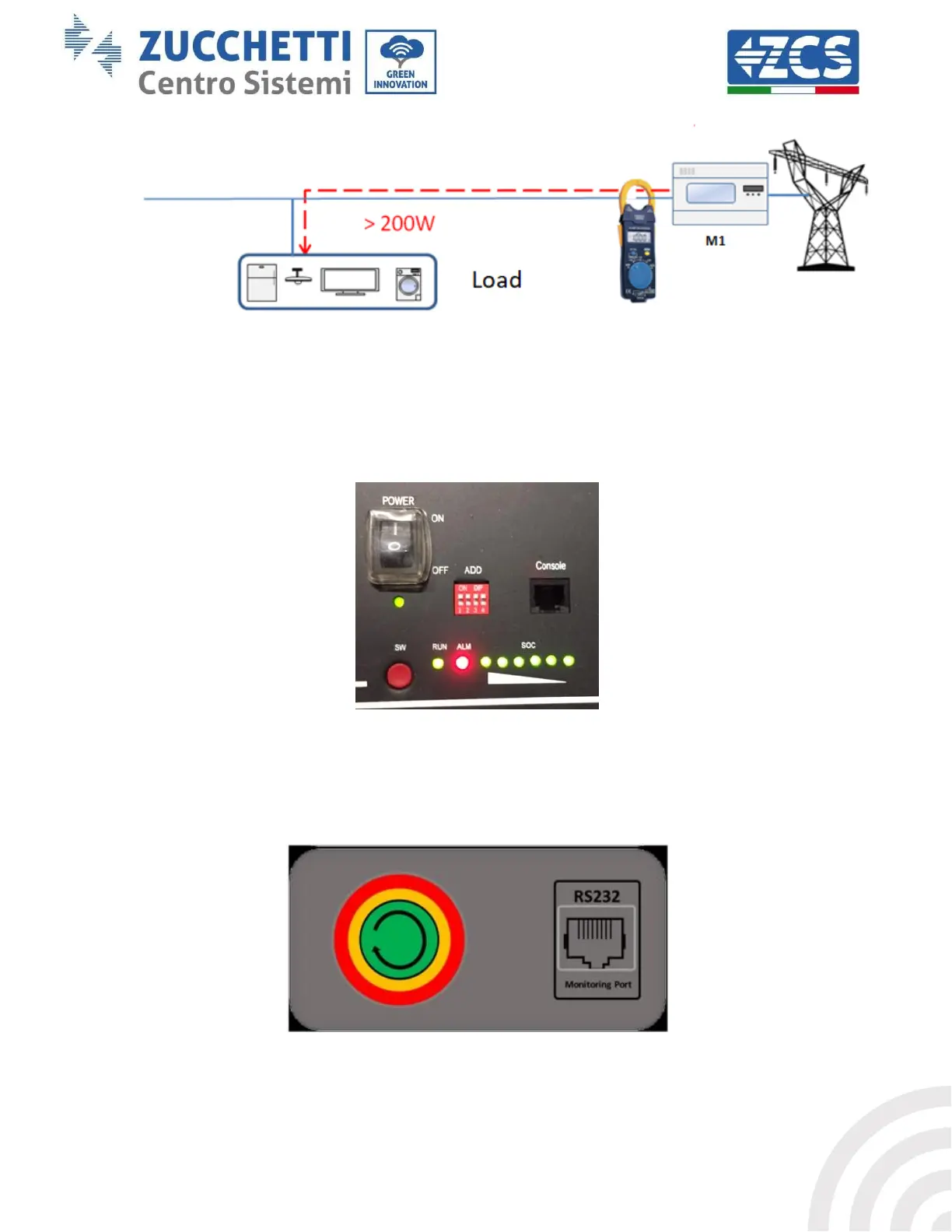
Figure 35 – Checking that the power consumption is above 200W
4. Supply DC power to the inverter by correctly switching on the batteries:
In the case of Pylontech batteries, set the POWER switch of the battery, or (in the case of multiple
units) of all the batteries, to I (ON position), then press the red SW button of the master battery for
about one second; at this point the LEDs of all the batteries will light up in sequence, and after a few
seconds will turn off, except for the RUN indicating LED. After this, wait for the display to turn on.
Figure 36 – Battery status after setting the POWER switch to ON and pressing the SW button
In the case of WeCo batteries, press the RUN button for about one second; after releasing it, wait for
the sound inside the battery indicating the closure of the relay. Repeat the operation for all the
subsequent batteries in the system.
Figure 37 - View of WeCo battery ON button









 To Next Page