User’s Manual 1PH HYD3000-HYD6000-ZSS
Rev. 1.1 16/03/2021
Identification: MD-AL-GI-00
Rev. 1.1 of 16/03/2021 - Application: GID
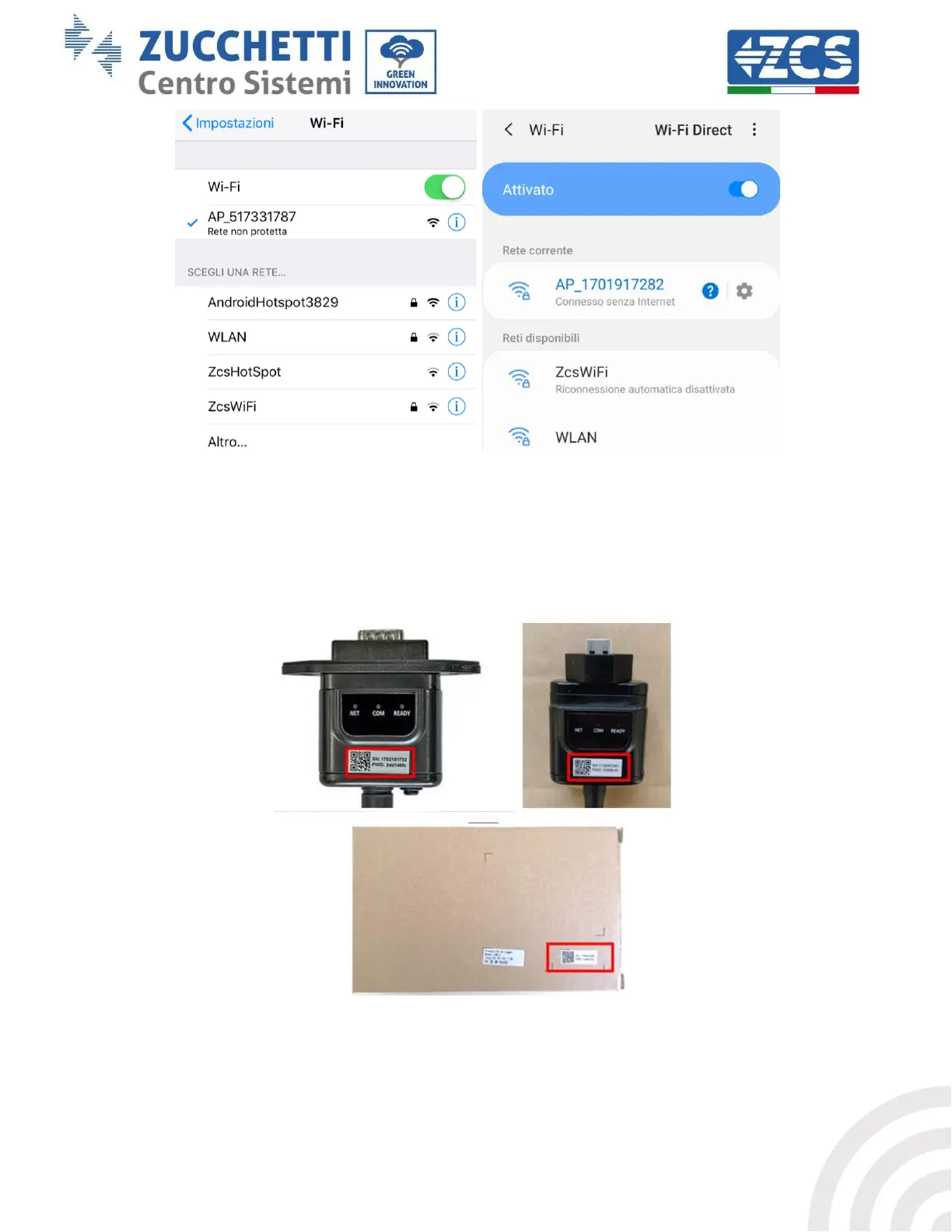
Figure 44 - Connection to Access Point for Wi-Fi adapter on iOS smartphone (left) and Android smartphone (right)
3) If you are using a second-generation Wi-Fi adapter, you will be prompted for a password to connect
to the inverter's Wi-Fi network. Use the password found on the box or on the Wi-Fi adapter.
Figure 45 – Password of external Wi-Fi adapter
Note: To ensure that the adapter is connected to the PC or smartphone during the configuration procedure,
enable automatic reconnection of the AP_******* network.









 To Next Page