User’s Manual 1PH HYD3000-HYD6000-ZSS
Rev. 1.1 16/03/2021
Identification: MD-AL-GI-00
Rev. 1.1 of 16/03/2021 - Application: GID
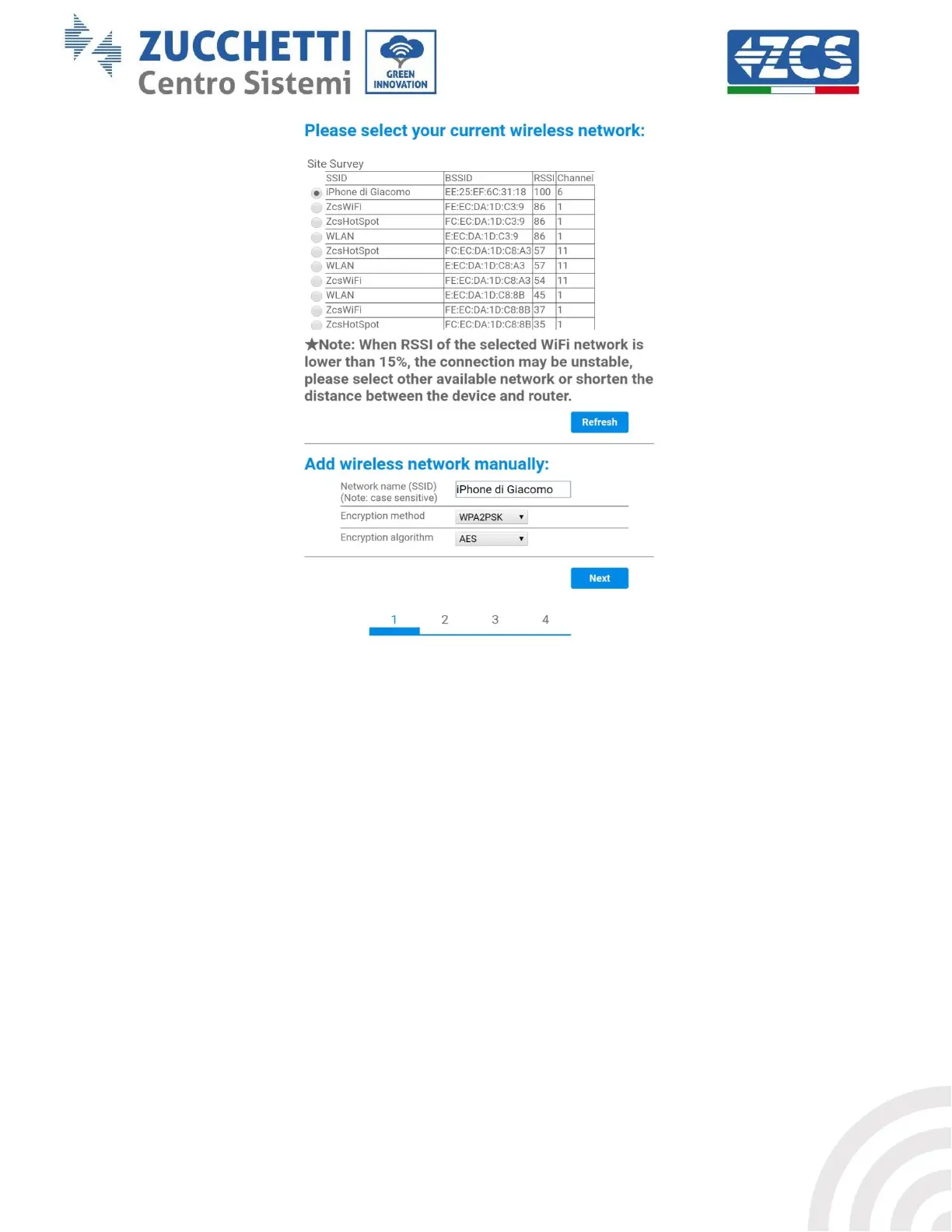
Figure 50 – Screen for selecting the available wireless network (1)
8) Enter the password of the Wi-Fi network (Wi-Fi modem), clicking on Show Password to make sure it
is correct; the password should not contain special characters (&, #, %) and spaces.
Note: During this step, the system is not able to ensure that the password entered is the one actually
requested by the modem, therefore please make sure you enter the correct password.
Also check that the box below is set to Enable.
Then click “Next” and wait a few seconds for verification.









 To Next Page