Screen Setup for PC mode
Selecting Resolution
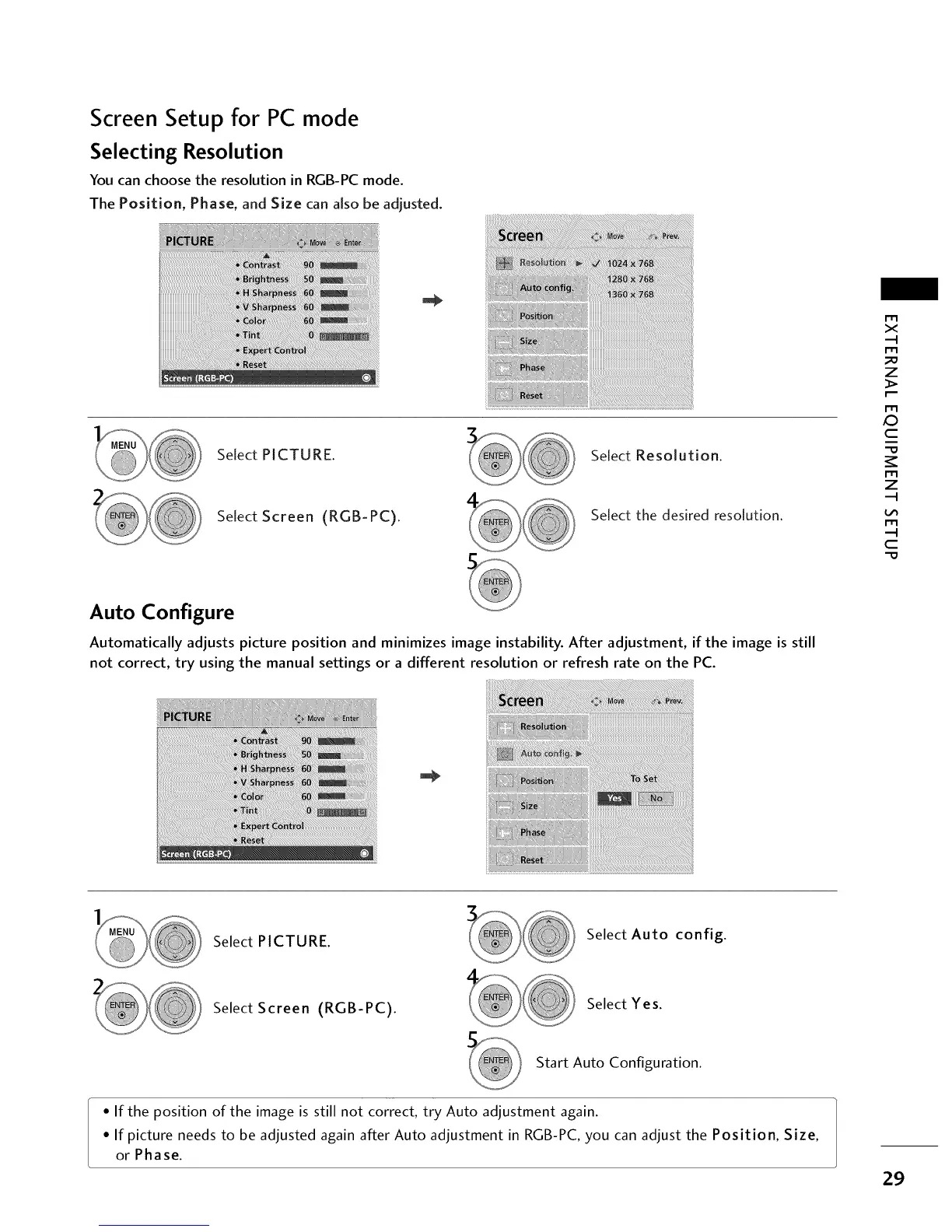
You can choose the resolution in RGB-PC mode.
The Position, Phase, and Size can aJso be adjusted.
Select PICTURE. Select Resolution.
Select Screen (RGB-PC).
Select the desired resolution.
r'_
x
r_
_D
z
r_
X_
c
r_
z
r_
c
Auto Configure
Automatically adjusts picture position and minimizes image instability. After adjustment, if the image is still
not correct, try using the manual settings or a different resolution or refresh rate on the PC.
Select PICTURE.
Select Auto config.
Select Screen (RGB-PC).
Select Yes.
Start Auto Configuration.
• If the position of the image is still not correct, try Auto adjustment again.
• If picture needs to be adjusted again after Auto adjustment in RGB-PC, you can adjust the Position, Size,
or Phase.
29



 To Next Page