Caption Option
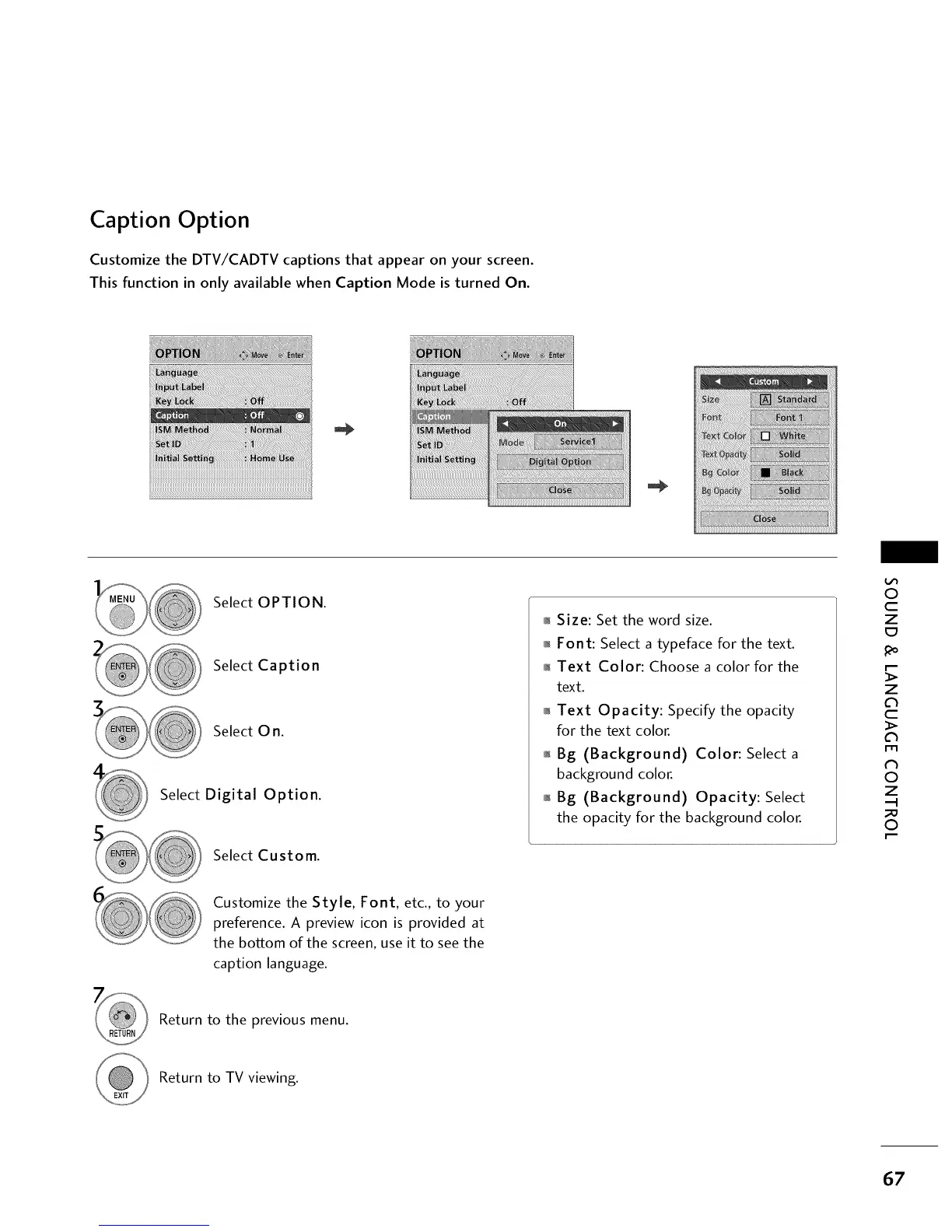
Customize the DTV/CADTV captions that appear on your screen.
This function in only available when Caption Mode is turned On.
Select OPTION.
Select Caption
Select 0 n.
Select Digital Option.
Select Custom.
01_Size: Set the word size.
01_Font: Select a typeface for the text.
0_Text Color: Choose a color for the
text.
o,_Text Opacity: Specify the opacity
for the text color.
01_Bg (Background) Color: Select a
background color.
01_Bg (Background) Opacity: Select
the opacity for the background color.
O
c
Z
_o
z
c
l'rl
N
0
Z
.-I
0
Customize the Style, Font, etc., to your
preference. A preview icon is provided at
the bottom of the screen, use it to see the
caption language.
Return to the previous menu.
Return to TV viewing.
67



 To Next Page