KEYLOCK
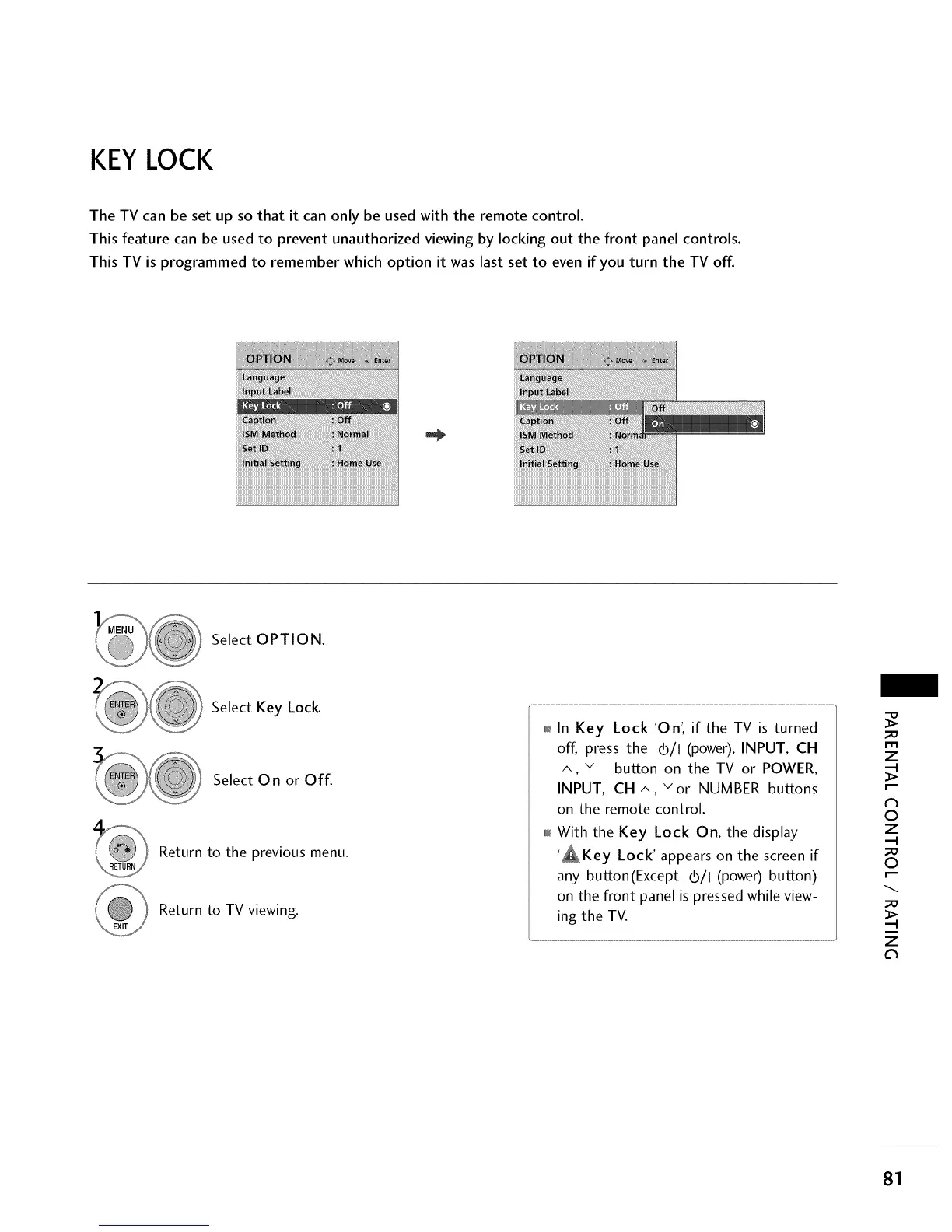
The TV can be set up so that it can only be used with the remote control.
This feature can be used to prevent unauthorized viewing by locking out the front panel controls.
This TV is programmed to remember which option it was last set to even if you turn the TV off.
Select OPTION.
Select Key Lock
Select 0 n or Off.
Return to the previous menu.
Return to TV viewing.
01_In Key Lock 'On', if the TV is turned
off, press the (b/l (power), INPUT, CH
^, v button on the TV or POWER,
INPUT, CH ^, v or NUMBER buttons
on the remote control.
010rlWith the Key Lock On, the display
'_Key Lock' appears on the screen if
any button(Except (b/I (power) button)
on the front panel is pressed while view-
ing the TV.
rT1
z
©
z
©
z
Cl
81



 To Next Page