SOUND & LANGUAGECONTROL
ON-SCREEN MENUS LANGUAGE SELECTION
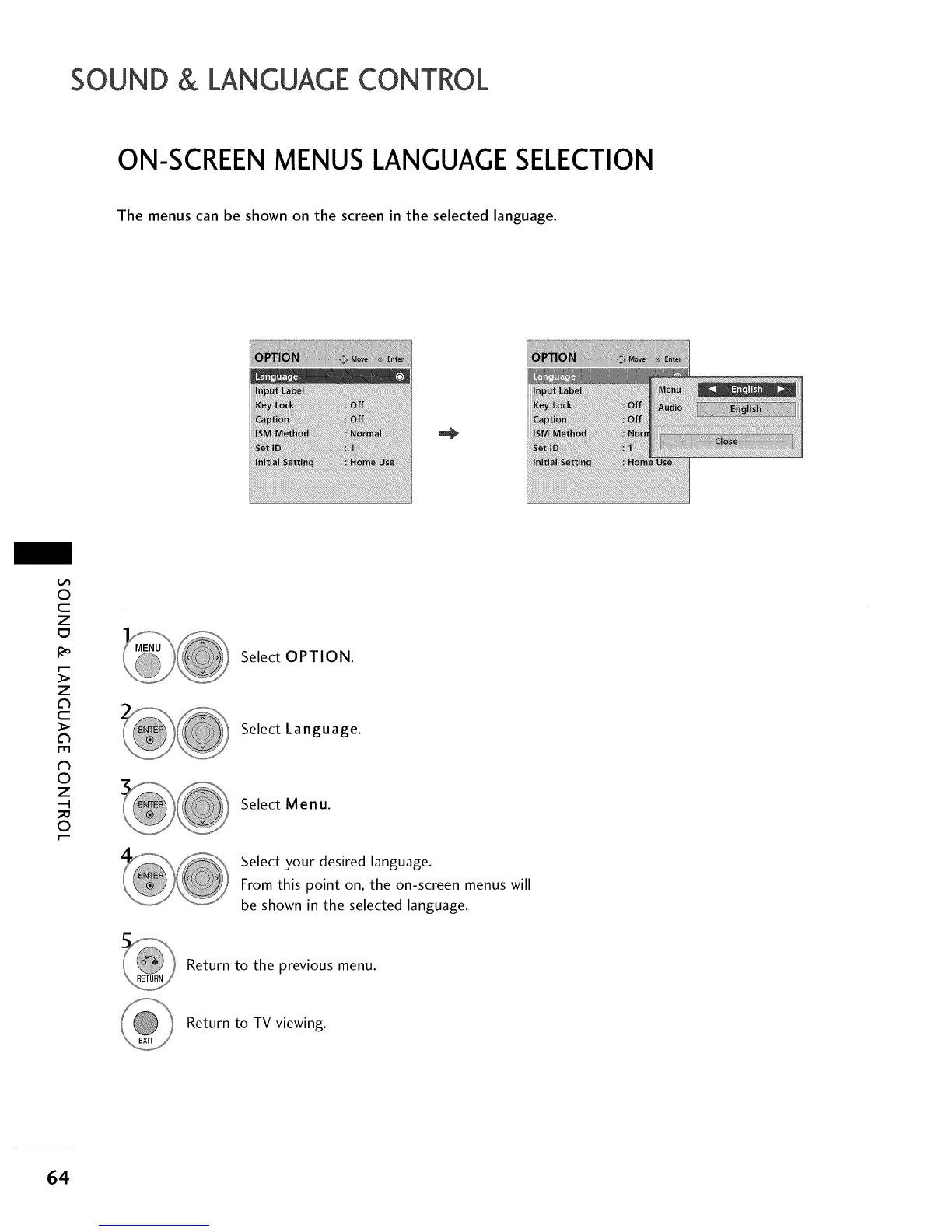
The menus can be shown on the screen in the selected language.
0
c
Z
z
c
l'rl
N
0
Z
.-I
0
Select OPTION.
Select Language.
Select Menu.
Select your desired language.
From this point on, the on-screen menus will
be shown in the selected language.
Return to the previous menu.
Return to TV viewing.
64



 To Next Page