QUICK MENU
Your TV's OSD (On Screen Display) may differ slightly from what is shown in this manual.
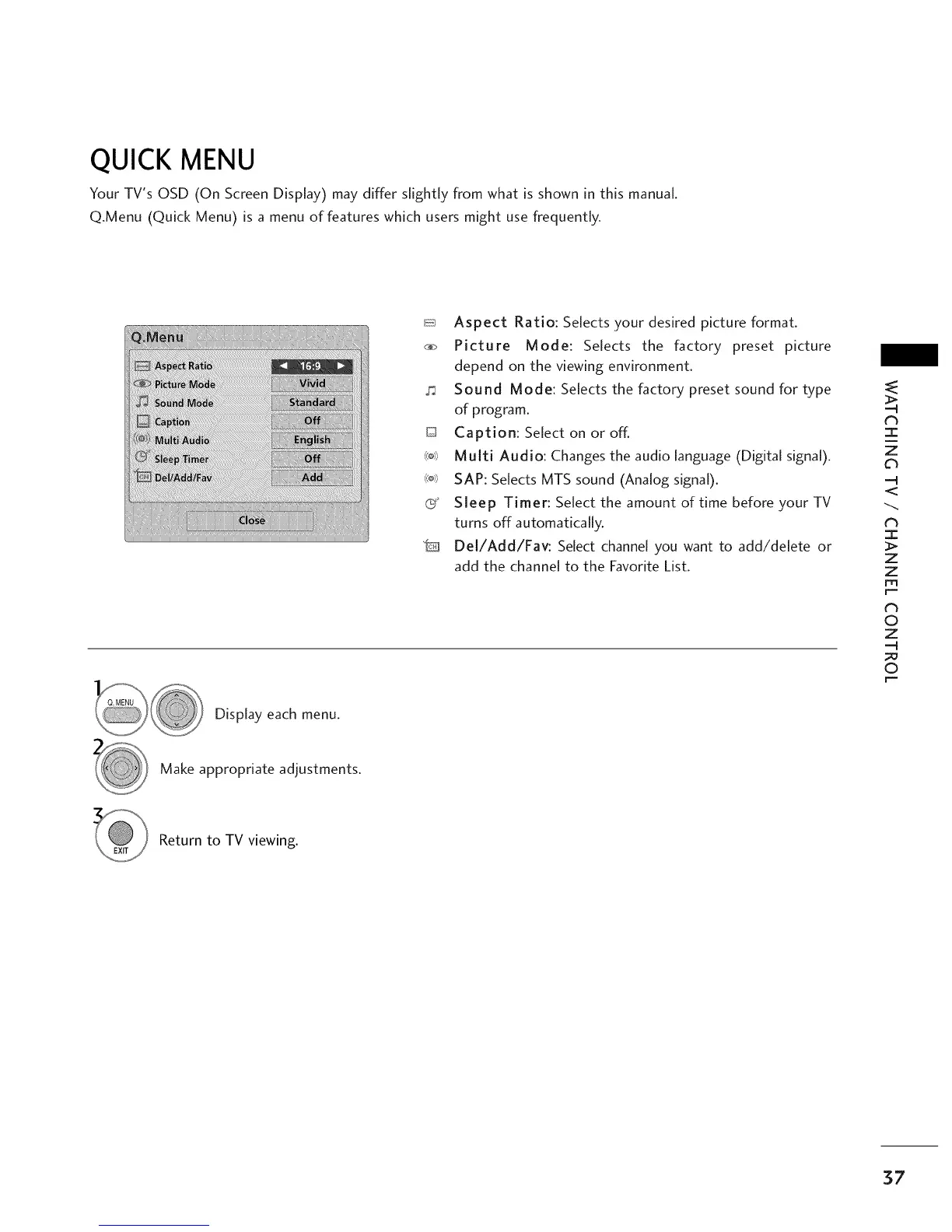
Q.Menu (Quick Menu) is a menu of features which users might use frequently.
_ Aspect Ratio: Selects your desired picture format.
_ Picture Mode: Selects the factory preset picture
depend on the viewing environment.
Sound Mode: Selects the factory preset sound for type
of program.
D Caption: Select on or off.
_ Multi Audio: Changes the audio language (Digital signal).
_o_ SAP: Selects MTS sound (Analog signal).
C Sleep Timer: Select the amount of time before your TV
turns off automatically.
"D Del/Add/Fav: Select channel you want to add/delete or
add the channel to the Favorite List.
Display each menu.
z
.._
dh
I
Z
Z
r""
N
0
Z
0
r""
Make appropriate adjustments.
Return to TV viewing.
37



 To Next Page