SOUND & LANGUAGECONTROL
Digital Broadcasting System Captions
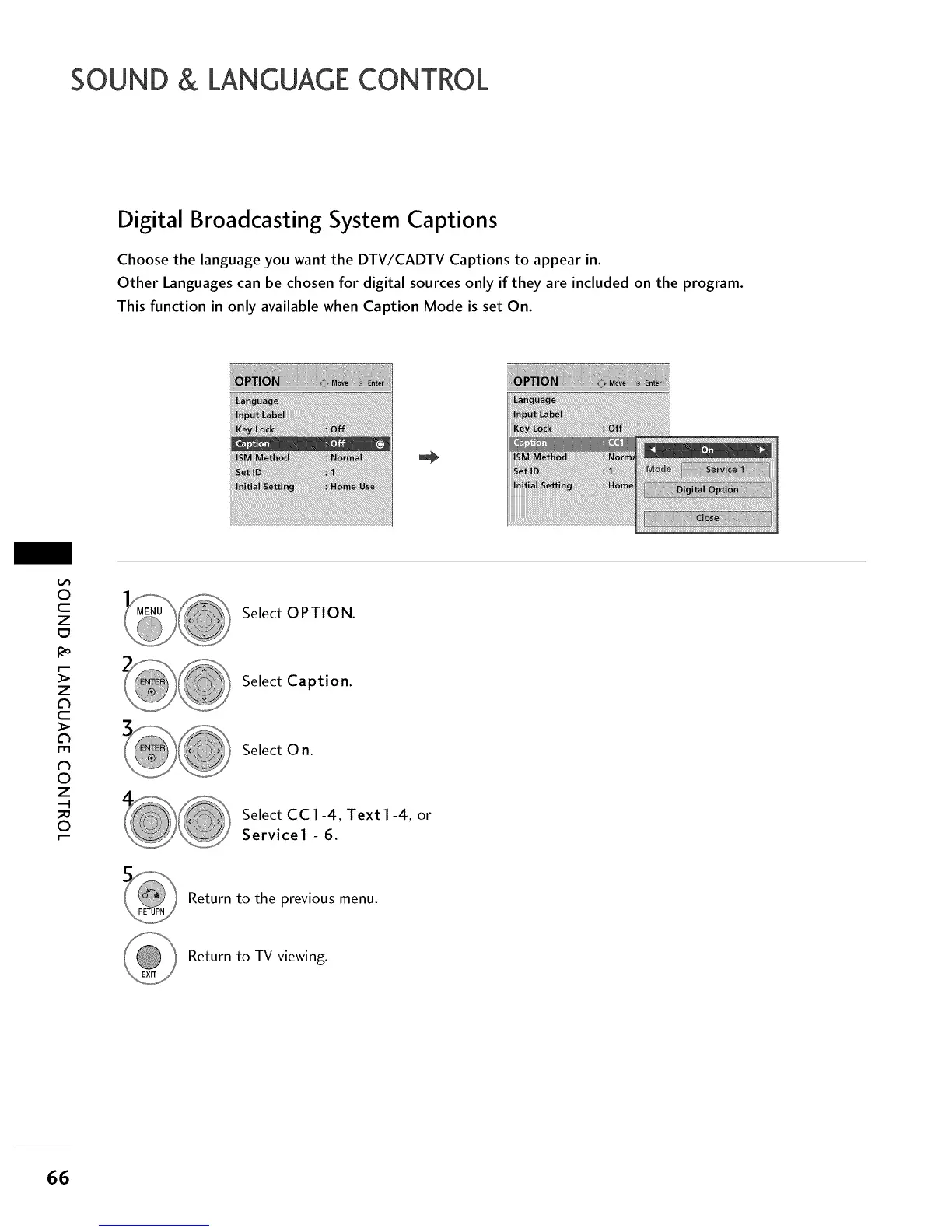
Choose the language you want the DTV/CADTV Captions to appear in.
Other Languages can be chosen for digital sources only if they are included on the program.
This function in only available when Caption Mode is set On.
O
c
Z
_o
z
c
l'rl
N
0
Z
.-I
0
Select OPTION.
Select Caption.
Select O n.
Select CC1-4, Text1-4, or
Service1 - 6.
Return to the previous menu.
Return to TV viewing.
66



 To Next Page