PICTURECONTROL
MANUAL PICTURE ADJUSTMENT-USERMODE
Adjust the picture appearance to suit your preference and viewing situations.
"O
N
C
m
N
O
Z
O
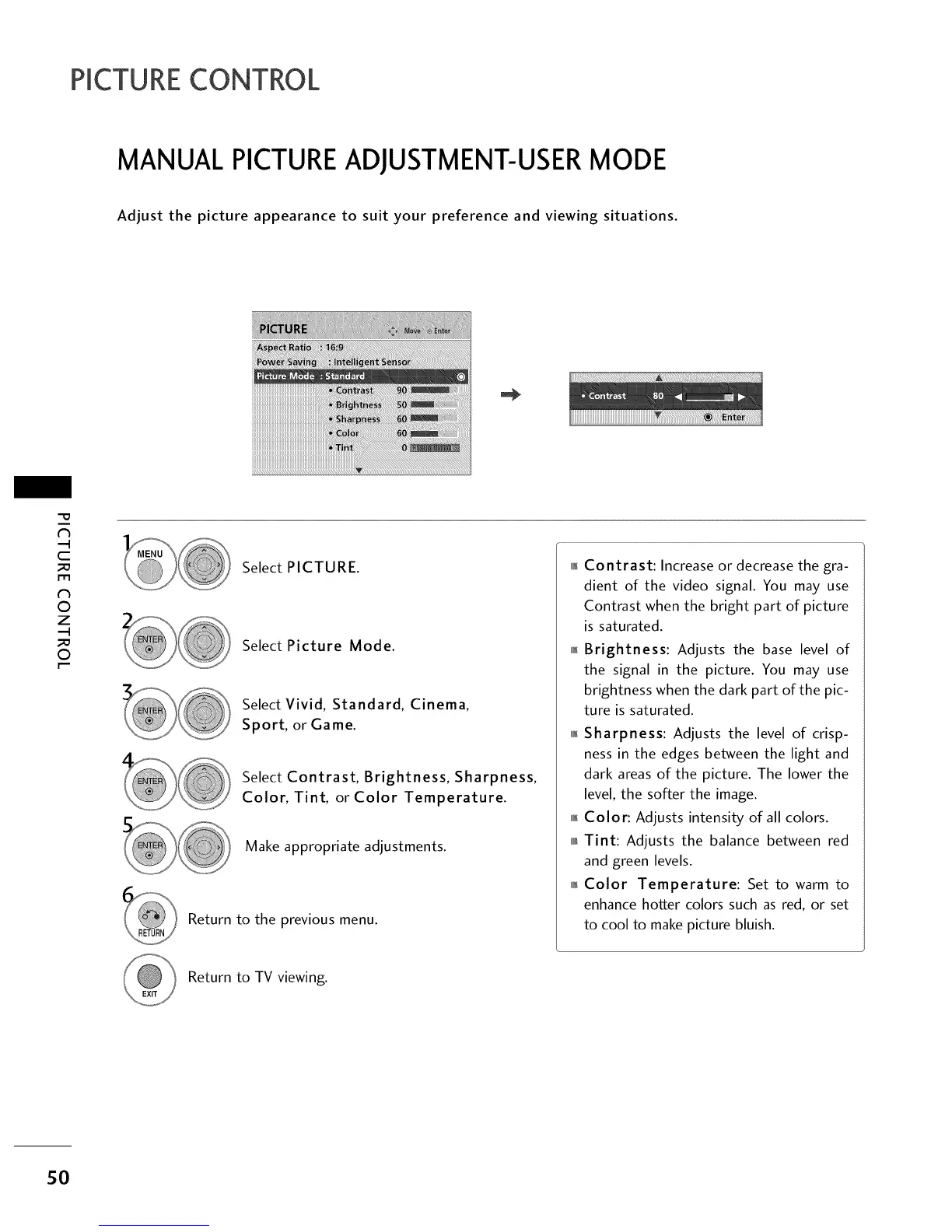
Select PICTURE.
Select Picture Mode.
Select Vivid, Standard, Cinema,
Sport, or Game.
Select Contrast, Brightness, Sharpness,
Color, Tint, or Color Temperature.
Make appropriate adjustments.
Return to the previous menu.
01_Contrast: Increase or decrease the gra-
dient of the video signal. You may use
Contrast when the bright part of picture
is saturated.
01_Brightness: Adjusts the base level of
the signal in the picture. You may use
brightness when the dark part of the pic-
ture is saturated.
01_Sharpness: Adjusts the level of crisp-
ness in the edges between the light and
dark areas of the picture. The lower the
level, the softer the image.
011_Color: Adjusts intensity of all colors.
010r_Tint: Adjusts the balance between red
and green levels.
0_Color Temperature: Set to warm to
enhance hotter colors such as red, or set
to cool to make picture bluish.
Return to TV viewing.
sO



 To Next Page