SOUND & LANGUAGECONTROL
SOUND SETTING ADJUSTMENT- USERMODE
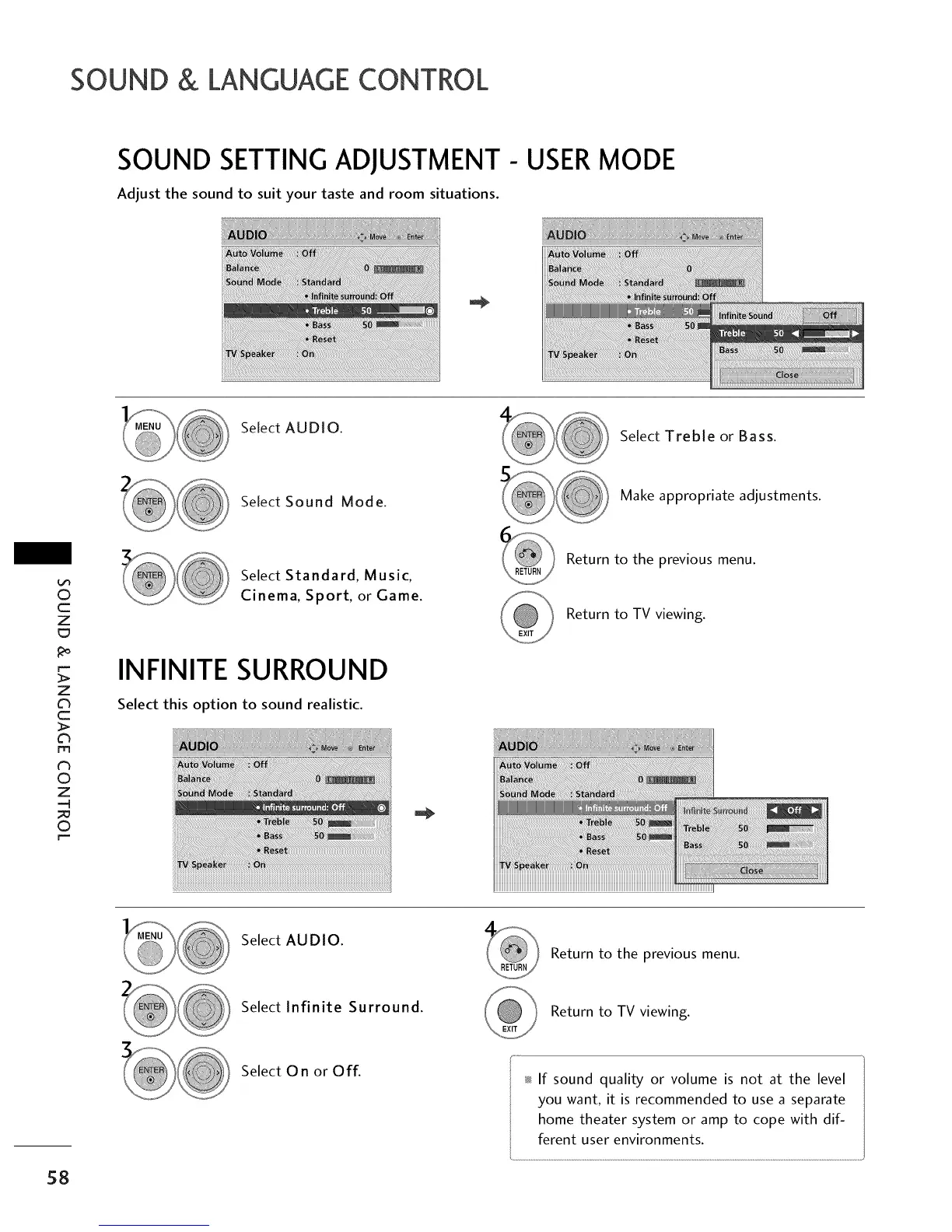
Adjust the sound to suit your taste and room situations.
Select AUDIO.
Select Treble or Bass.
Select Sound Mode.
Make appropriate adjustments.
©
c
Z
Z
c
>
I"11
N
O
Z
-q
O
[,,--
Select Standard, Music,
Cinema, Sport, or Game.
INFINITE SURROUND
Select this option to sound realistic.
Return to the previous menu.
Return to TV viewing.
Select AUDIO.
Return to the previous menu.
Select Infinite Surround.
Return to TV viewing.
58
Select On or Off.
_ If sound quality or volume is not at the level
you want, it is recommended to use a separate
home theater system or amp to cope with dif-
ferent user environments.



 To Next Page