PICTURE IMPROVEMENTTECHNOLOGY
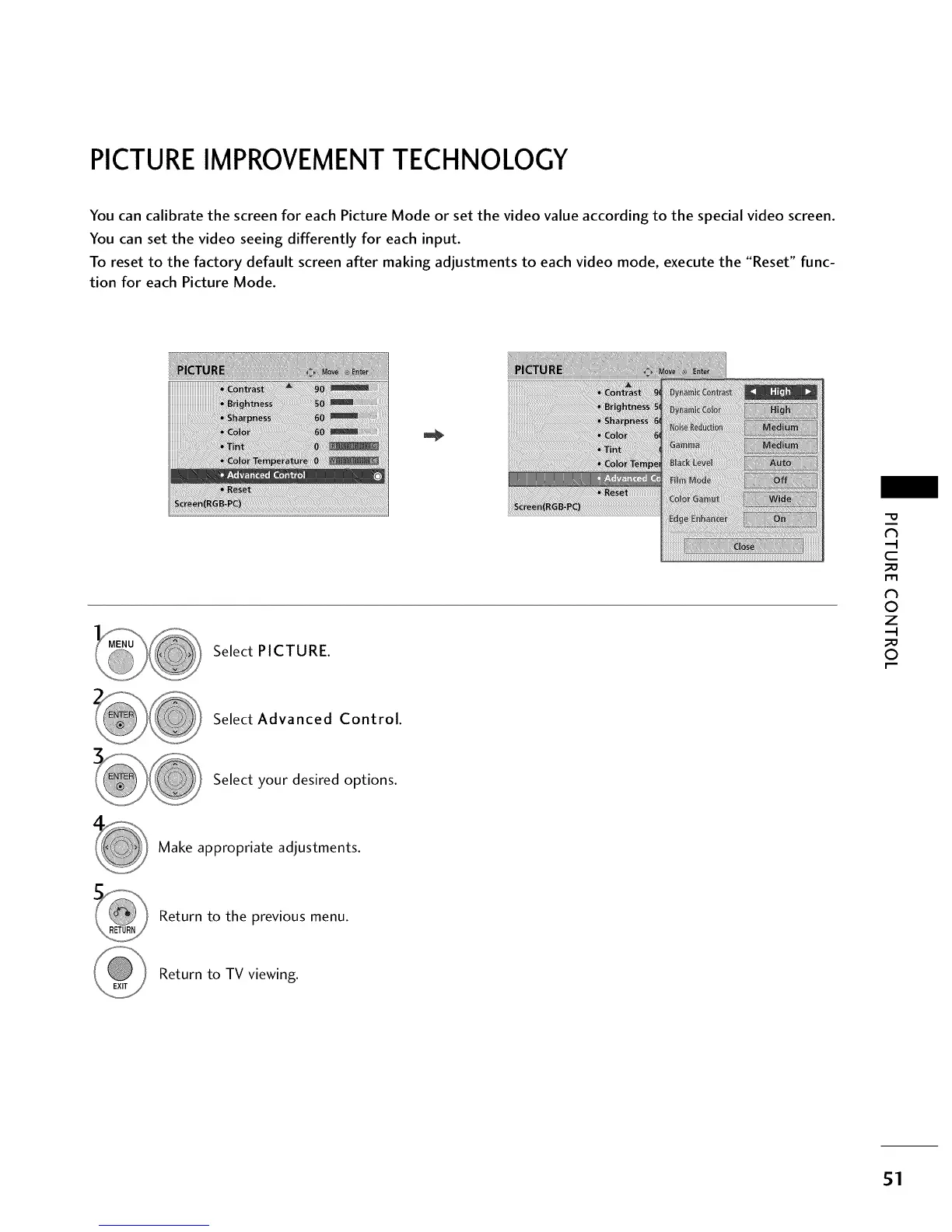
You can calibrate the screen for each Picture Mode or set the video value according to the special video screen.
You can set the video seeing differently for each input.
To reset to the factory default screen after making adjustments to each video mode, execute the "Reset" func-
tion for each Picture Mode.
Select PICTURE.
"0
N
C
m
N
0
Z
0
Select Advanced Control.
Select your desired options.
Make appropriate adjustments.
Return to the previous menu.
Return to TV viewing.
51



 To Next Page