PICTURE CONTROL
PICTURESIZE (ASPECTRATIO) CONTROL
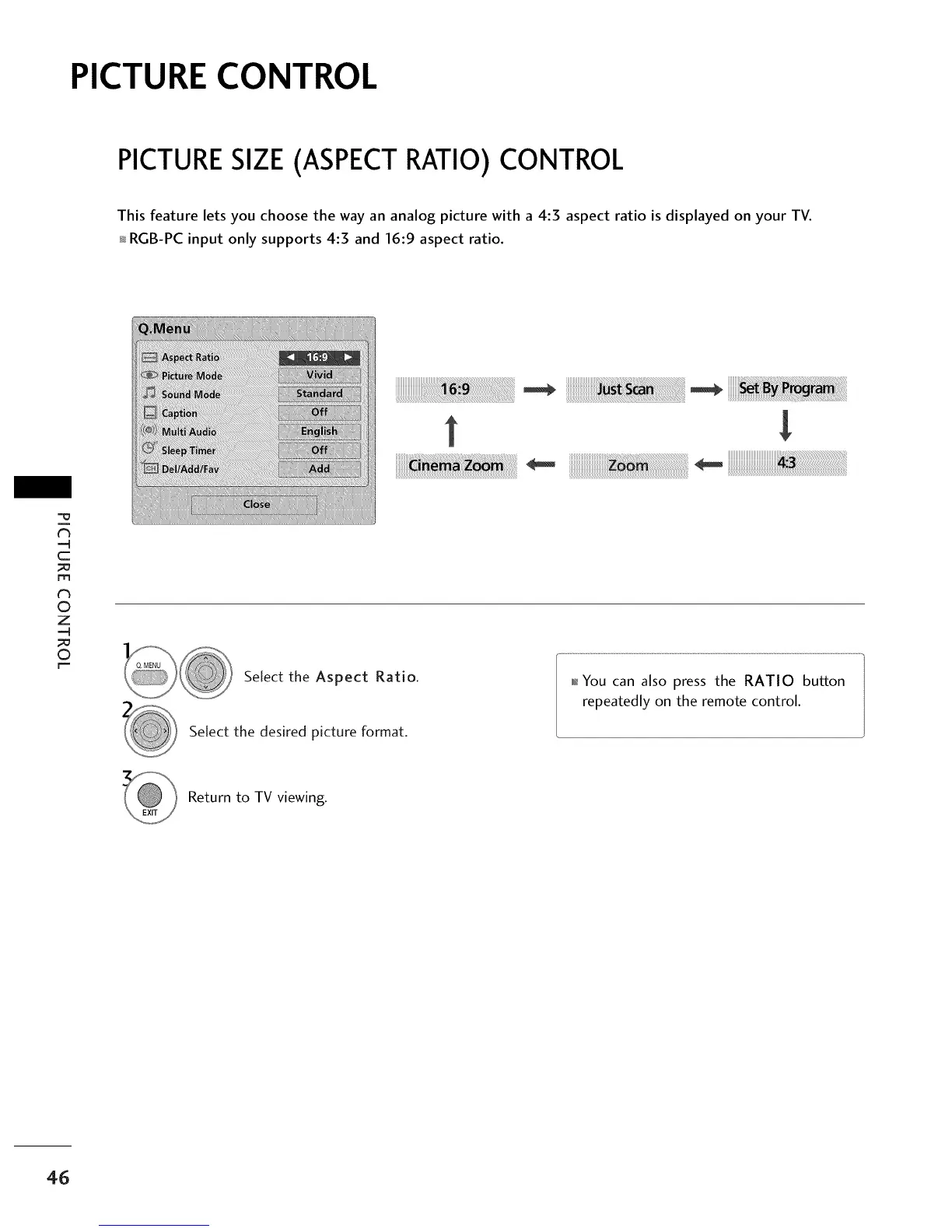
This feature lets you choose the way an analog picture with a 4:3 aspect ratio is displayed on your TV.
RGB-PC input only supports 4:3 and 16:9 aspect ratio.
t_
C
_o
m
t_
©
Z
©
iiiiiiiiiiiiiiiiiiiiiii_!!!!!!!!!!!!!!!_i_i_i!i!_!!!_!_!_!_!_!_!!!!!!!!!!!!!_!ill!iii!
ZZZZ ZIII!_!_!_!!!!!!!!!_!_i!!ii_i_i_iiiiii_i_ii:i_ __i__!_!_!_i_!
|
Select the Aspect Ratio.
Select the desired picture format.
_ You can also press the RATIO button
repeatedly on the remote control.
Return to TV viewing.
46



 To Next Page