TIME SETTING
CLOCK SETTING
Auto Clock Setup
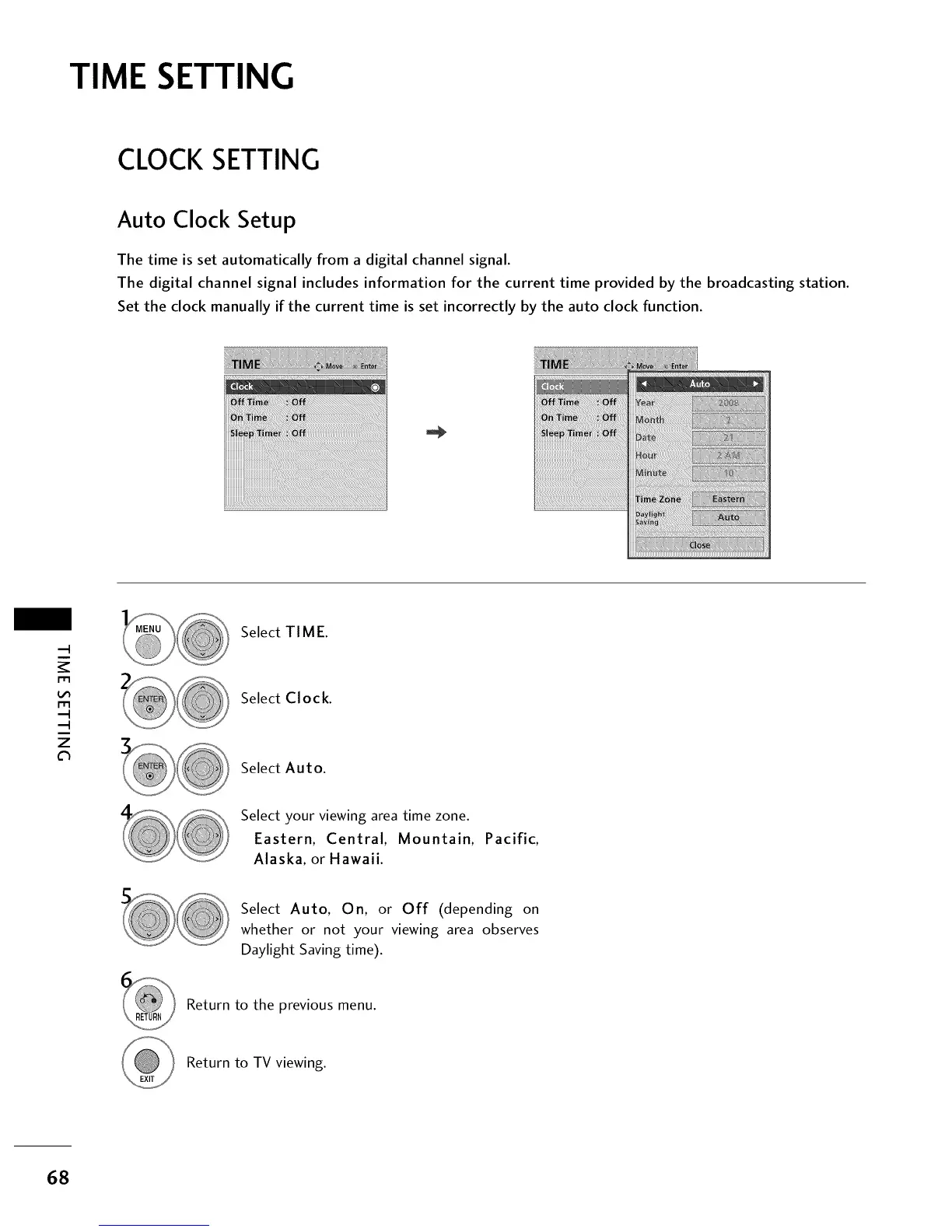
The time is set automatically from a digital channel signal.
The digital channel signal includes information for the current time provided by the broadcasting station.
Set the clock manually if the current time is set incorrectly by the auto clock function.
m
m
z
Select TIME.
Select Clock.
Select Auto.
Select your viewing area time zone.
Eastern, Central, Mountain, Pacific,
Alaska, or Hawaii.
Select Auto, On, or Off (depending on
whether or not your viewing area observes
Daylight Saving time).
Return to the previous menu.
Return to TV viewing.
68



 To Next Page