PARENTALCONTROL / RATINGS
Set Password
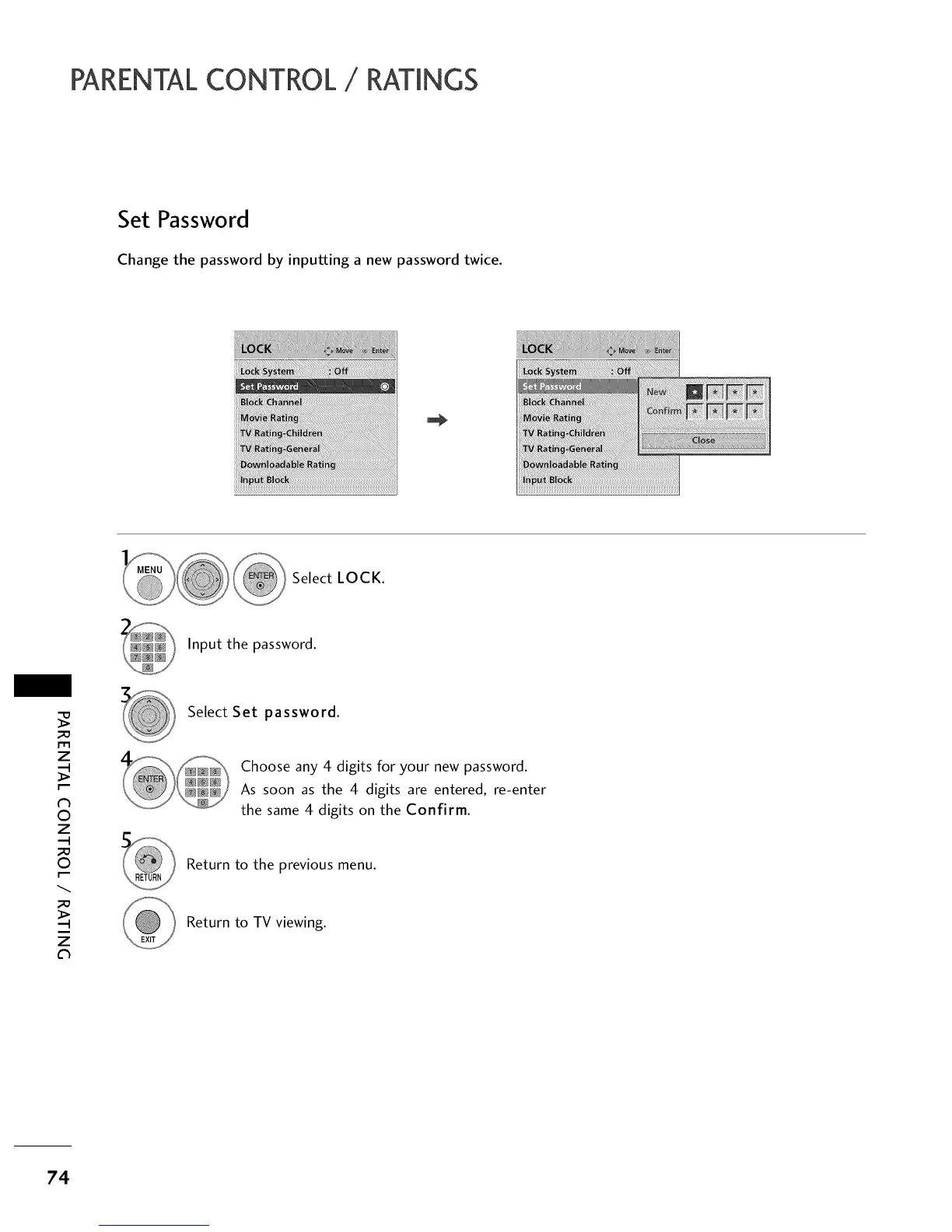
Change the password by inputting a new password twice.
Select LOCK.
Input the password.
m
z
N
0
z
0
z
Ch
Select Set password.
Choose any 4 digits for your new password.
As soon as the 4 digits are entered, re-enter
the same 4 digits on the Confirm.
Return to the previous menu.
Return to TV viewing.
74



 To Next Page