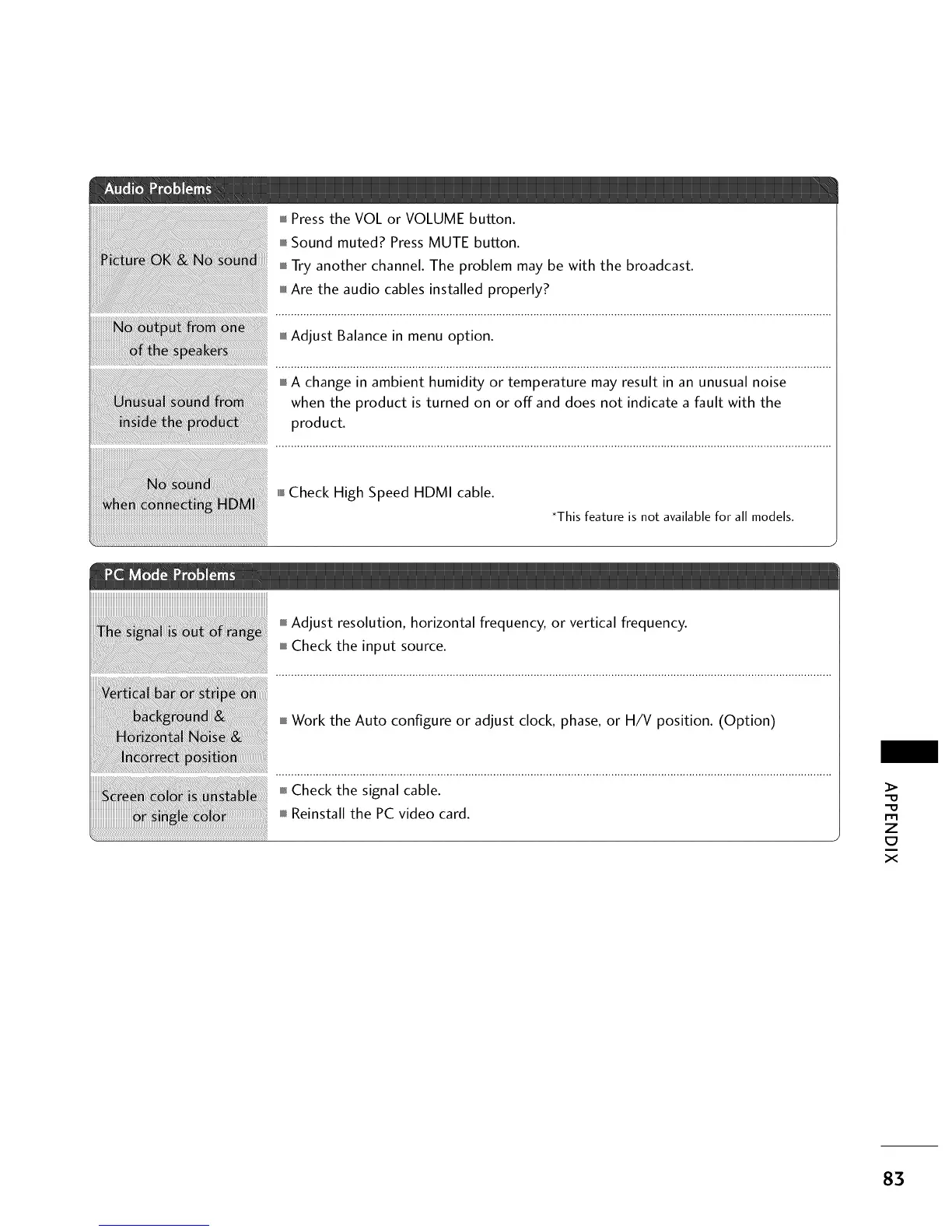
mm_Pressthe VOL or VOLUME button.
i,i,iSound muted? Press MUTE button.
miniTry another channel. The problem may be with the broadcast.
i,i,iAre the audio cables installed properly?
i,i,iAdjust Balance in menu option.
i,i,iA change in ambient humidity or temperature may result in an unusual noise
when the product is turned on or off and does not indicate a fault with the
product.
i,i,l_Check High Speed HDMI cable.
*This feature is not available for all models.
Adjust resolution, horizontal frequency, or vertical frequency.
Check the input source.
Work the Auto configure or adjust clock, phase, or H/V position. (Option)
m
z
x
83



 To Next Page