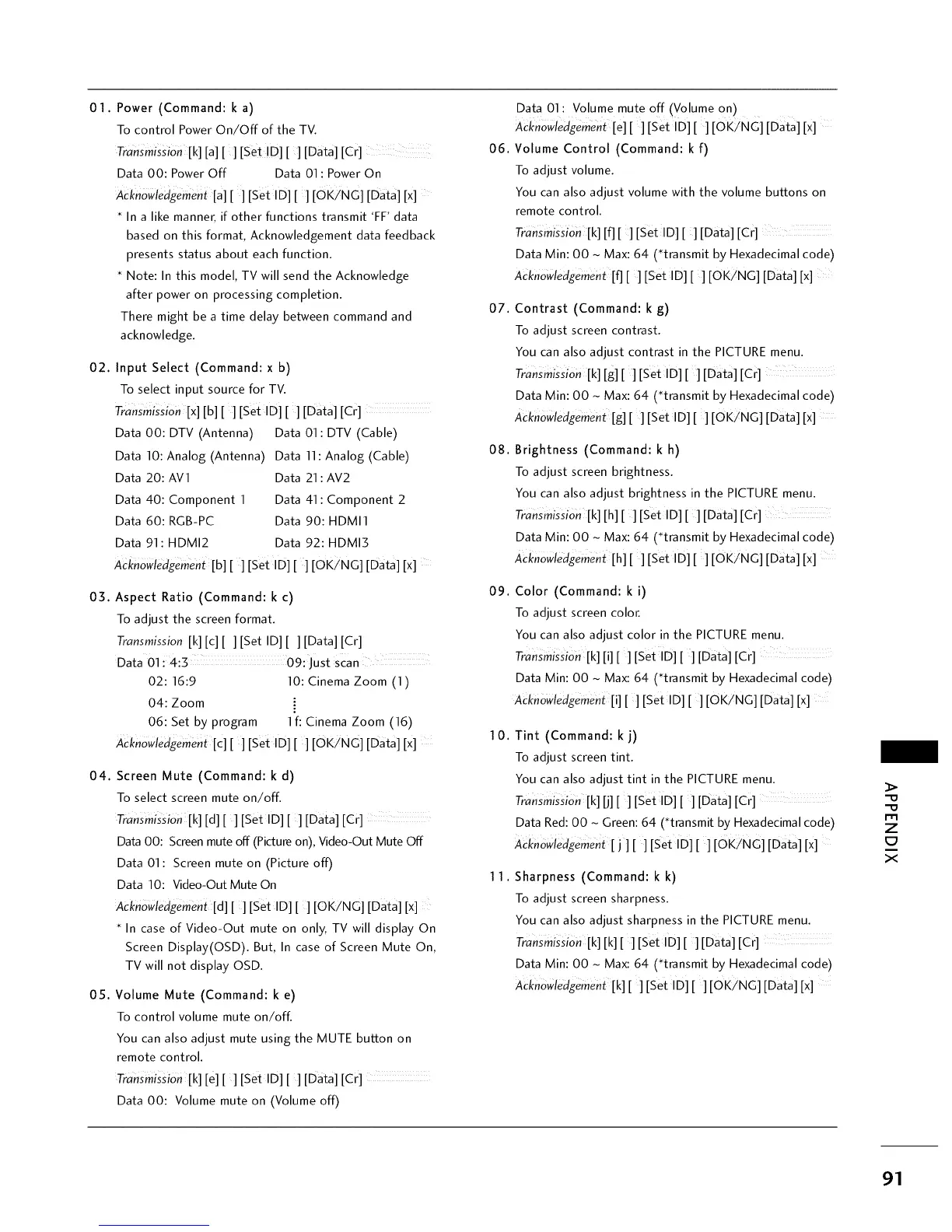
01. Power (Command: k a)
To control Power On/Off of the TV.
Transmission[k] [a][] [set !D] [ ] [Data] [Cr]
Data 00: Power Off Data 01 : Power On
Acknowledgemen_ [a][] [Set ID][] [OKiNC] [Data] [x]
In a like manner, if other functions transmit 'FF data
based on this format, Acknowledgement data feedback
presents status about each function.
Note: In this model, TV will send the Acknowledge
after power on processing completion.
There might be a time delay between command and
acknowledge.
02. Input Select (Command: x b)
To select input source for TV.
TransmissiOn [x] [b][ ][Set ID][] [Data] [Cr]
Data 00: DTV (Antenna) Data 01 : DTV (Cable)
Data 10: Analog (Antenna) Data 11: Analog (Cable)
Data 20:AV1 Data 21 : AV2
Data 40: Component 1 Data 41: Component 2
Data 60: RGB-PC Data 90:HDMI1
Data 91:HDMI2 Data 92:HDMI3
Acknowledgement[b][ ][Set ID][ ][OK/NG] [Data] [x]
03. Aspect Ratio (Command: k c)
To adjust the screen format.
Transmission [k] [c][ ][Set ID][ ][Data] [Cr]
Data 01:4:5 09: Just scan
02:16:9 10: Cinema Zoom (1)
04: Zoom
06: Set by program 1f: Cinema Zoom (16)
Acknowledgemen_ [c][ ][Set ID][ ] [OKiNC] [Data] [x]
04. Screen Mute (Command: k d)
To select screen mute on/off.
TransmlsSion [k] [d] [ ] [Set lD] [ ] [Data] [Cr]
Data 00: Screen mute off (Picture on), Video-Out Mute Off
Data 01 : Screen mute on (Picture off)
Data 10: Video-Out Mute On
ACknowledgement [d][ ] [set ID] [ ] [OKiNG] [Data] [x]
In case of Video-Out mute on only, TV will display On
Screen Display(OSD). But, In case of Screen Mute On,
TV will not display OSD.
0S. Volume Mute (Command: k e)
To control volume mute on/off.
You can also adjust mute using the MUTE button on
remote control.
TransmisSiOn [k] [e] [ ] [Set ID] [ ] [Data] [cr]
Data 00: Volume mute on (Volume off)
06.
07.
08.
09.
10.
11.
Data 01: Volume mute off (Volume on)
Acknowledgemen_ [e] [ ] [Set ID] [ ] [OK/NG] [Data] [x]
Volume Control (Command: k f)
To adjust volume.
You can also adjust volume with the volume buttons on
remote control.
TransmissiOn [k] [f] [ ][Set ID][] [Data] [Cr]
Data Min: 00 ~ Max: 64 (*transmit by Hexadecimal code)
Acknowledgement[f] [][Set ID] [ ] [OKiNG] [Data] [x]
Contrast (Command: k g)
To adjust screen contrast.
You can also adjust contrast in the PICTURE menu.
Transmission[k] [g][] [Set ID] [ ] [Data] [Cr]
Data Min: 00 ~ Max: 64 (*transmit by Hexadecimal code)
Acknowledgement [g] [ ] [Set ID] [ ] [OK/NG] [Data] [x]
Brightness (Command: k h)
To adjust screen brightness.
You can also adjust brightness in the PICTURE menu.
TransmissiOn [k] [h][] [set ID] [ ] [Data] [Cr]
Data Min: 00 - Max: 64 (*transmit by Hexadecimal code)
Acknowledgement[h][ ][Set ID][ ][OKiNG] [Data] [x]
Color (Command: k i)
To adjust screen color.
You can also adjust color in the PICTURE menu.
Transmission [k] [i][ ][Set ID][ ] [Data] [Cr]
Data Min: O0 ~ Max: 64 (*transmit by Hexadecimal code)
A_knowledgement[i] [] [Set ID] [] [OK/NG] [Data] [x]
Tint (Command: k j)
To adjust screen tint.
You can also adjust tint in the PICTURE menu.
TransmisSiOn[k] [j][ ][Set ID][ ] [Data] [cr]
Data Red: 00 - Green: 64 (*transmit by Hexadecimal code)
Ackn6wledgemenL [j ] [ ] [Set ID] [ ] [OK/NG] [Data] [x]
Sharpness (Command: k k)
To adjust screen sharpness.
You can also adjust sharpness in the PICTURE menu.
Transmission [k] [k] [] [Set ID] [] [Data] [Cr]
Data Min: O0 ~ Max: 64 (*transmit by Hexadecimal code)
A_knOwledgement [k][ ][set ID][ ][OK/NG] [Data] [x]
=0
=0
rll
Z
E3
X
91



 To Next Page