6
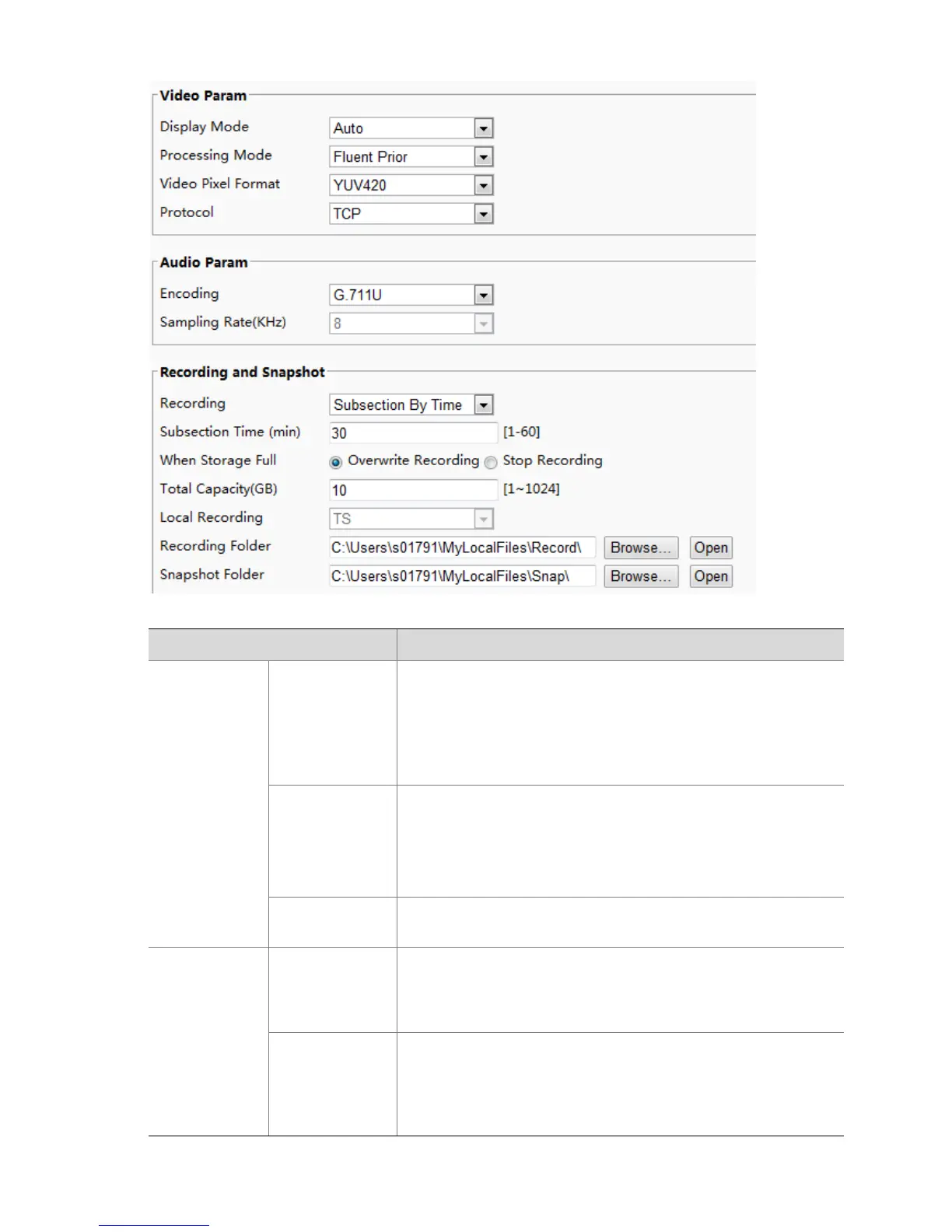
2. Modify the settings as required. The following table describes some major parameters.
Real Time Prior: Recommended if the network is in good
condition.
Fluent Prior: Recommended if you want short time lag for live
video.
Ultra-low Delay: Recommended if you want the minimum time
lag for live video.
Set the video format for images on the PC client.
Note:
It is recommended to choose YUV420 if the graphic card of your PC
supports it. RGB32 is only supported by some low-version graphic
cards.
Set the protocol used to transmit media streams to be decoded by
the PC.
Subsection By Time: Duration of recorded video for each
recording file on the computer. For example, 2 minutes.
Subsection By Size: Size of each recording file stored on the
computer. For example, 5M.
Overwrite Recording: When the assigned storage space on the
computer is used up, the camera deletes the existing recording
files to make room for the new recording file.
Stop Recording: When the assigned storage space on the
computer is full, recording stops automatically.



 To Next Page