EasyManua.ls Logo

Zhejiang IPC2322EBRP - Port Mapping; Ddns

Default Icon
74 pages
Print Icon
To Next Page IconTo Next Page
To Previous Page IconTo Previous Page
Loading...
11
Parameter
Description
Attach Image
When enabled, the e-mail will contain 3 instant snapshots as attachment according to the
Capture Interval.
3. Click Save.
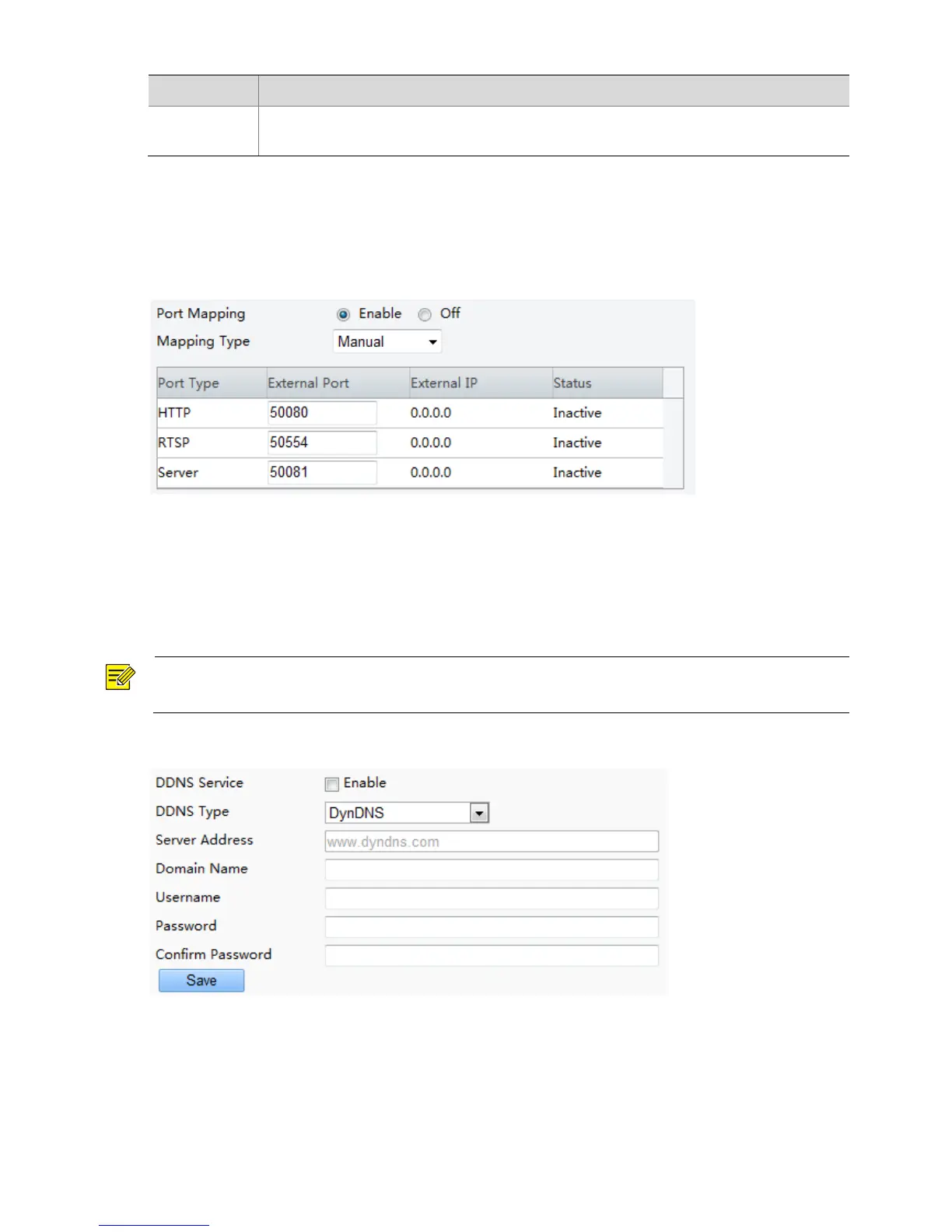
Port Mapping
1. Click Setup > Network > Port Mapping.
2. Enable Port Mapping and select mapping type. If Manual is selected, then external ports must be
configured (external IP is obtained automatically by the camera). If the configured port is occupied,
then the Status will show Inactive.
3. Click Save.
DDNS
NOTE!
This function is not supported by some models, please see the actual model for details.
1. Click Setup > Network > DDNS.
2. Enable DDNS Service.
3. Click Save.

Table of Contents

Related product manuals