EasyManua.ls Logo

Zhejiang IPC2322EBRP - Video Playback and Download with Edge Storage; Video Playback

Default Icon
74 pages
Print Icon
To Next Page IconTo Next Page
To Previous Page IconTo Previous Page
Loading...
59
5 Video Playback and Download with Edge Storage
NOTE!
Edge storage refers to recording video to the memory card of a frontend device (mostly a camera). Local
recording refers to recording video to a local PC client.
Before you play back video with edge storage, check that the camera has been installed with a memory
card and storage has been configured.
This function is not supported by some models, please see actual models for details.

Video Playback
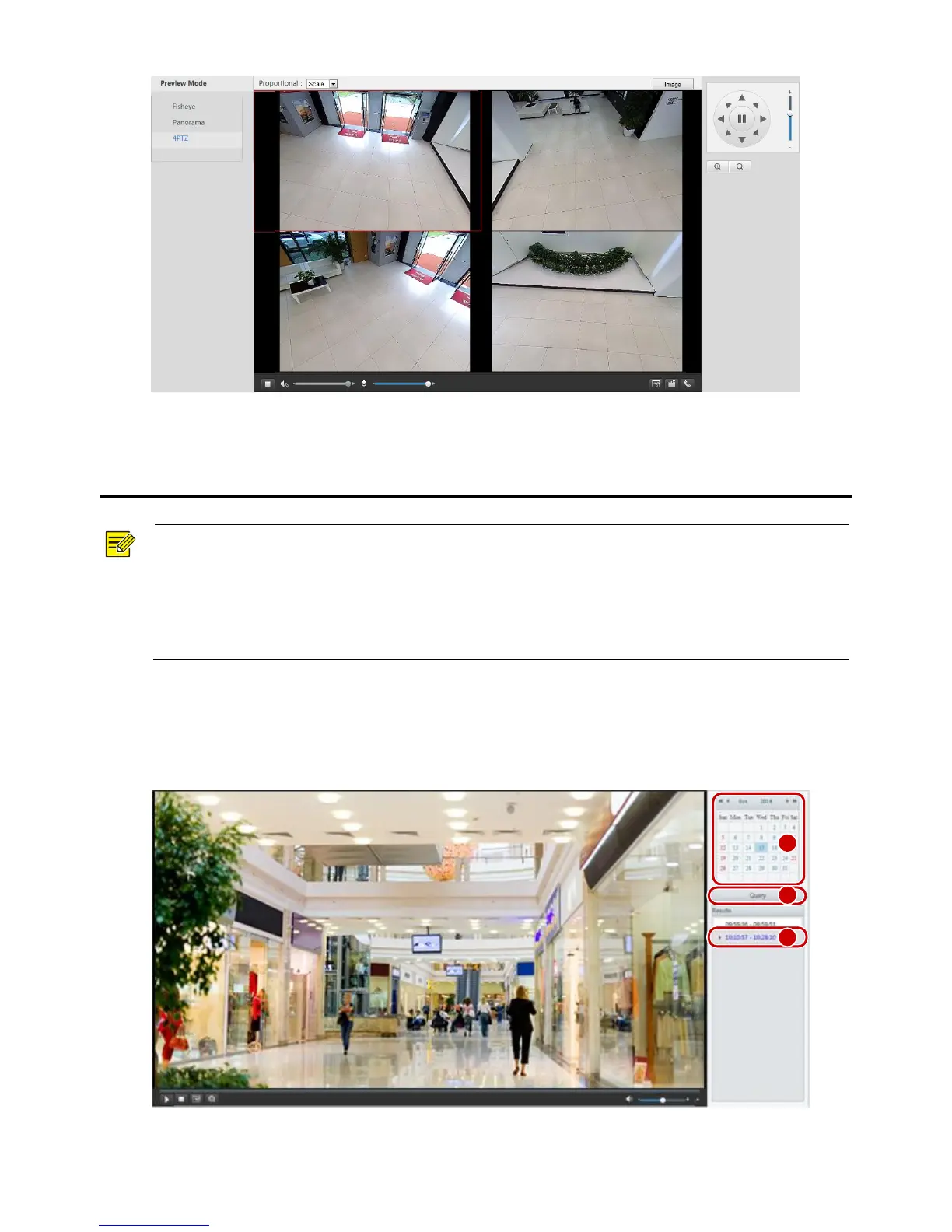
1. Click Playback on the home page.
2. Select the date from the calendar.
1
2
3

Table of Contents

Related product manuals