39
3. Set the status to Normally Open (default setting) and set the alarm duration.
4. Click Save.
CAUTION!
Strictly follow the sequence when powering on the devices to avoid damaging camera components:
1. Check that the alarm type is set to Normally Open (default setting), and that the camera and the alarm
output device are powered off.
2. After completing the connection, power on the alarm output device first and then power on the
camera.
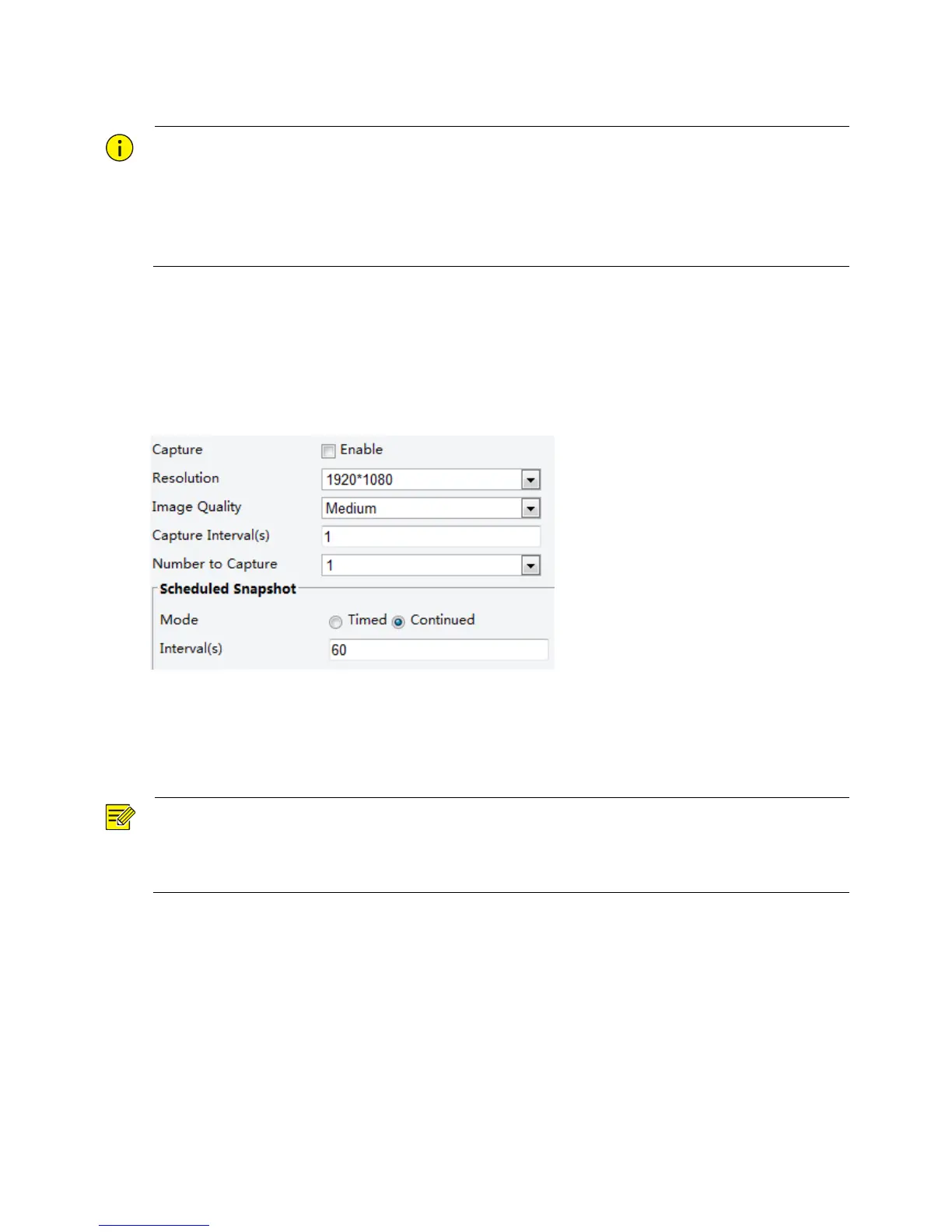
Configuring Capture
With the function of capture configured, when an alarm is triggered, the camera will automatically upload
the captured snapshots to the FTP server or send snapshots the specified email address.
1. Click Setup > Events > Capture.
2. Enable Capture, and configure relevant parameters.
3. Click Save.
Memory Card Storage
NOTE!
This function is not supported by some models, and may vary with models, please see the actual model for
details.
Memory storage is recommended when the camera operates in stand-alone mode.
Memory card storage is used to save videos and snapshots to the memory card directly.
Manual storage
The camera records live video repeatedly if manual storage is enabled.
1. Click Setup > Storage > Storage.



 To Next Page