1
1 Network Connection
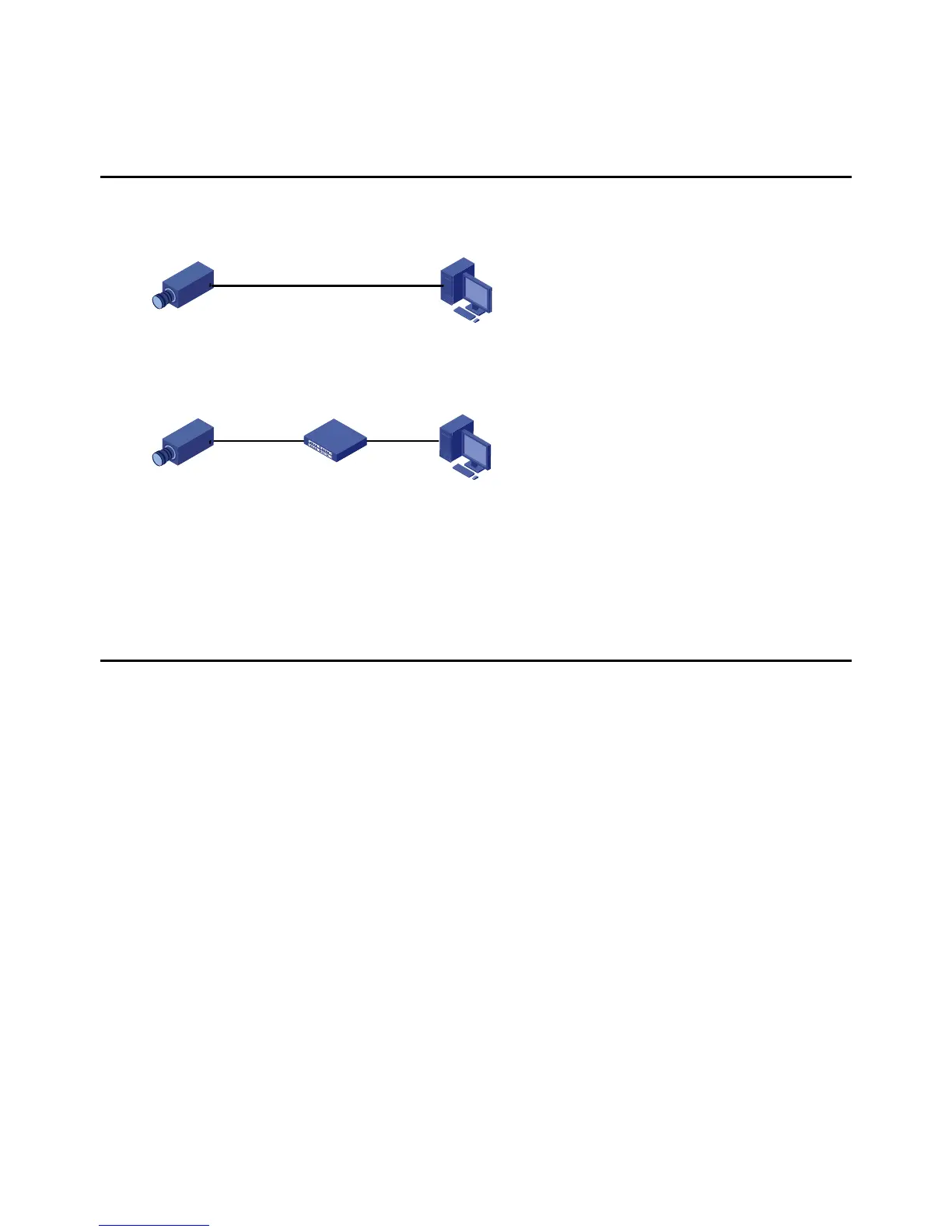
Before accessing a network camera (also known as IP Camera or IPC) from a PC, you need to connect the
network camera to the PC directly with a network cable or via a switch or router.
Use a Shielded Twisted Pair (STP) cable to connect the network interfaces of the network camera and the
PC.
Use Shielded Twisted Pair (STP) cables to connect the network interfaces of the camera and the switch or
router.
2 Login
Preparation
After you have completed the installation in accordance with the quick guide, connect the camera to power
to start it. After the camera is started, you can access the camera from a PC client installed with a web
browser or the video management software. Internet Explorer (IE) is a recommended web browser. Please
contact your dealer to get the video management software. Please refer to the user manual of video
management software for detailed information.
The following takes IE on a Microsoft Windows 7.0 operating system as an example.
Check before login
The camera is operating correctly.
The network connection between the PC and the camera is normal.
The PC is installed with Internet Explorer 8.0 or higher.
(Optional) The resolution is set to 1440 x 900.



 To Next Page