10
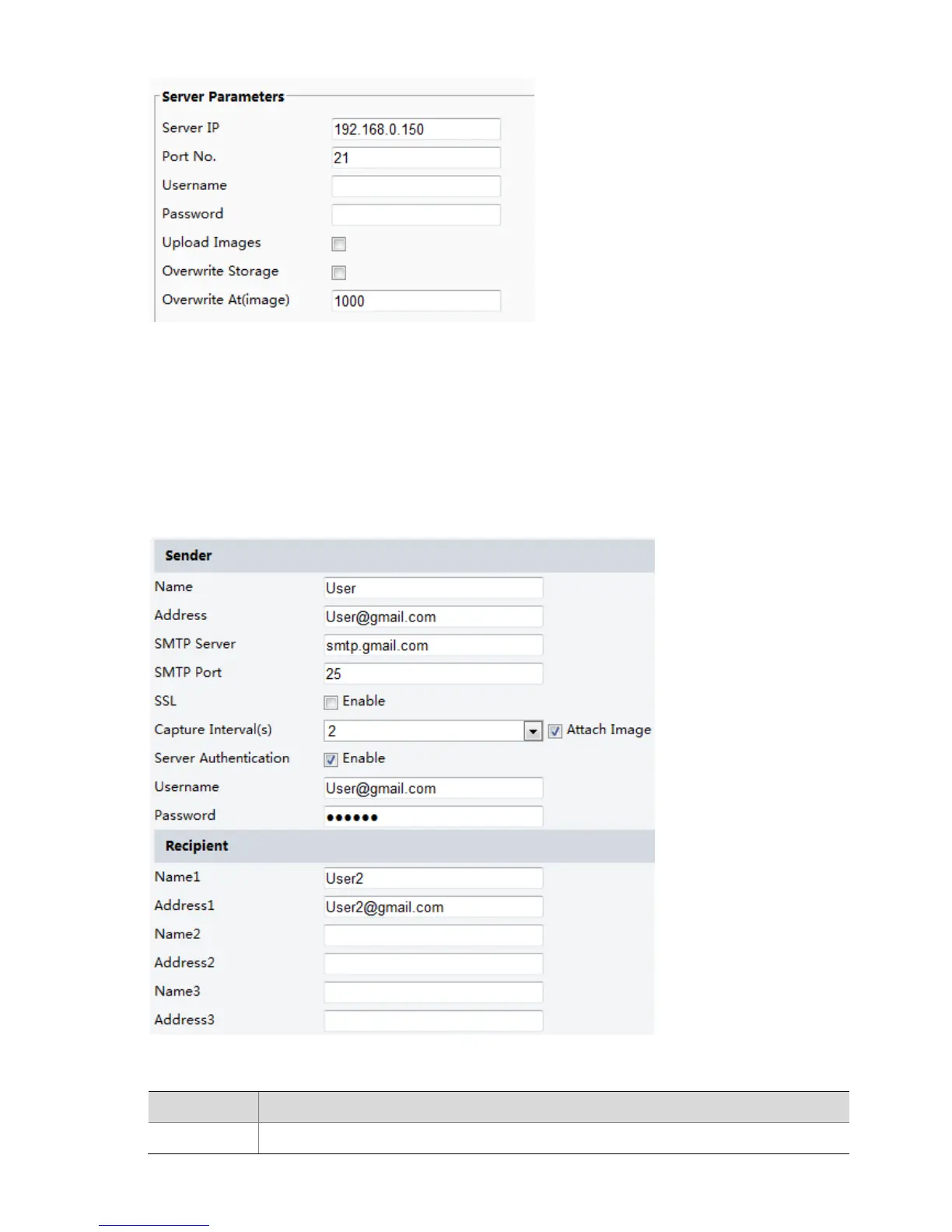
2. Configure the IP address, port number of the FTP server, the username and password of the upload
account, enable Upload Images and Overwrite Storage, and then set the overwrite image threshold.
3. Click Save.
E-Mail
After the configuration of E-mail, when alarms are triggered, you will be able to send messages to the
specified E-mail address.
1. Click Setup > Network > E-mail.
2. Configure relevant parameters of the sender and the recipient
The following table describes some major parameters.



 To Next Page