60
3. Click Query.
4. Under Results, double-click the time period to start playing the recording.
Download
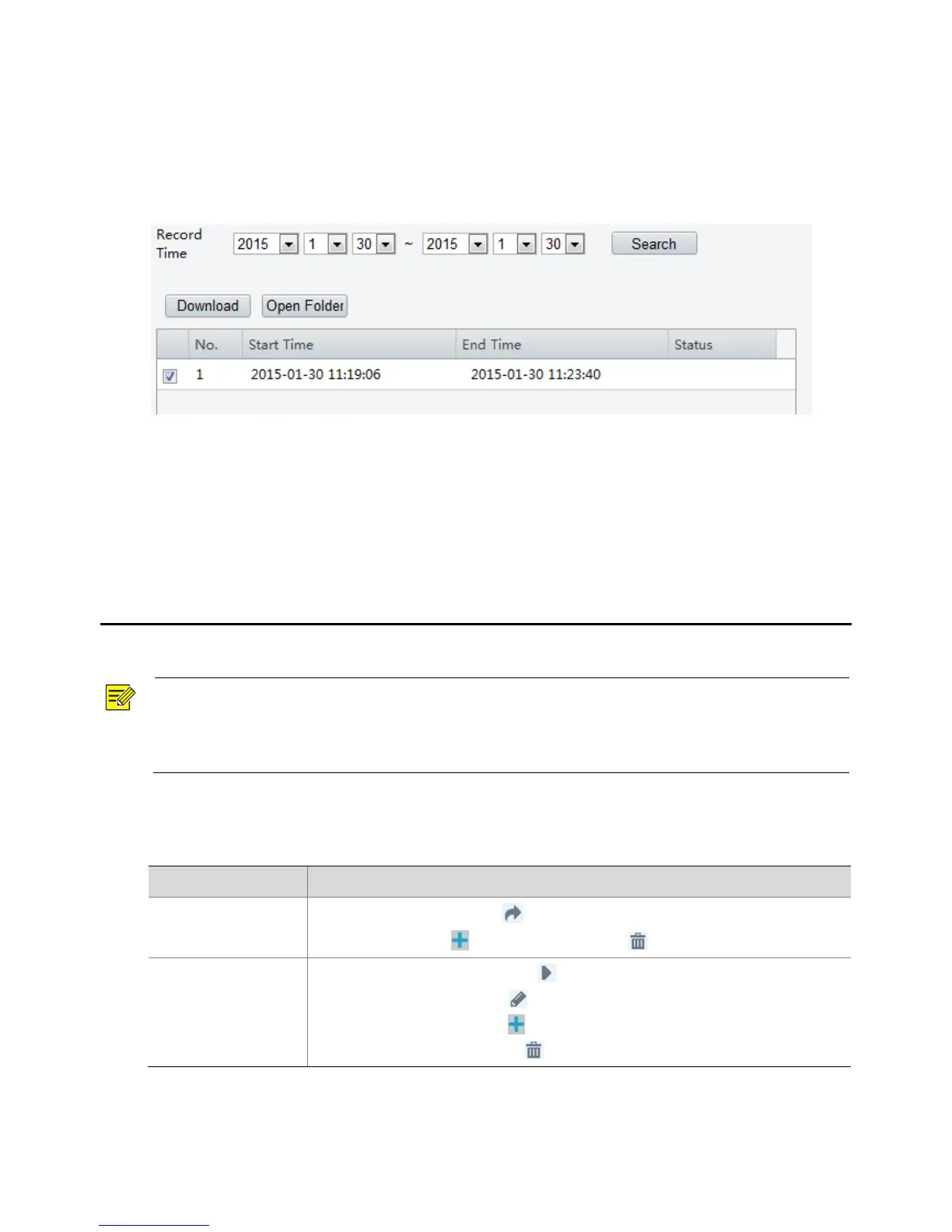
1. Click Setup > Storage > Record Download.
2. Search for video within a specified period. The results will be shown in a list.
3. Select your video and click Download. The video will be downloaded to your local path from the
memory card (local path can be changed in System Configuration).
4. Click Open Folder to show the folder where the downloaded video is saved.
6 PTZ Control
This function is available only for the PTZ dome cameras or a box camera installed on a Pan/Tilt motor.
NOTE!
Some of the lens control functions are applicable to cameras equipped with motorized lens.
The PTZ control buttons may vary with camera model. For the PTZ control buttons that your camera
supports, see the Web interface.
Select a preset and then click . The PTZ camera goes to the selected preset.
To add a preset, click . To delete a preset, click .
Select a patrol route and then click to start patrol.
To edit a patrol route, click .
To add a patrol route, click .
To delete a patrol route, click .



 To Next Page