Z/F: to modify focus and zoom.
P-Iris: to modify iris value.
DC-IRIS: the maximum iris value by default.
Automatically or manually adjust iris.
Note:
You can set this parameter only when Lens Mode is set to P-Iris.
3. To restore the default settings, click Default.
OSD Settings
On Screen Display (OSD) is the text displayed on the screen with video images and may include time and
other customized contents.
NOTE!
This function may vary with models, please see the actual Web interface for details.
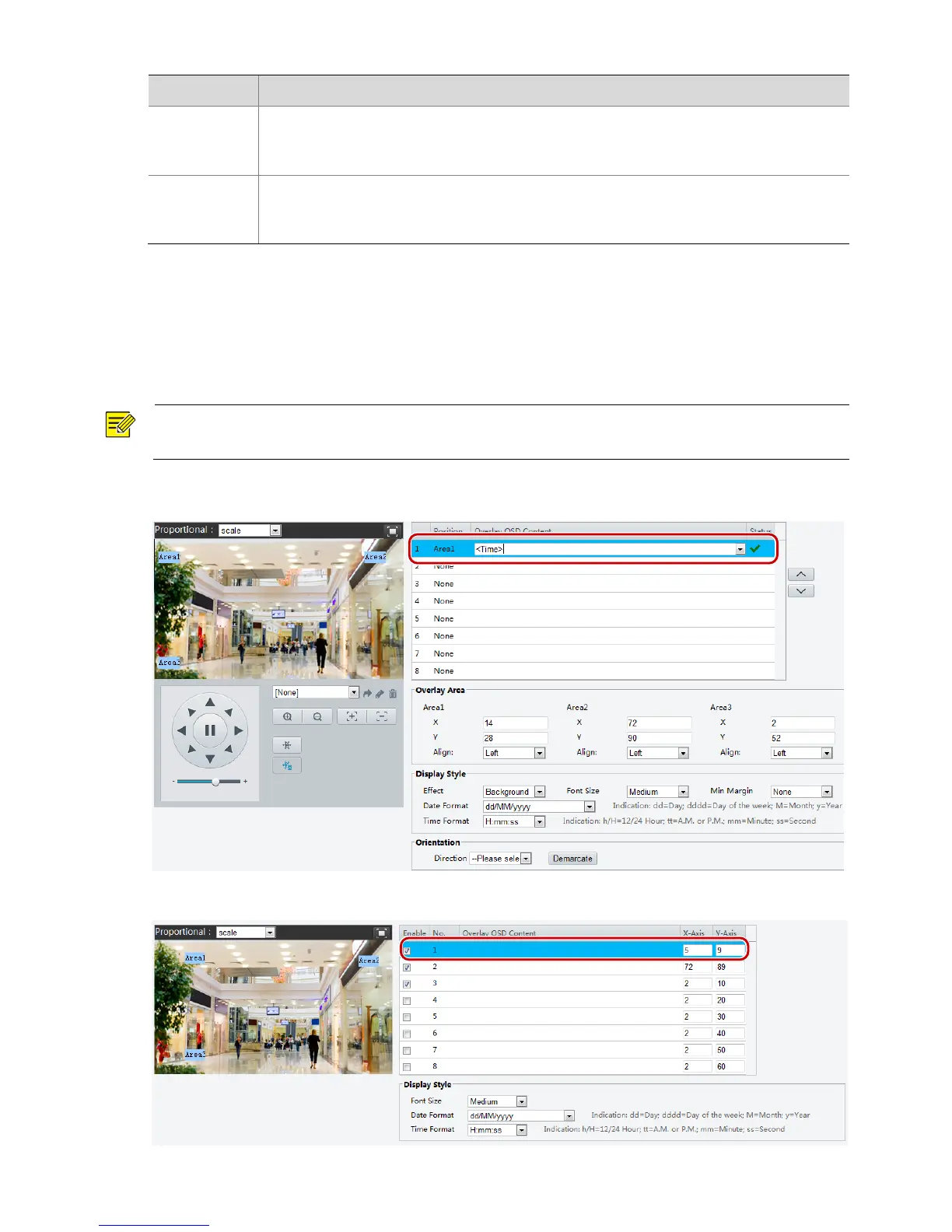
1. Click Setup > Image > OSD.
The OSD interface of some models is displayed as follows.



 To Next Page