40
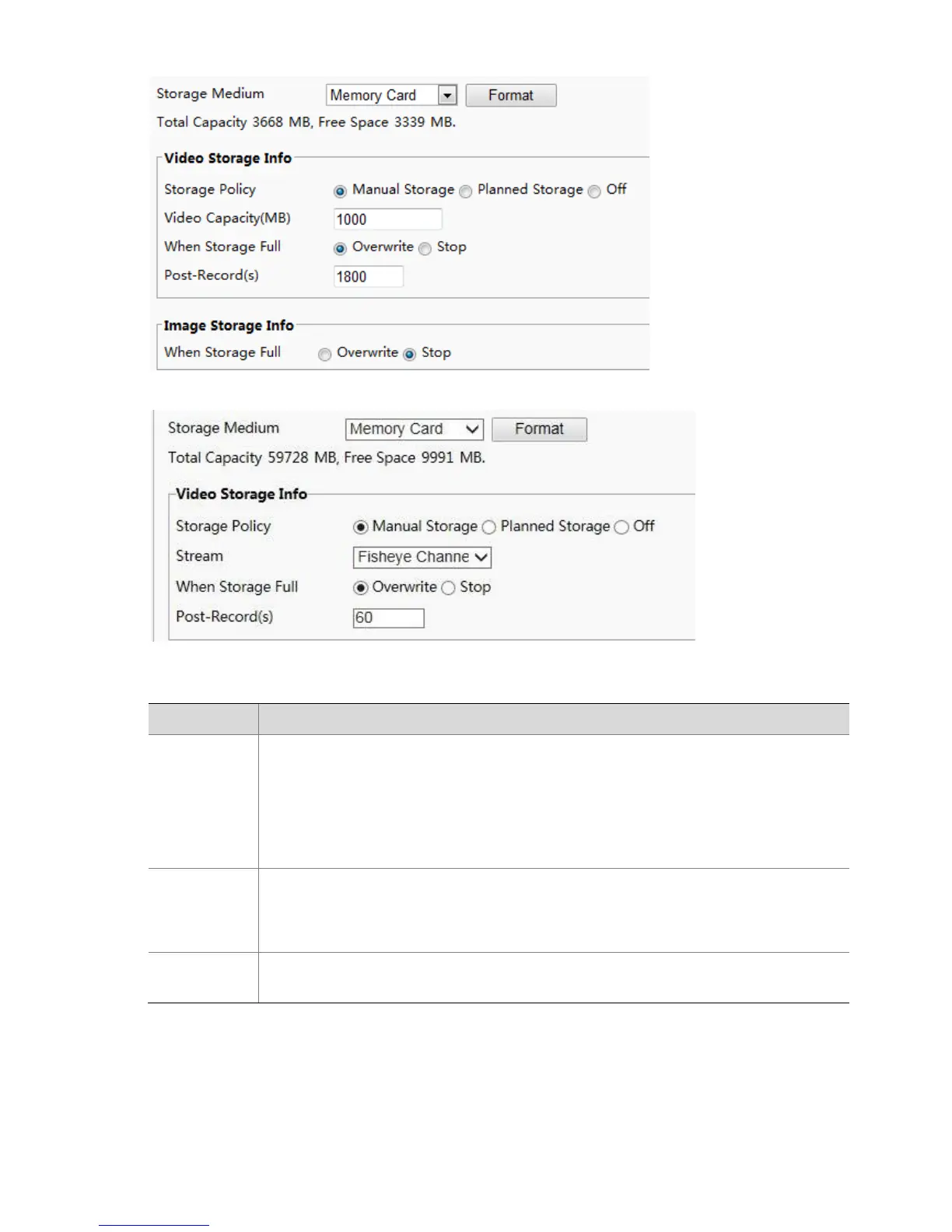
The Web interface of fisheye cameras is displayed as follows.
2. Enable memory card storage and modify the settings as required. The following table describes some
major parameters.
Storage resource type.
Note:
To format the memory card, disable the storage function for the card first. Then Click
Format and then click OK to confirm the operation. The system will restart when the
format is completed.
Information about the total and free space is displayed.
Overwrite: If there is no free space in the memory card, new data will overwrite the
existing data repeatedly.
Stop: If there is no free space in the memory card, new data will not be saved to the
memory card.
When an alarm is raised, the camera is triggered to record live video and continues
recording for a set post-record time after the alarm is cleared.
3. Click Save.
Planned storage
If planned storage is enabled, the camera records video to the memory card during the specified periods.
1. Click Setup > Storage > Storage.



 To Next Page