29
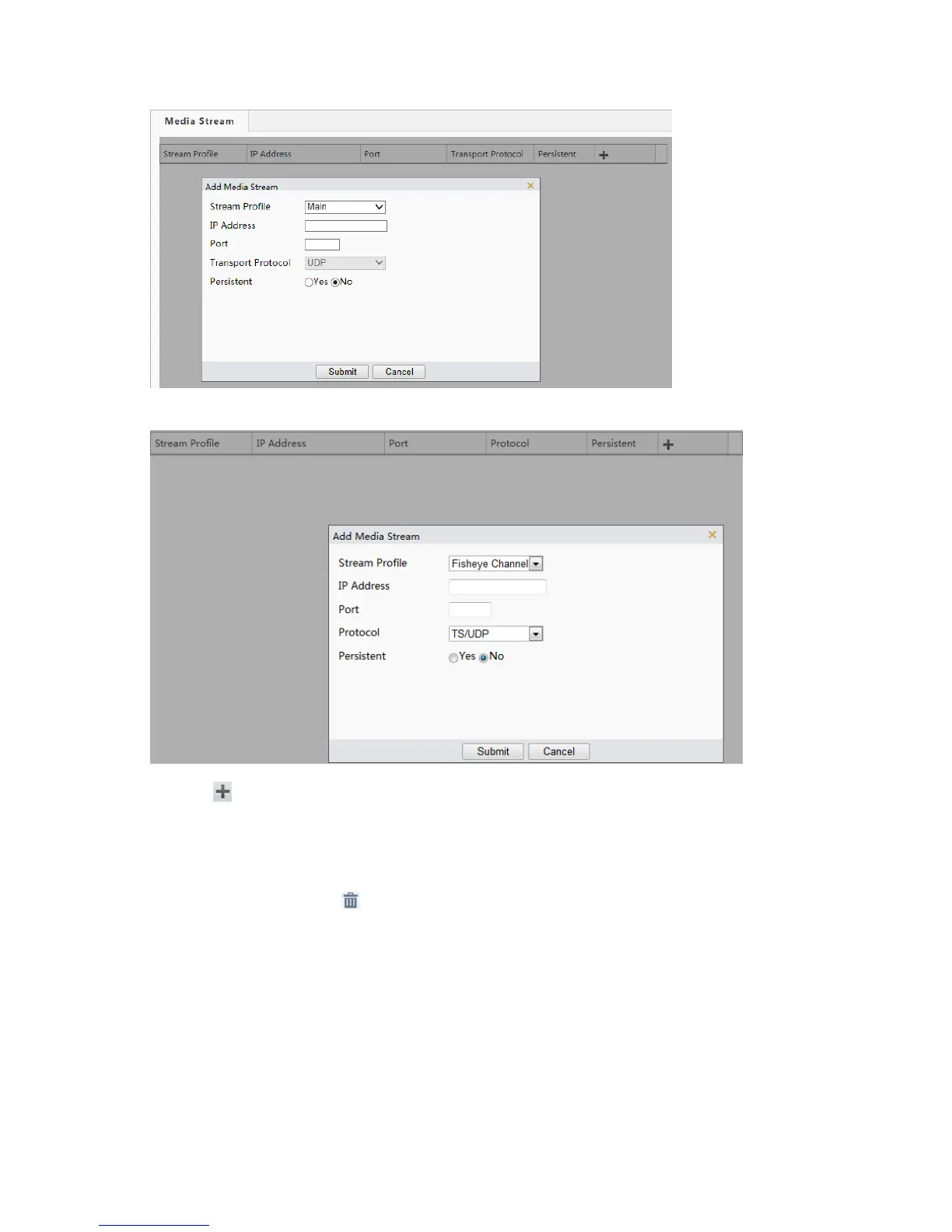
1. Click Setup > Video & Audio > Media Stream.
The Web interface of fisheye cameras is displayed as follows.
2. Click , select a stream type, and then set the IP address and port number of the unicast or multicast
group for the decoding device that receives audio and video streams from the camera.
If you want the device to establish the media stream that has been configured before automatically
after the restart, select Yes for Persistent.
3. To delete a stream, click .
4. Click Submit to complete the operations.
RTSP Multicast Address
After an RTSP multicast address is configured, the third-party player can request the RTSP multicast media
stream from the camera through the RTP protocol.
1. Click Setup > Video & Audio > Media Stream > RTSP Multicast Address.



 To Next Page