43
4. Under HTTPS, select Enable. Uploading a custom SSL certificate is also supported to ensure security.
5. Click Save.
Next time you log in, enter the address in https://IP:HTTPS port number format, for example,
https://192.168.0.13:443, to enter secure channel mode. If HTTPS uses a default port number, enter the
address in https://IP directly.
RTSP Authentication
RTSP (Real Time Streaming Protocol) is an application layer protocol. To transmit and control the audio and
video, set RTSP authentication on the Web interface.
1. Click Setup > System > Security > RTSP Authentication.
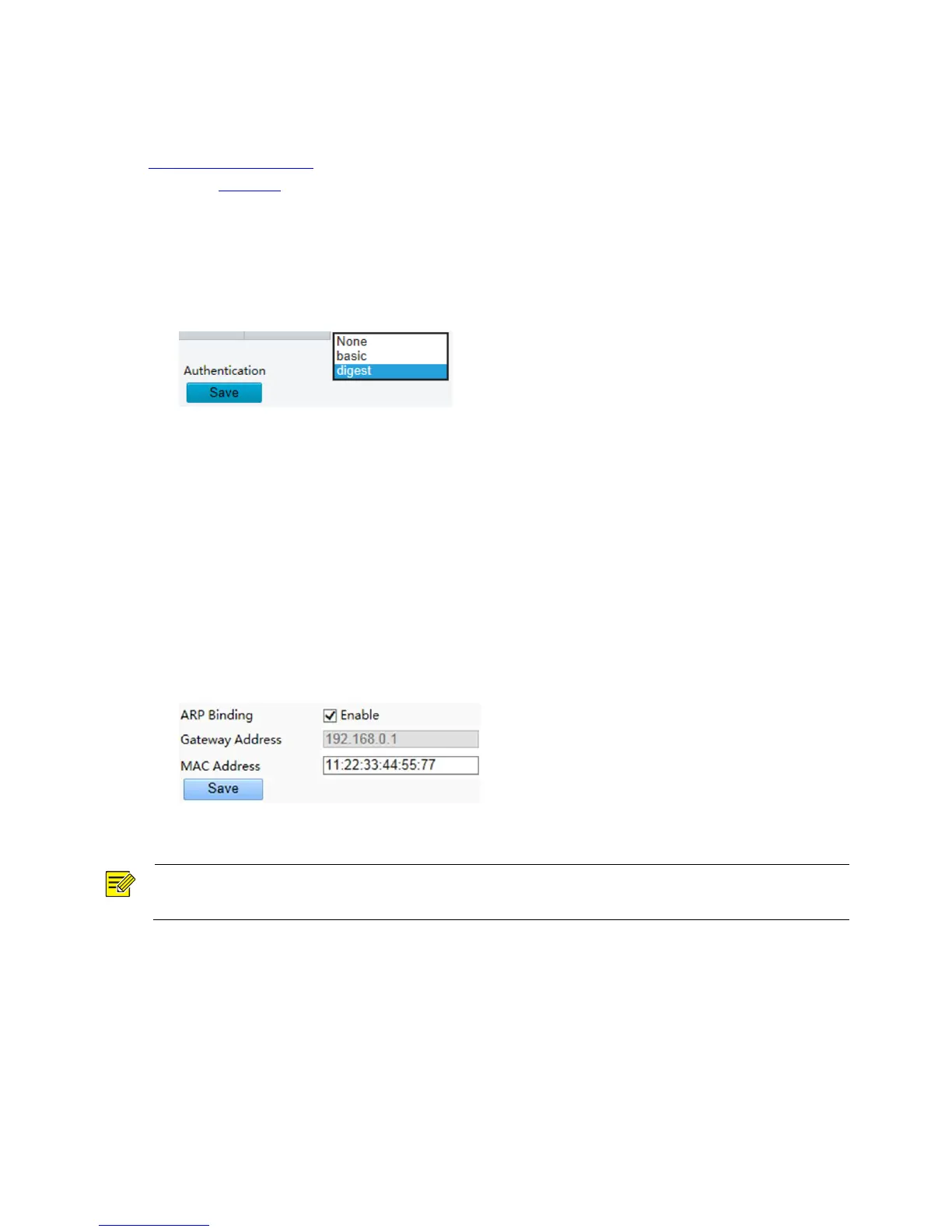
2. Select an authentication mode (basic/digest) and then click Save.
Hide Vendor Information
You can set to hide the vendor information of the network camera on the Web interface.
1. Click Setup > System > Security.
2. Under Registration Info, select Enable.
APR Binding
This function can protect the camera from ARP attacks. When the camera visits an IP of another network
segment via a gateway, it can communicate only with the MAC address binding to the gateway address in
the same segment.
1. Click Setup > System > Security > ARP Binding.
2. Select the check box to enable the ARP binding function and set the MAC address.
3. Click Save.
IP Address Filtering
You can allow or deny the access from the specified IP address to you camera.



 To Next Page