62
Add a preset
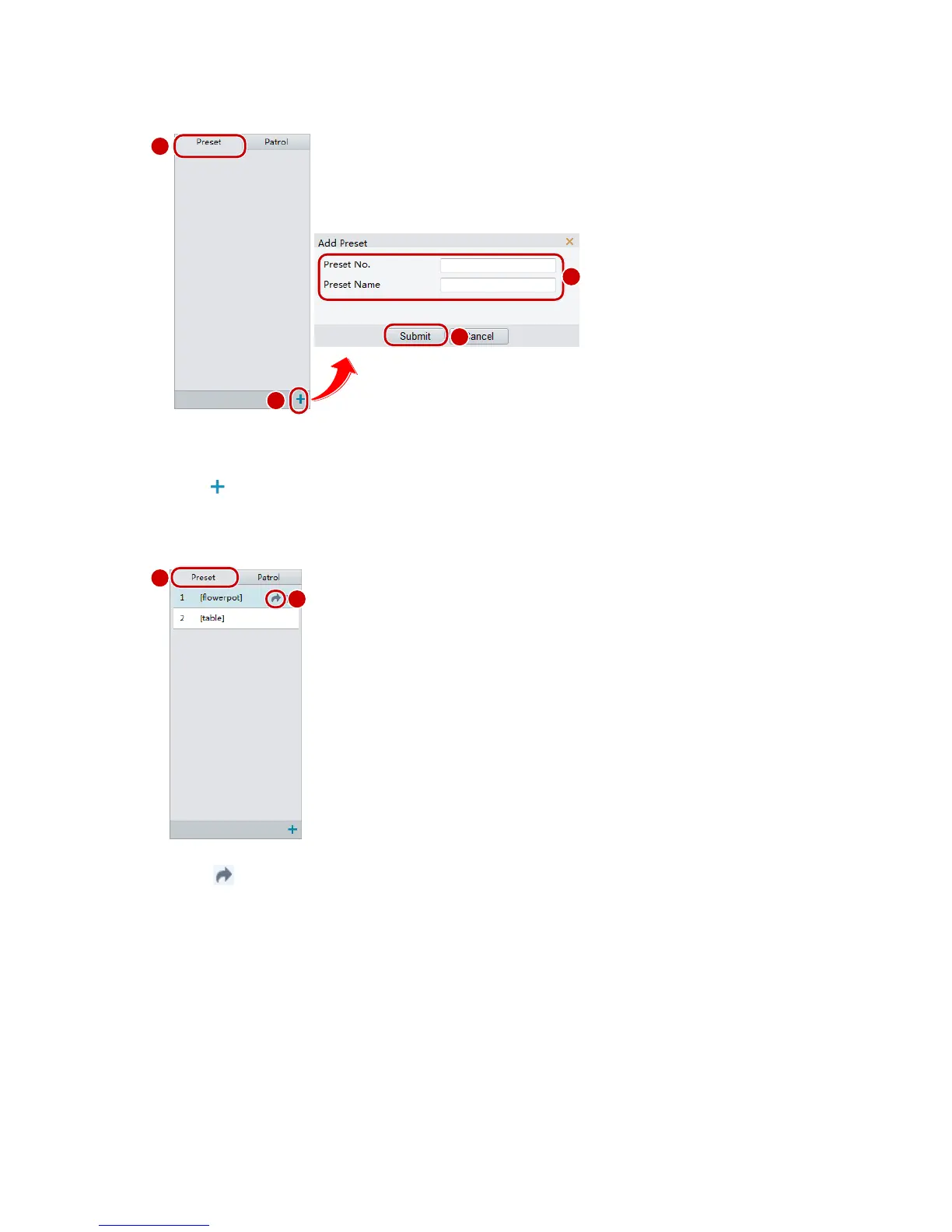
1. On the Live View page, click Preset on the control panel.
2. Adjust the camera till it points toward the desired direction.
3. Adjust zoom and focus as needed to obtain the optimal image.
4. Click to add it as a preset. Enter a number and name for the preset and then click Submit.
Go to a preset
1. On the Live View page, click Preset on the control panel.
2. Click for a preset. The PTZ camera goes to the selected preset.
Delete a preset
1. On the Live View page, click Preset on the control panel.



 To Next Page