Output settings
Setting the headphone output Volume Curve
11 2
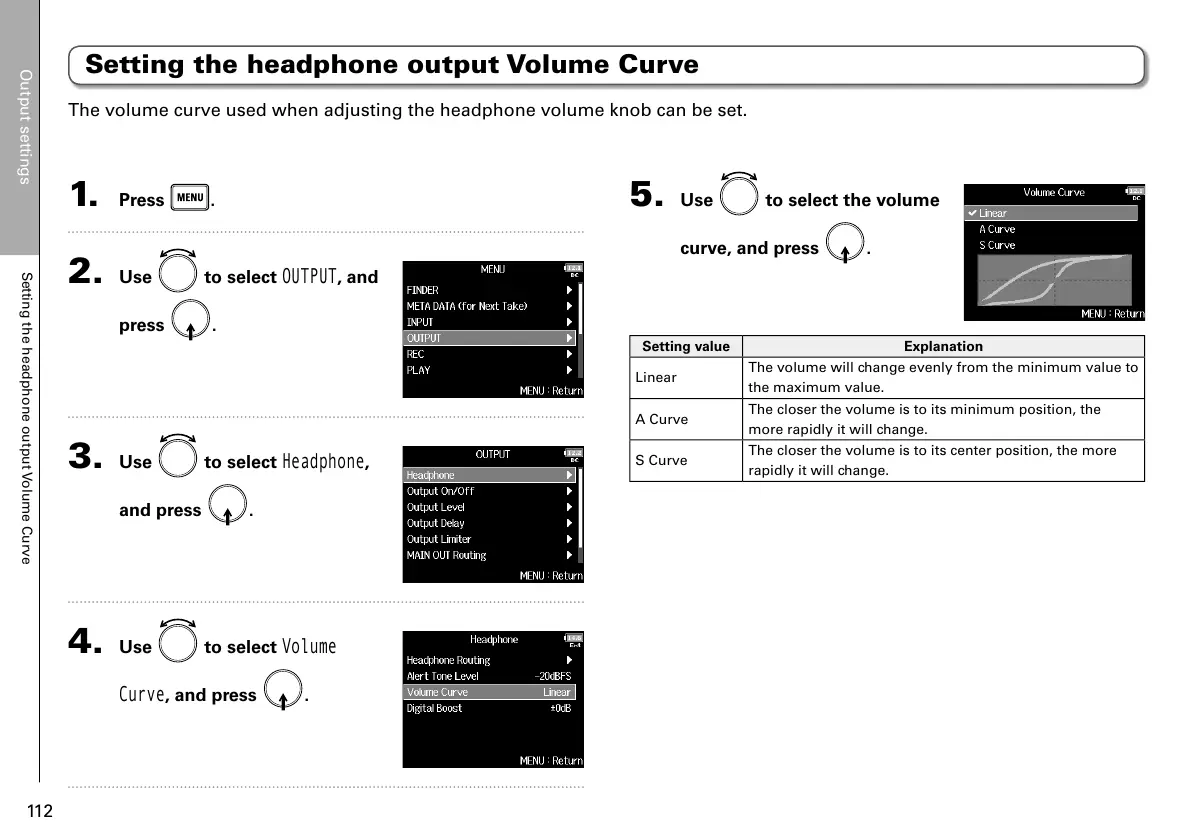
The volume curve used when adjusting the headphone volume knob can be set.
1. Press .
2. Use to select
OUTPUT
, and
press
.
3. Use to select
Headphone
,
and press
.
4. Use to select
Volume
Curve
, and press .
Setting the headphone output Volume Curve
5. Use to select the volume
curve, and press
.
Setting value Explanation
Linear
The volume will change evenly from the minimum value to
the maximum value.
A Curve
The closer the volume is to its minimum position, the
more rapidly it will change.
S Curve
The closer the volume is to its center position, the more
rapidly it will change.



 To Next Page