Input settings
Delaying input signals (Input Delay)
94
Delaying input signals (Input Delay)
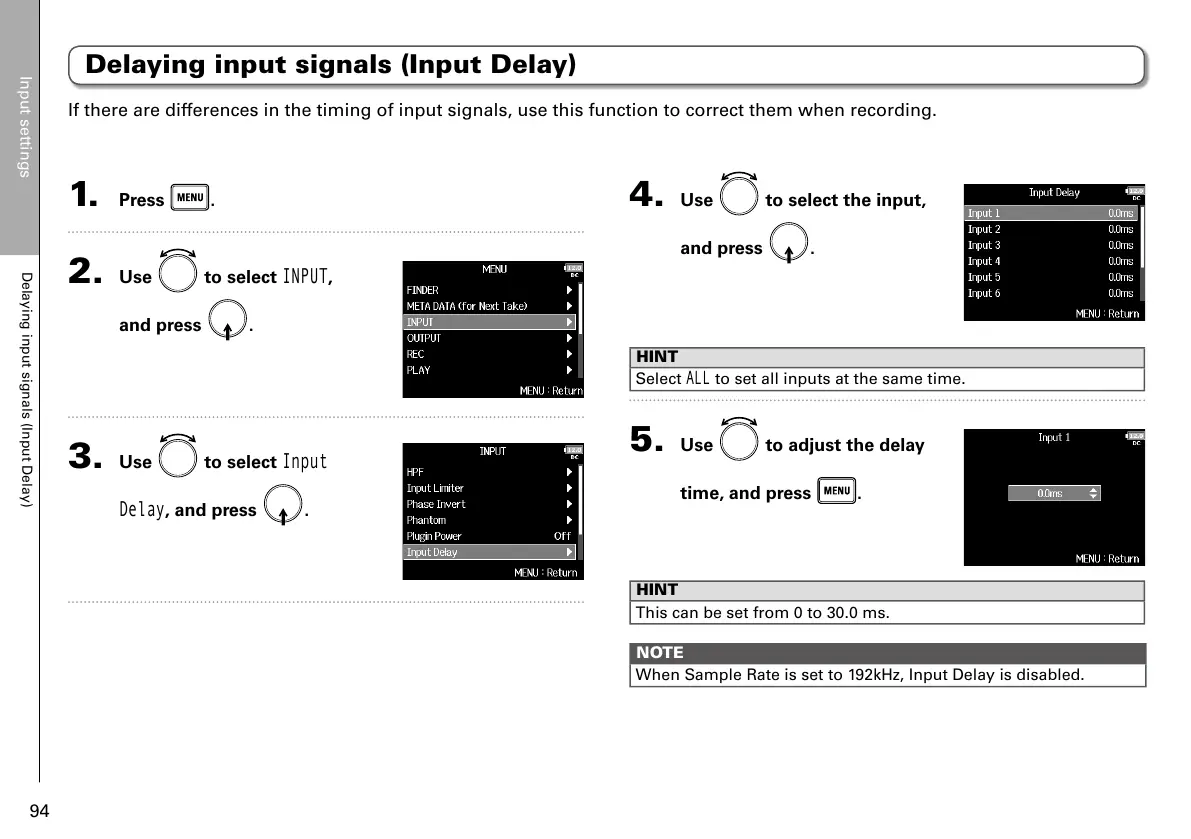
1. Press .
2. Use to select
INPUT
,
and press
.
3. Use to select
Input
Delay
, and press .
4. Use to select the input,
and press
.
HINT
Select
ALL
to set all inputs at the same time.
5. Use to adjust the delay
time, and press
.
HINT
This can be set from 0 to 30.0 ms.
NOTE
When Sample Rate is set to 192kHz, Input Delay is disabled.
If there are differences in the timing of input signals, use this function to correct them when recording.



 To Next Page