Output settings
Setting output levels
11 6
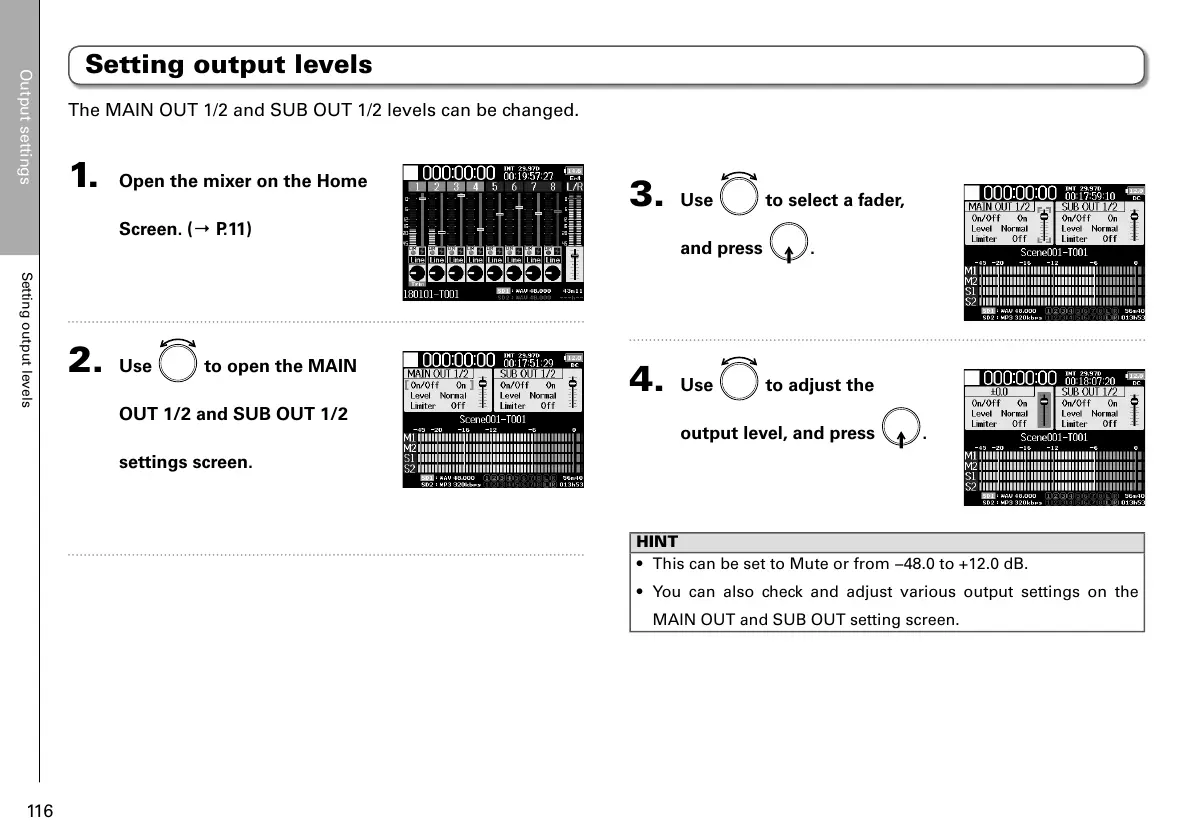
1. Open the mixer on the Home
Screen. (→ P.11)
2. Use to open the MAIN
OUT 1/2 and SUB OUT 1/2
settings screen.
3. Use to select a fader,
and press
.
4. Use to adjust the
output level, and press
.
HINT
• This can be set to Mute or from −48.0 to +12.0 dB.
• You can also check and adjust various output settings on the
MAIN OUT and SUB OUT setting screen.
Setting output levels
The MAIN OUT 1/2 and SUB OUT 1/2 levels can be changed.



 To Next Page