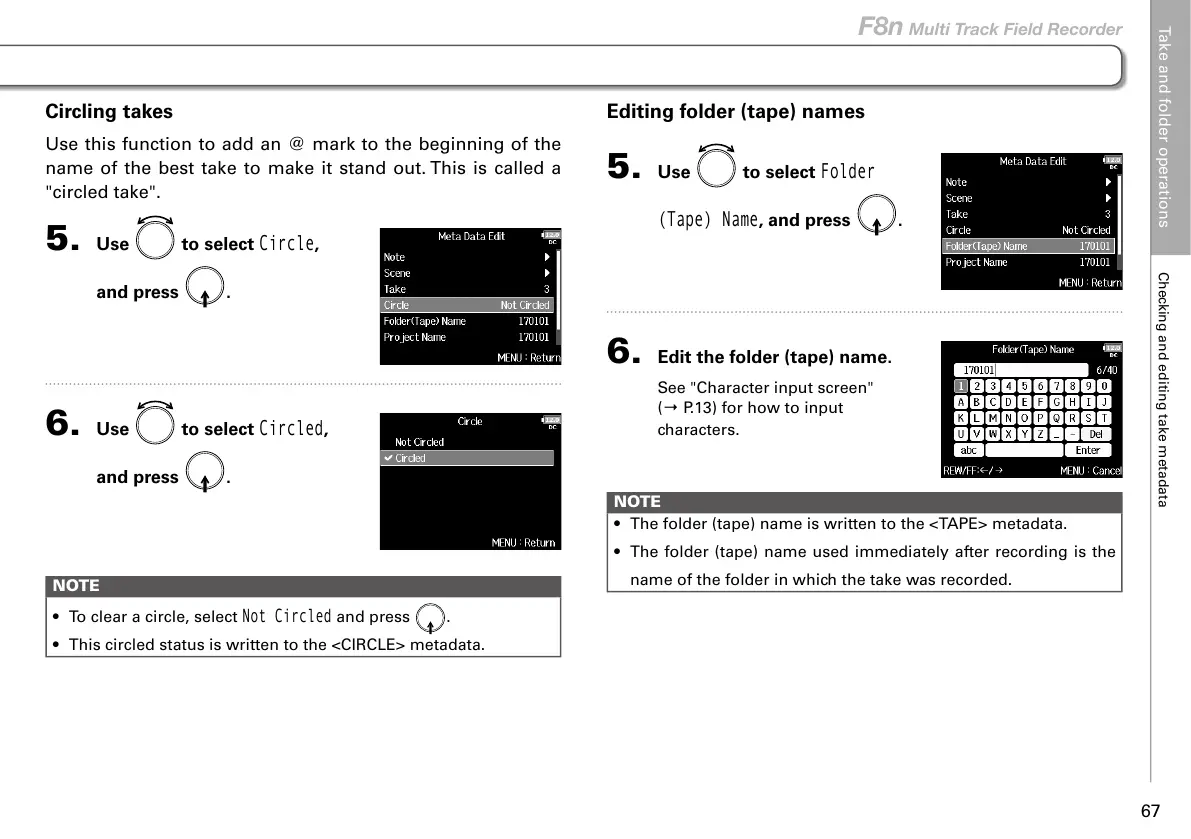
Editing folder (tape) names
5. Use to select
Folder
(Tape) Name
, and press .
6. Edit the folder (tape) name.
See "Character input screen"
(→ P.13) for how to input
characters.
NOTE
• The folder (tape) name is written to the <TAPE> metadata.
• The folder (tape) name used immediately after recording is the
name of the folder in which the take was recorded.
Circling takes
Use this function to add an @ mark to the beginning of the
name of the best take to make it stand out. This is called a
"circled take".
5. Use to select
Circle
,
and press
.
6. Use to select
Circled
,
and press
.
NOTE
• To clear a circle, select
Not Circled
and press .
• This circled status is written to the <CIRCLE> metadata.
Take and folder operations
Checking and editing take metadata
67
F8n Multi Track Field Recorder



 To Next Page