Output settings
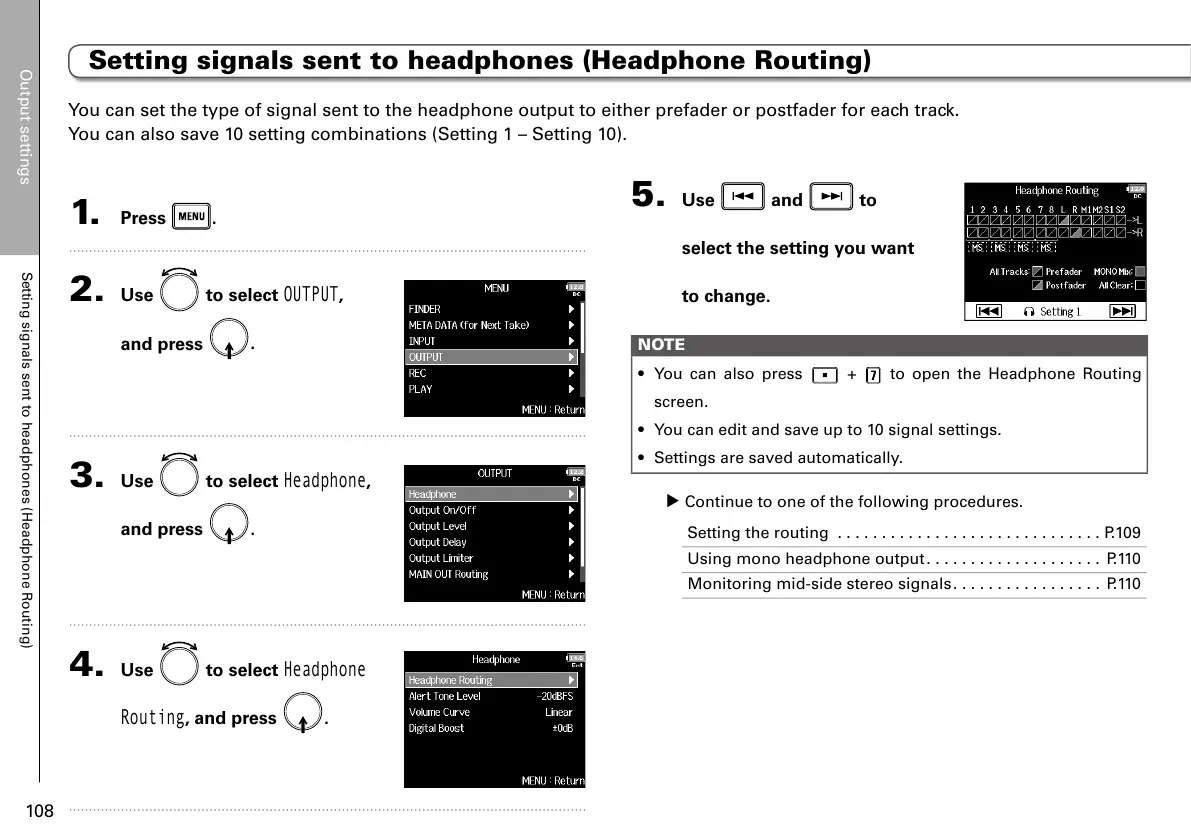
Setting signals sent to headphones (Headphone Routing)
108
1. Press .
2. Use to select
OUTPUT
,
and press
.
3. Use to select
Headphone
,
and press
.
4. Use to select
Headphone
Routing
, and press .
5. Use and to
select the setting you want
to change.
NOTE
• You can also press
+ to open the Headphone Routing
screen.
• You can edit and save up to 10 signal settings.
• Settings are saved automatically.
▶ Continue to one of the following procedures.
Setting the routing ..............................P.109
Using mono headphone output.................... P.110
Monitoring mid-side stereo signals................. P.110
You can set the type of signal sent to the headphone output to either prefader or postfader for each track.
You can also save 10 setting combinations (Setting 1 – Setting 10).
Setting signals sent to headphones (Headphone Routing)



 To Next Page