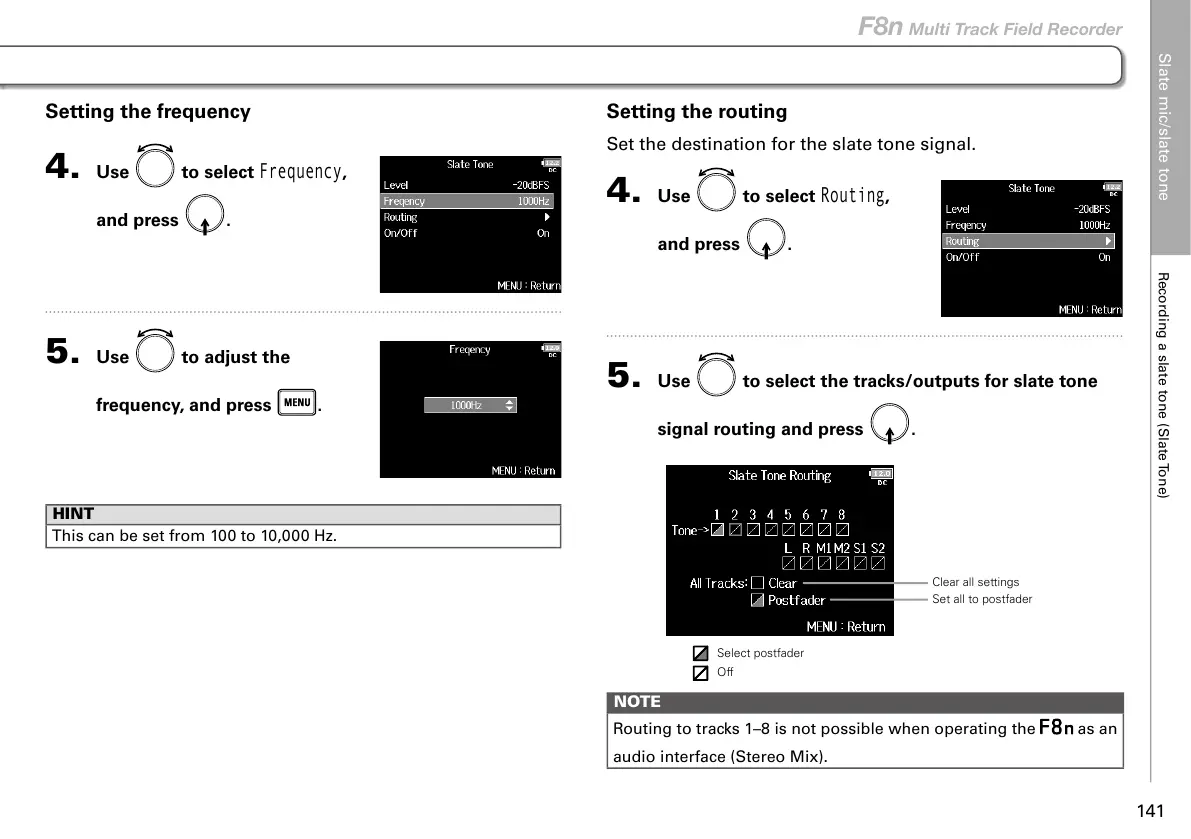
Setting the frequency
4. Use to select
Frequency
,
and press
.
5. Use to adjust the
frequency, and press
.
HINT
This can be set from 100 to 10,000 Hz.
Setting the routing
Set the destination for the slate tone signal.
4. Use to select
Routing
,
and press
.
5. Use to select the tracks/outputs for slate tone
signal routing and press
.
Clear all settings
Set all to postfader
Select postfader
Off
NOTE
Routing to tracks 1–8 is not possible when operating the
as an
audio interface (Stereo Mix).
Slate mic/slate tone
Recording a slate tone (Slate Tone)
141
F8n Multi Track Field Recorder



 To Next Page