Other functions
Backing up and loading settings (Backup/Load Settings)
180
Backing up and loading settings (Backup/Load Settings) (continued)
Backing up and loading settings (Backup/Load Settings)
Backing up and loading settings (Backup/Load Settings) (continued)
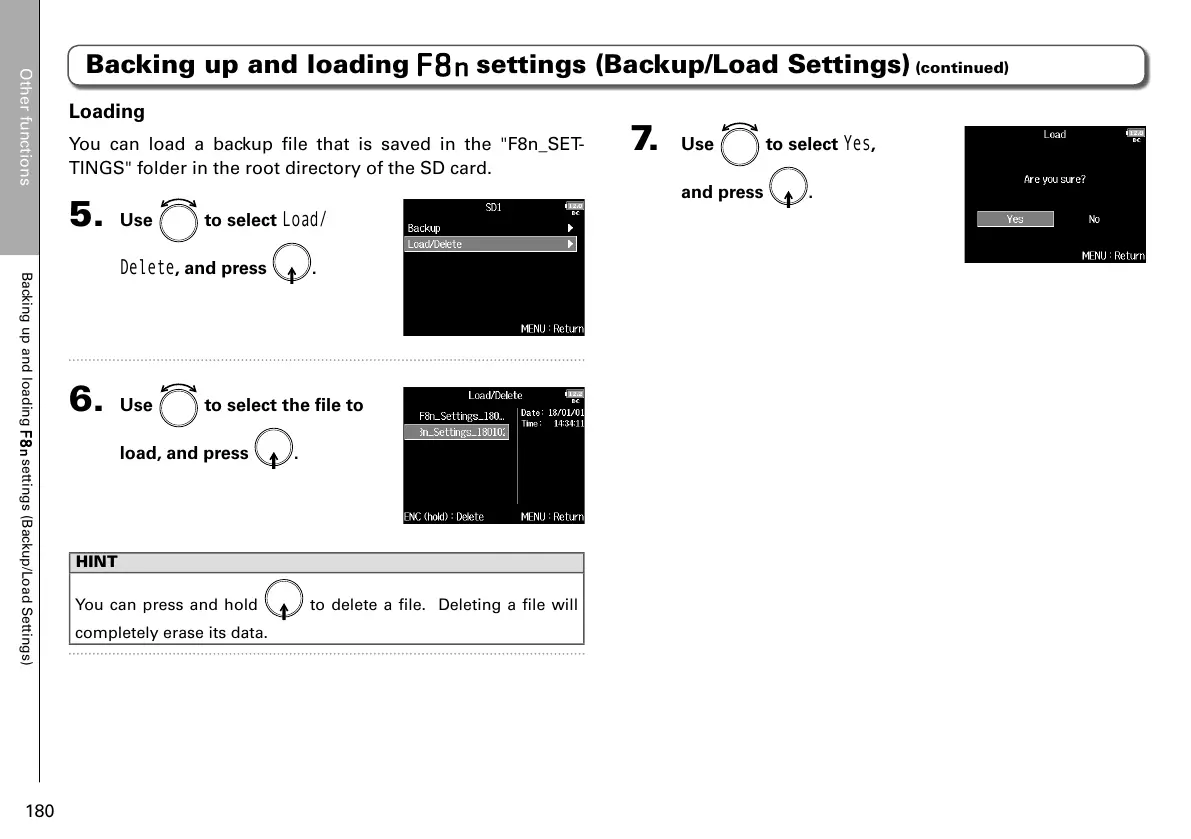
7. Use to select
Yes
,
and press
.
Loading
You can load a backup file that is saved in the "F8n_SET-
TINGS" folder in the root directory of the SD card.
5. Use to select
Load/
Delete
, and press .
6. Use to select the file to
load, and press
.
HINT
You can press and hold
to delete a file. Deleting a file will
completely erase its data.



 To Next Page