60
Take out the power assembly from the main unit case;
Open the power unit, remove the screws on the power board, and take out the board from
the power unit.
Wear an antistatic wrist strap while removing the board;
Always shut down the power and pull out the power cable before removing the board.
Installation:
Install the power board in the reversed order of the disassembly steps:
Check whether all the screws on the board are properly fixed;
Connect the power cable, and turn on the AC switch. The analyzer starts its initialization, and
all the indicators on the board light on.
Ensure the power unit is tightly fixed to the main unit case with screws.
Before disassemble the power board, ensure the power board and its peripherals have
cooled off.
6.6.3 Power Board Problem
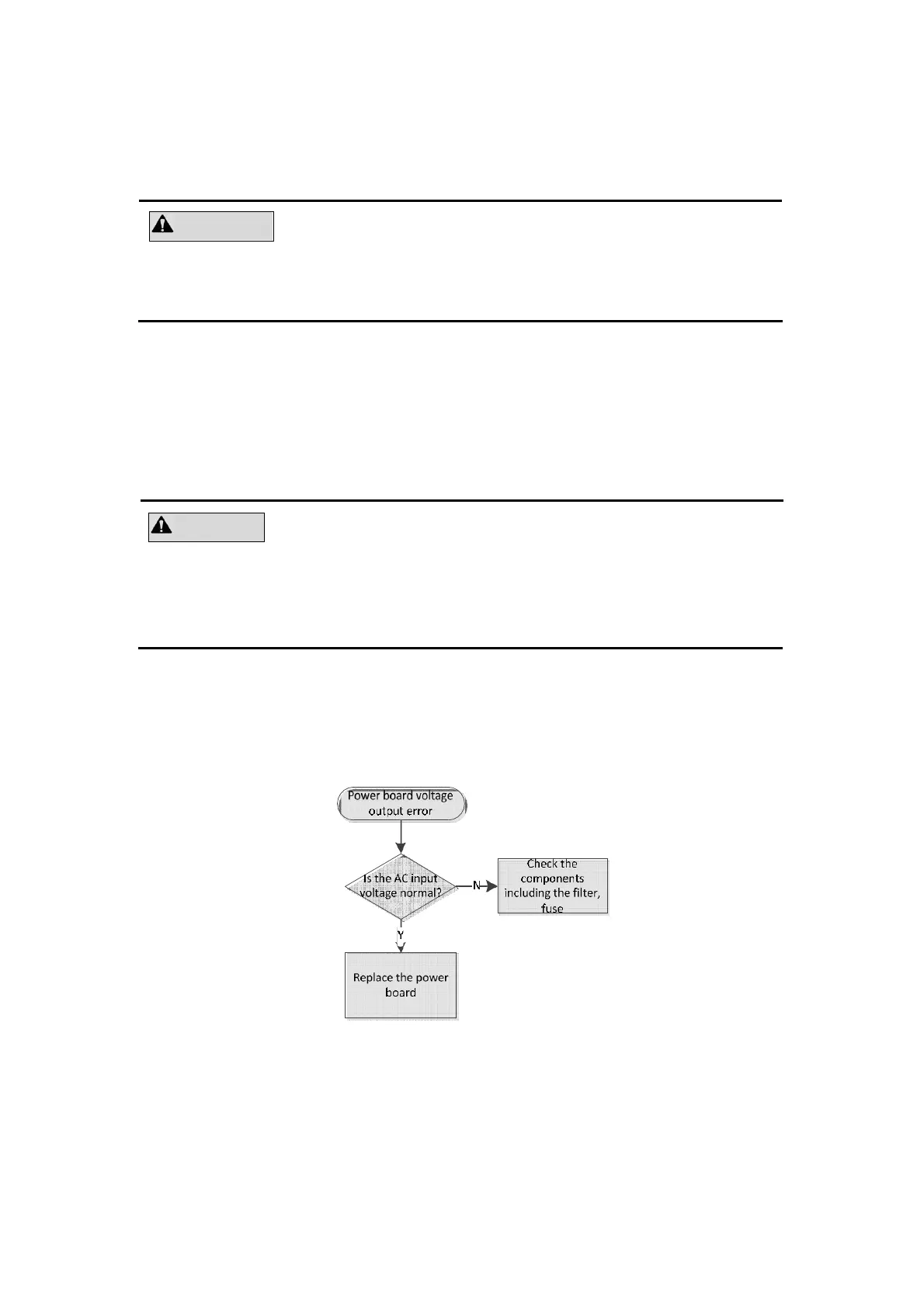
Follow below procedure for power board troubleshooting.
Figure 6-11 Troubleshooting for power board problem



 To Next Page