247Security Inc. | 4400 North Point Parkway, Suite # 158, Alpharetta, GA 30022, USA | 1-866-693-7492 | www.247securityinc.com
USER MANUAL, ZEUS Pt
33
4.5.28 DRIVE-SAFE (G-FORCE SET-UP)
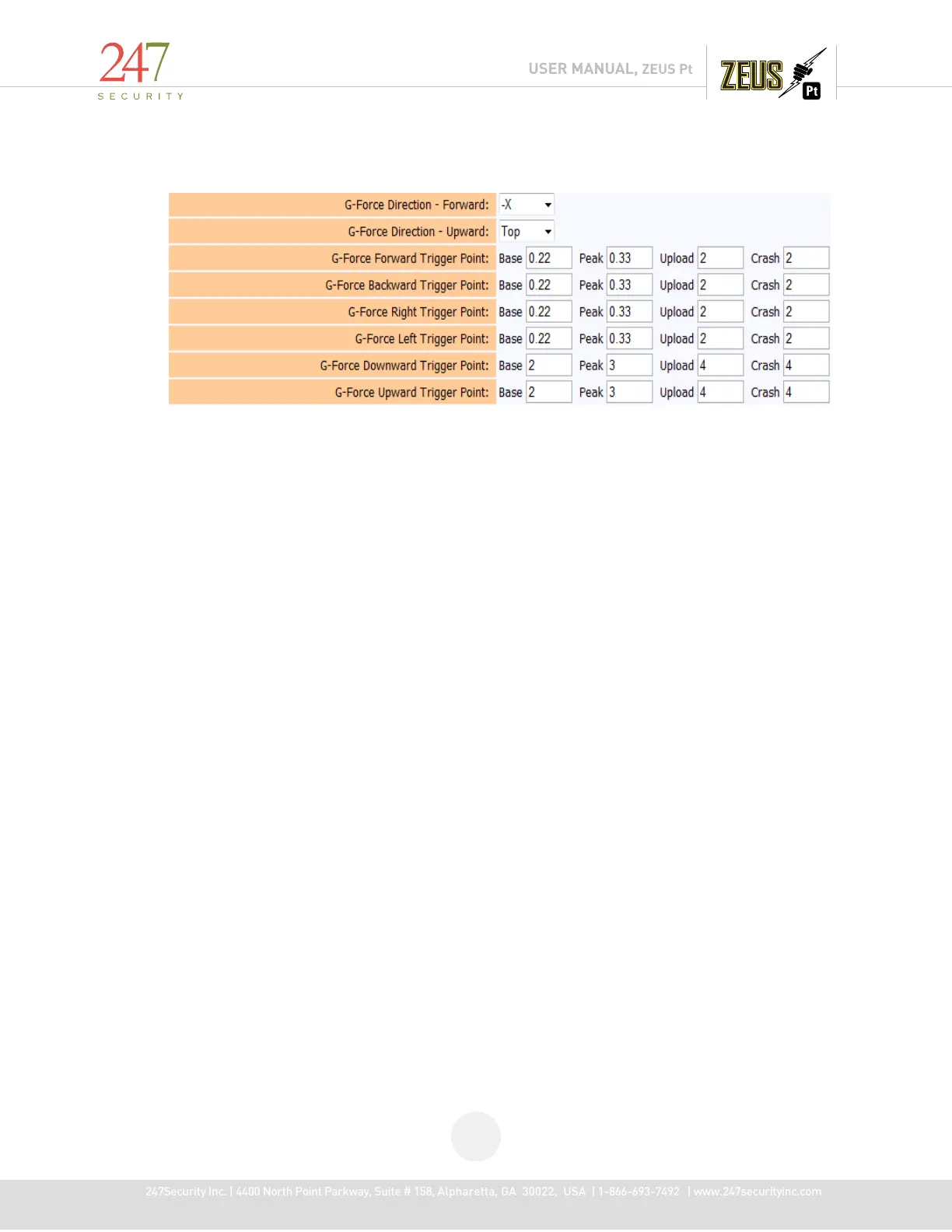
If the TAB101 option is checked as listed above, the G-Force parameters will then appear on the
system set-up page after a system re-boot. NOTE: DO NOT CHANGE ANY OF THE BASE, PEAK OR CRASH
VALUES.
The only values to possibly change are those associated with the UPLOAD. The upload process
works in conjunction with the WiFi TouchDown™ system, systematically uploading 30 seconds of video
pre & post if the G-Force trigger point meets or exceeds the value in the Upload column for the
associated trigger. G-Force data values work with the GPS MiniTRACK option to be displayed in a text
report or on a map. See the Drive-Safe™ manual for further clarification.



 To Next Page