247Security Inc. | 4400 North Point Parkway, Suite # 158, Alpharetta, GA 30022, USA | 1-866-693-7492 | www.247securityinc.com
USER MANUAL, ZEUS Pt
51
5.5 STARTING DVRVIEWER
The first screen that appears when you start the DVRViewer application will be the LOGIN screen. If
this is the first-time logging in the default username and password will be “admin” and
“247SECURITYINC”. Both the Username and password are case sensitive. If you forget or lose your
password please contact 247Security Inc. Technical Support for help.
Please make sure you change your temporary admin password to something else that is easier for
you to remember by clicking on the “Users” button. Follow instructions on the screen to assign a new
password.
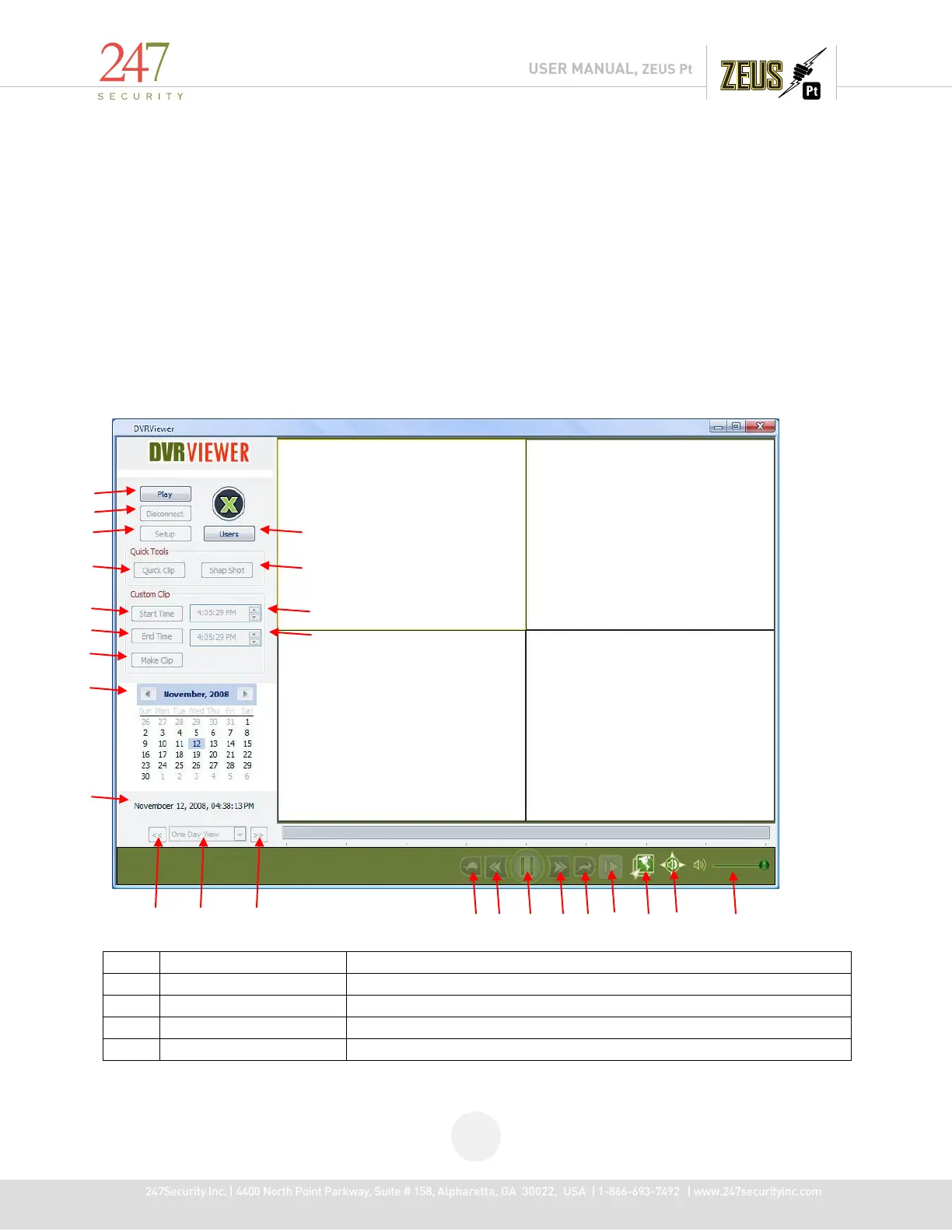
After logging in, the following main screen will appear, see below for description on the controls and
buttons.
The controls and buttons in the main screen:
Brings up these options: Live View, Play Archive, Play File
Disconnects DVRViewer from a DVR or from a media storage
Enables user to create, delete and modify users



 To Next Page