247Security Inc. | 4400 North Point Parkway, Suite # 158, Alpharetta, GA 30022, USA | 1-866-693-7492 | www.247securityinc.com
USER MANUAL, ZEUS Pt
67
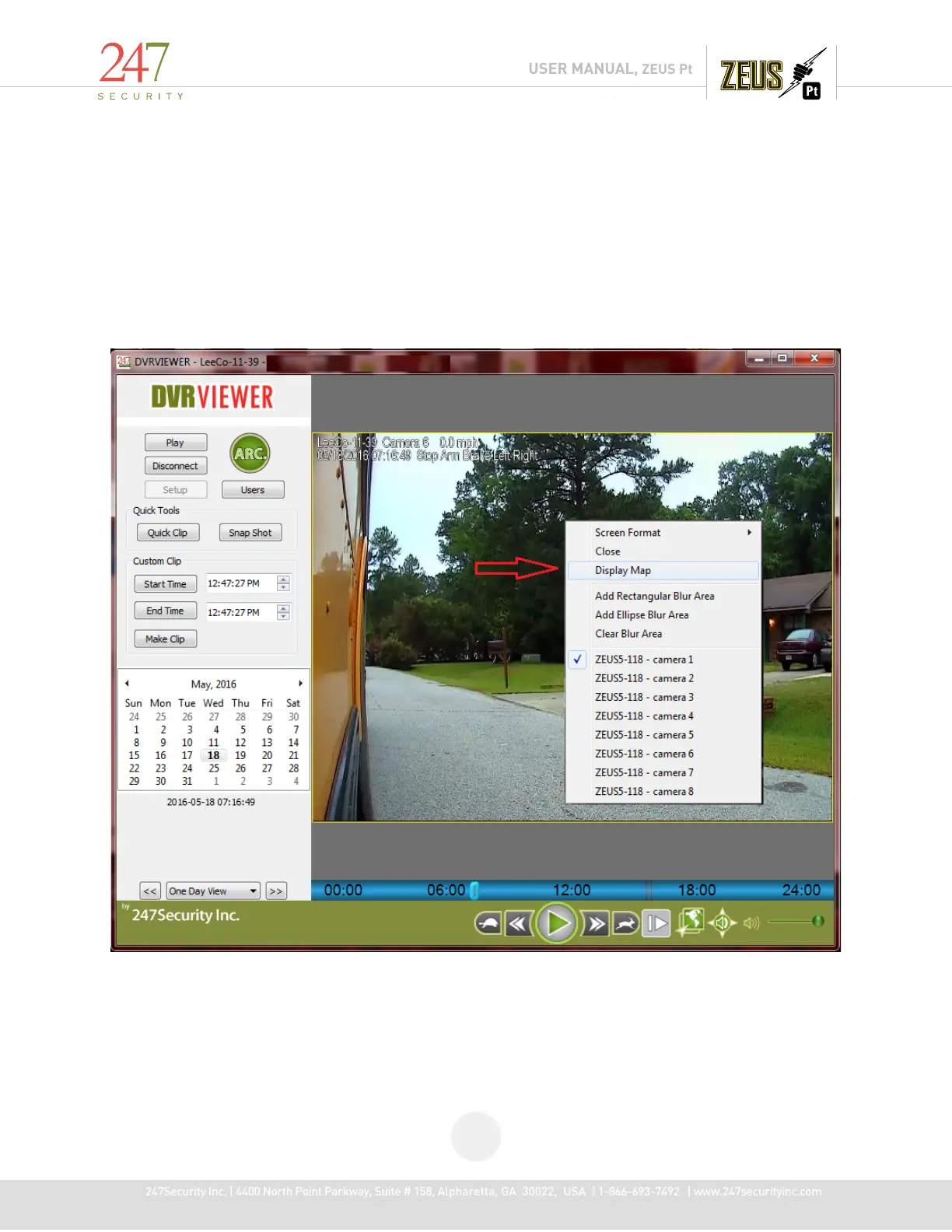
5.13.6 DISPLAY MAP FEATURE
Use the "Play Archive" on the connected DVR HDD, choose the desired date and select a camera display, right-click on
video area, the pop-up menu will show an item "Display Map" if there is valid GPS data for that video, selecting it will
pop up a map window to display the current Google map position(s) the vehicle is currently running at.
Notes on Map features:
"Display Map" only works when Play Archive local disk, where folder "smartlog" and valid GPS log files available.
Invalid GPS data, 0 latitude and 0 longitude are considered invalid.



 To Next Page