247Security Inc. | 4400 North Point Parkway, Suite # 158, Alpharetta, GA 30022, USA | 1-866-693-7492 | www.247securityinc.com
USER MANUAL, ZEUS Pt
65
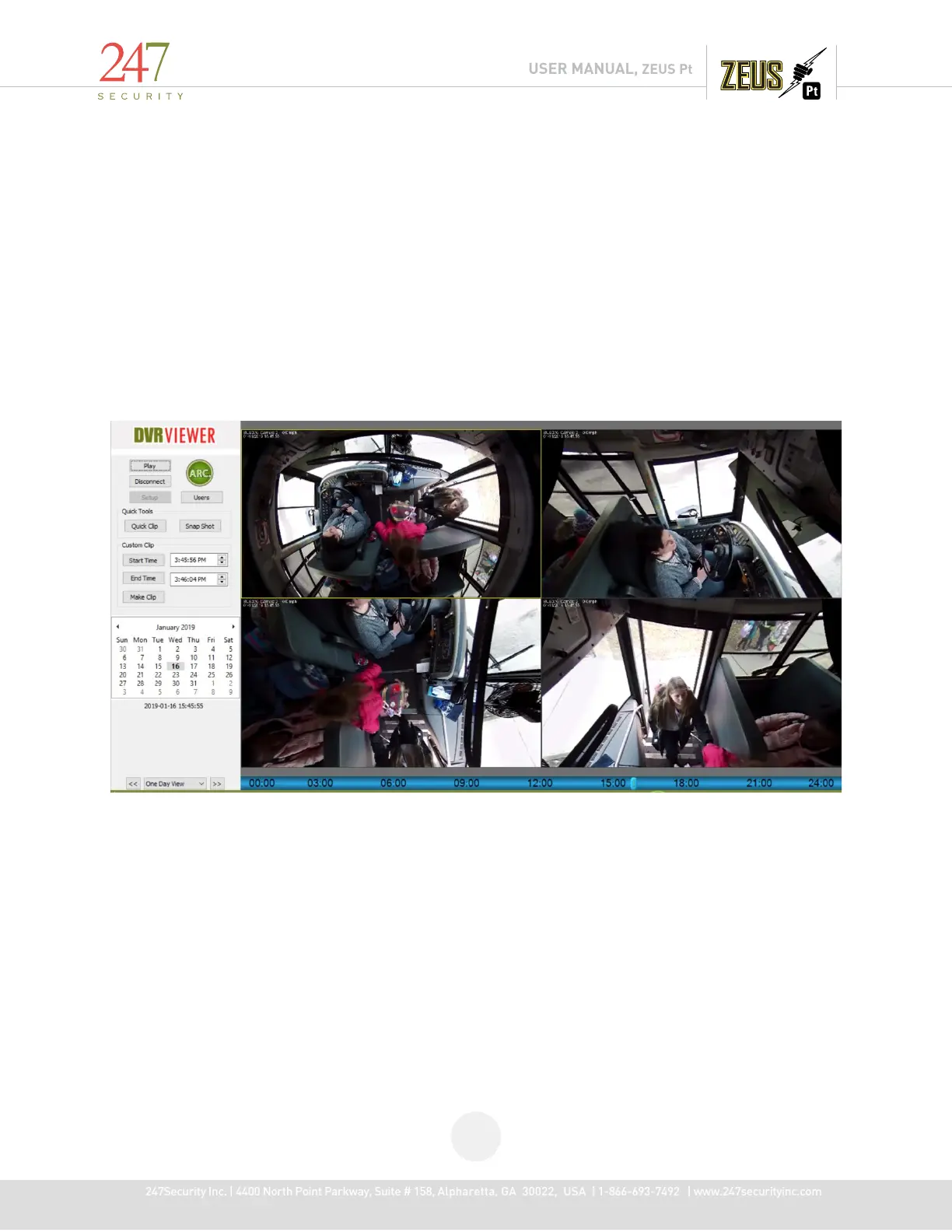
5.13.4 FISH EYE ZOOM FEATURE
FISH EYE ZOOM, Divides the selected image into 4 separate images giving square views in three different
directions and the original image
Use the Play Archive the DVR HDD, select a camera display, right-click on video area, the pop-up menu will show “Fish
Eye Zoom- In".
To use Fish Eye Zoom In, select Fish Eye Zoom In then double click on the image you wish to divide
After selecting, "Snap Shot" and save to a JPEG file.
Right click and deselect Fish Eye Zoom to return image to normal
This is an example of Fish Eye Zoom, the upper left image is the original image



 To Next Page